AWS CLI Concepts - A new way to learn AWS Service
Here is the way to learn AWS from CLI, not from “boring” AWS Management tool.
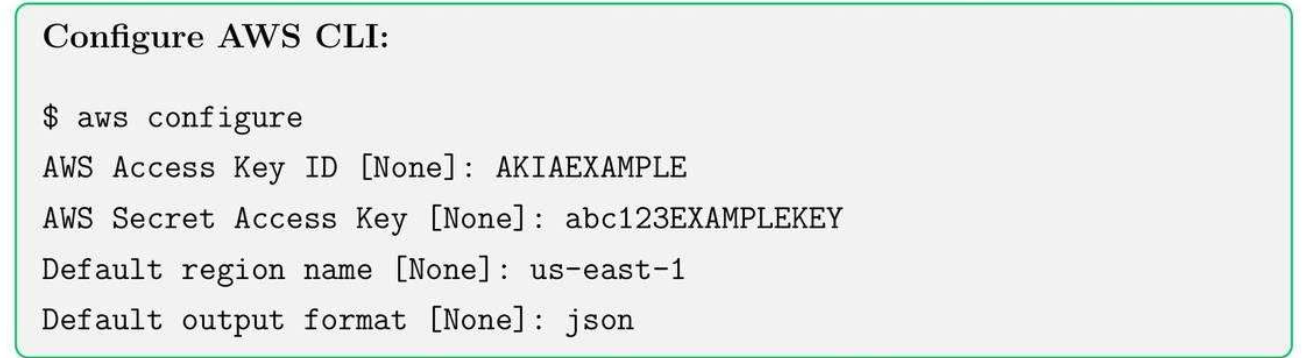
1. AWS Configure
2. IAM and Security
2.1. Core Concepts
- Users: Individual accounts for human users or services.
- Groups: Collection of users with shared permissions.
- Roles: Temporary credentials for applications, services, or cross-account access.
- Policies: JSON documents defining permissions.
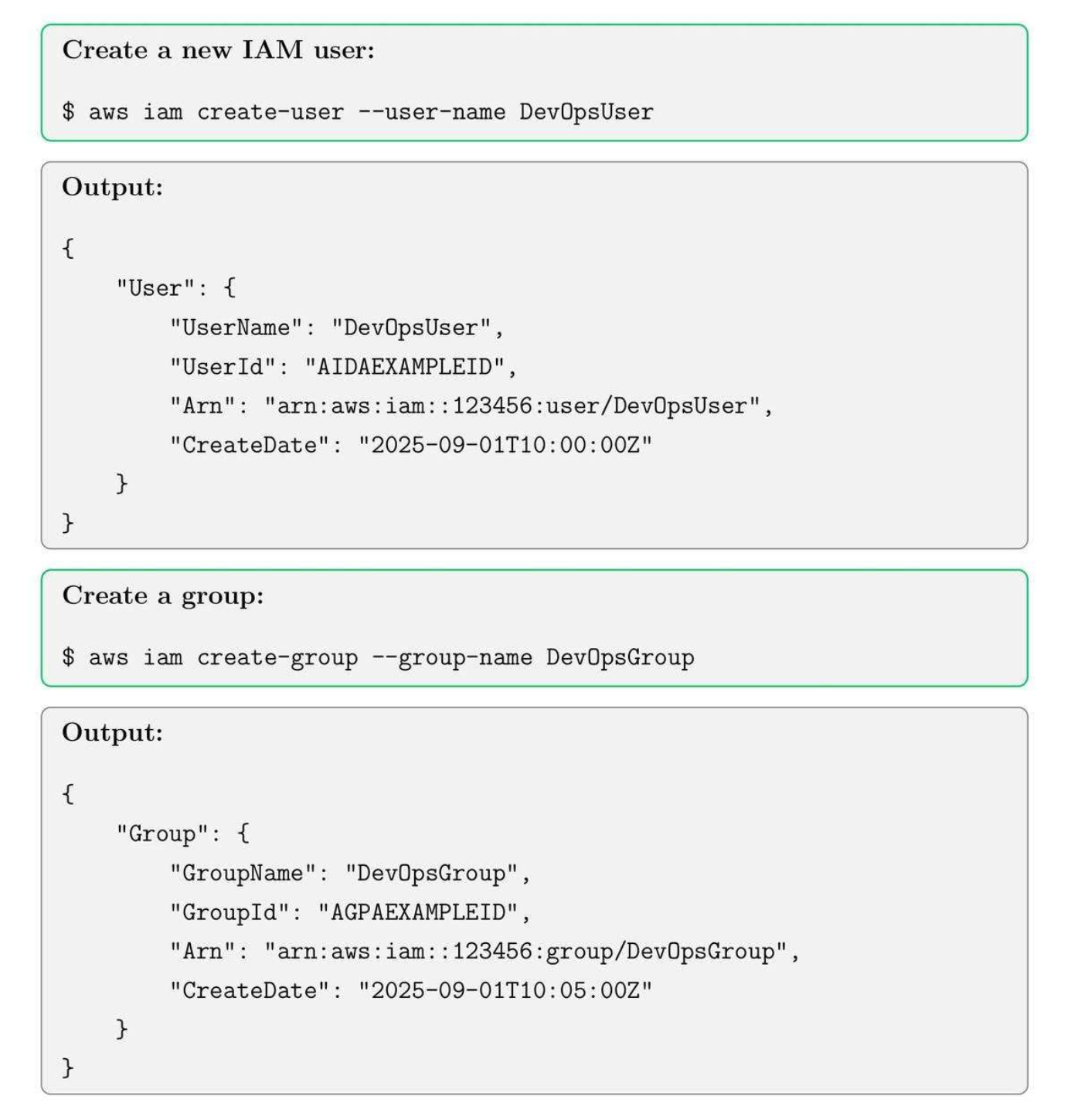
2.2. Create Users and Groups
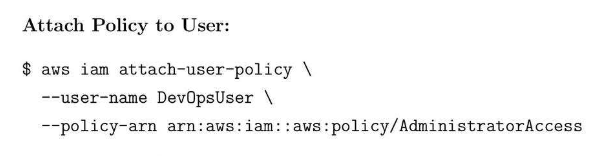
2.3. Attaching policies to Users and Groups.
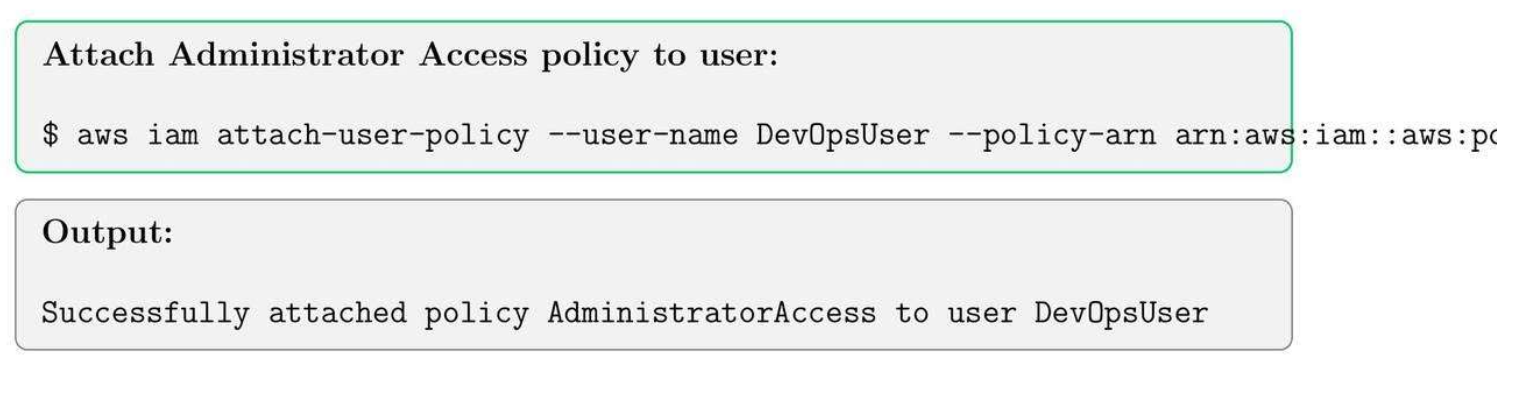
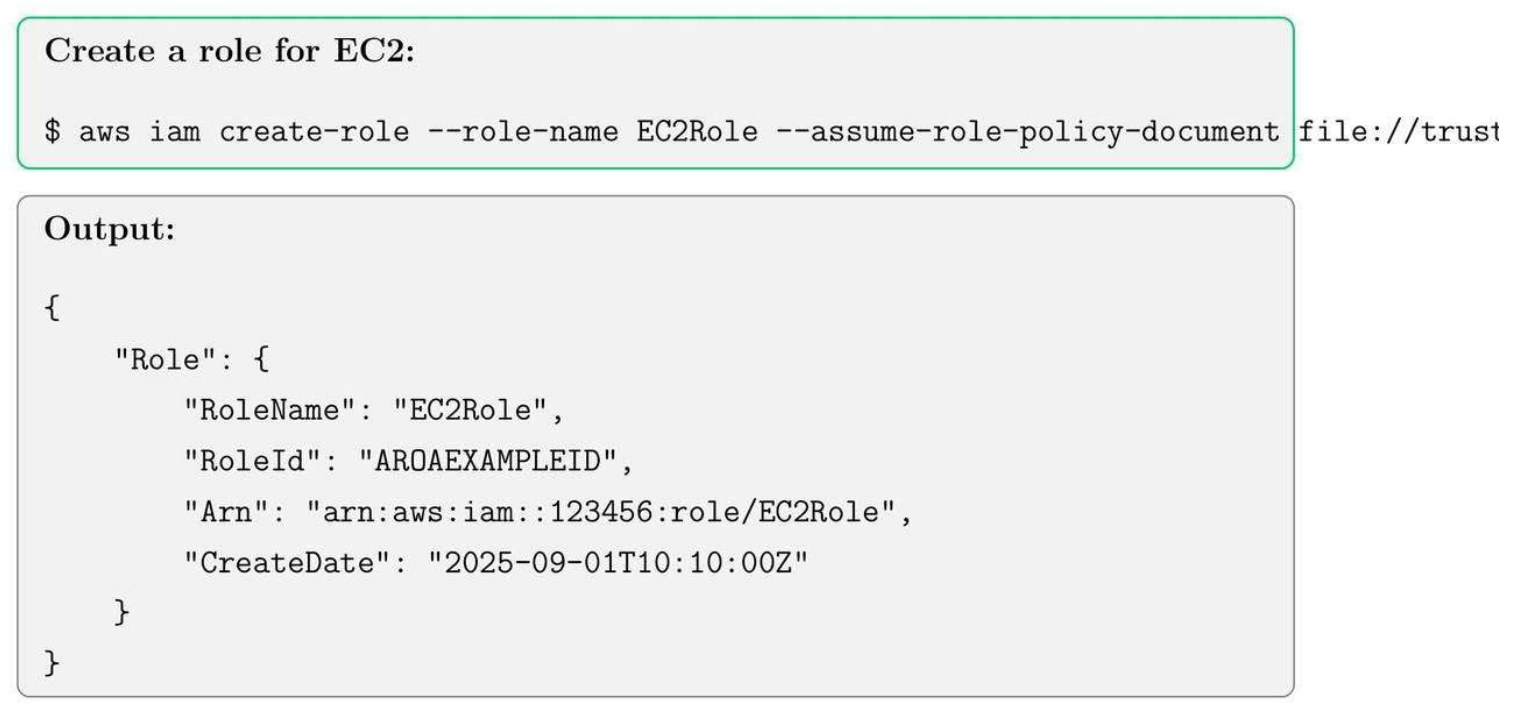
2.4. Create roles cho EC2
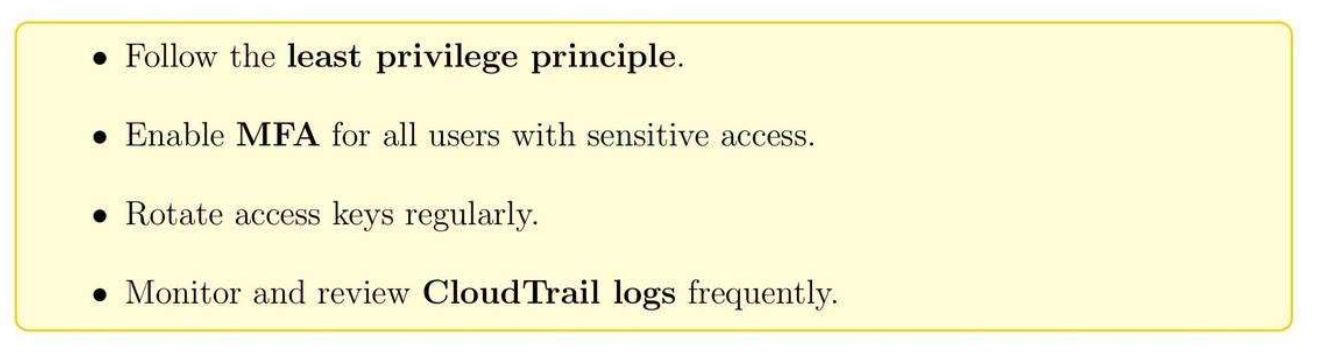
2.5. Security Best Practices
3. EC2 Instances, Key Pairs, Security Group
3.1. EC2 Core Concepts
- Instance types: t2.micro, m5.large, etc.
- AMI (Amazon Machine Image): Pre-configured OS and software.
- Key Pairs: Secure SSH login credentials.
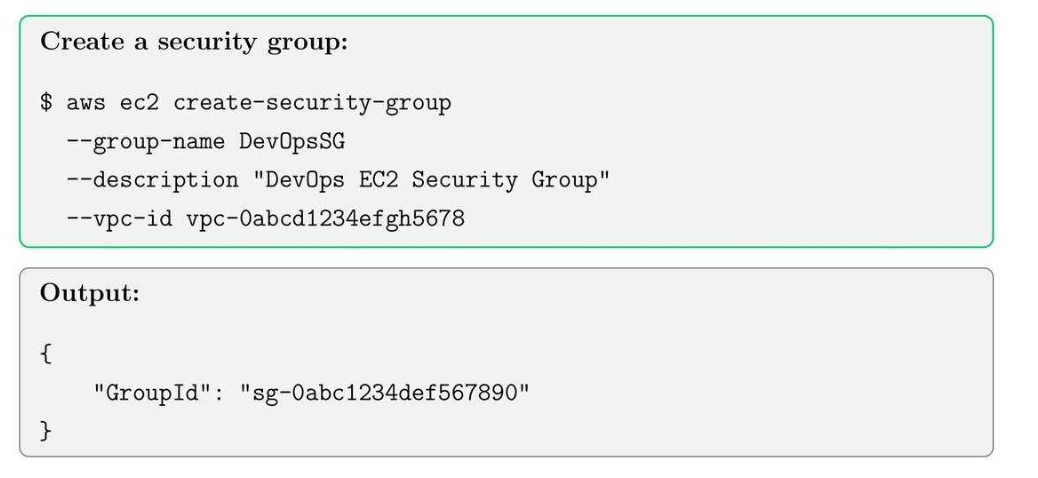
- Security Groups: Virtual firewall for instances.
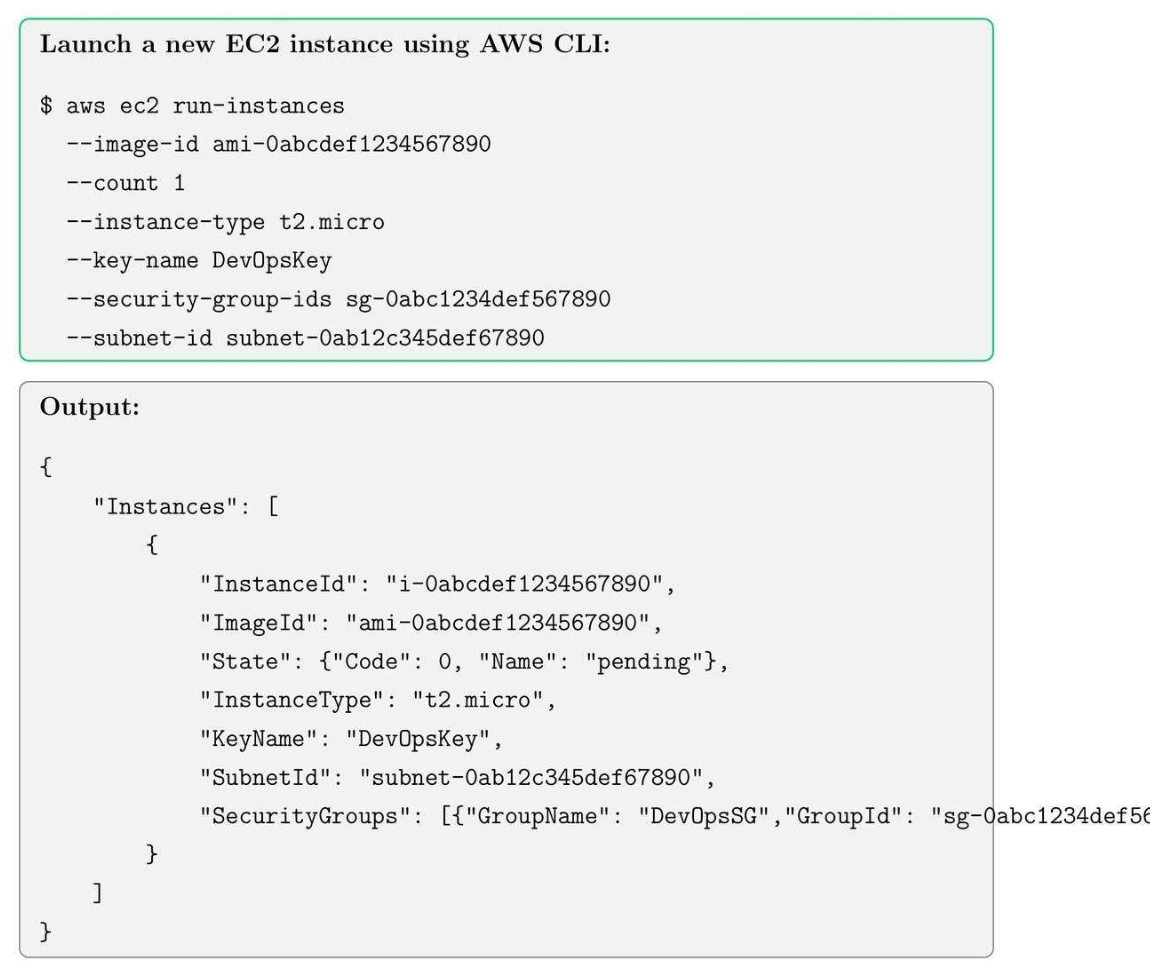
3.2. Launching an EC2 Instance
3.3. Creating Key Pairs
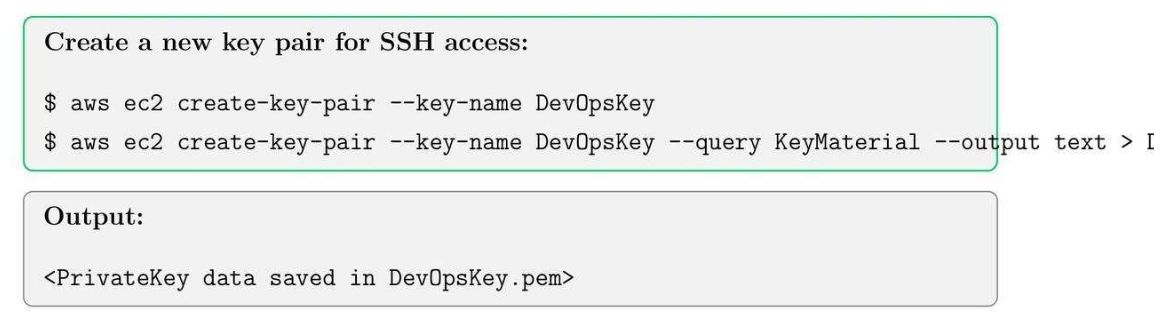
Tip: Always set correct permissions for the key file before using SSH:
$ chmod 400 DevOpsKey - pem
3.4. Creating Security Groups
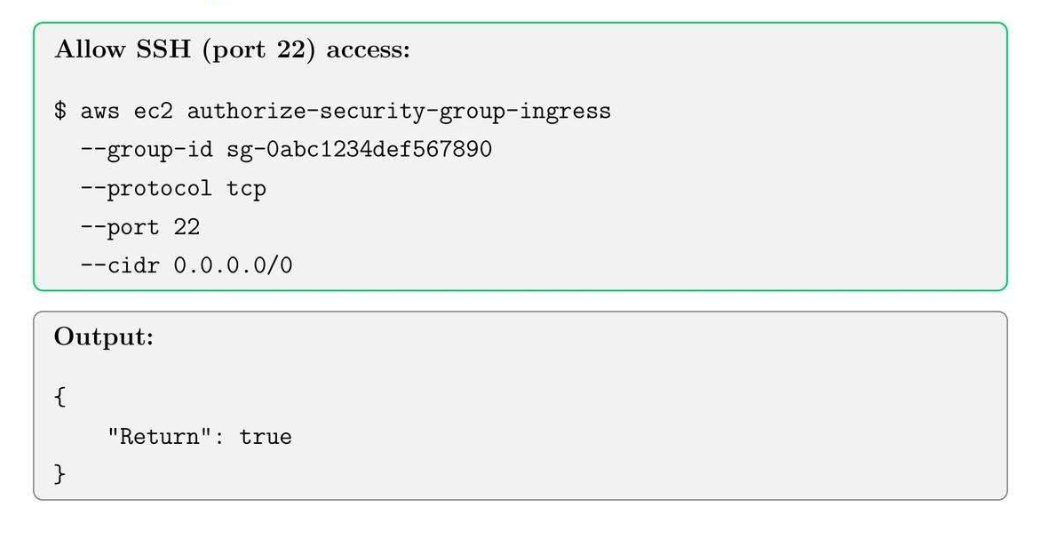
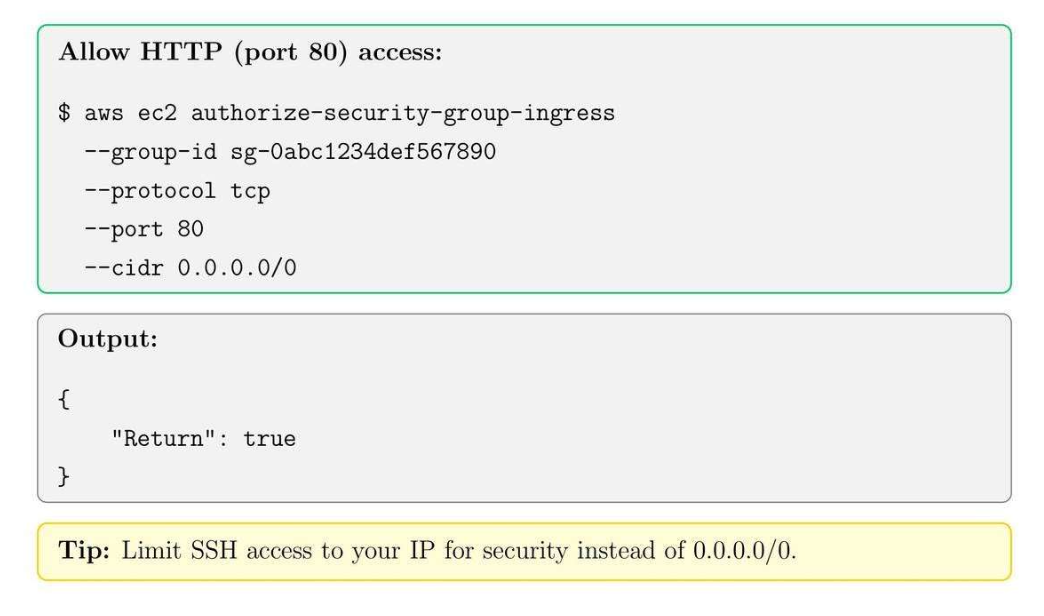
3.5. Adding Inbound Rules
4. EBS Volumes, Snapshots, and AMI Management
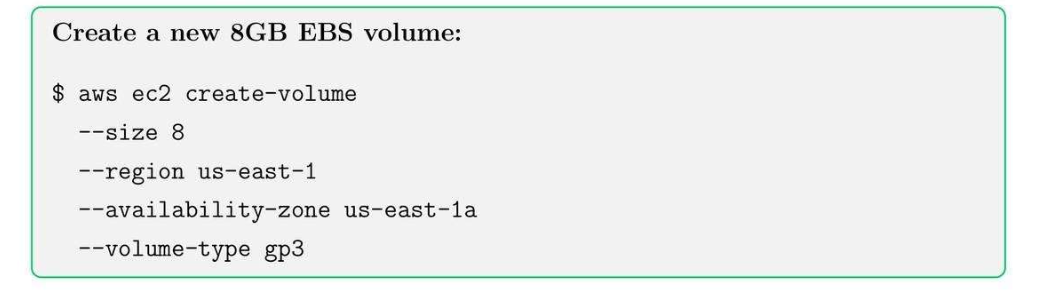
4.1. EBS Core Concepts
- Volume types: General Purpose SSD (gp3), Provisioned IOPS SSD (io2) (nhanh hơn), Magnetic (đĩa từ).
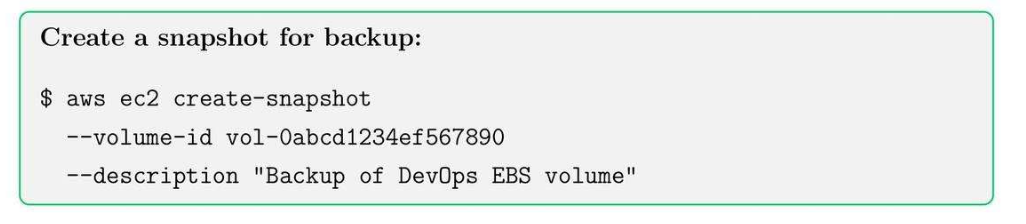
- Snapshots: point-in-time backup state.
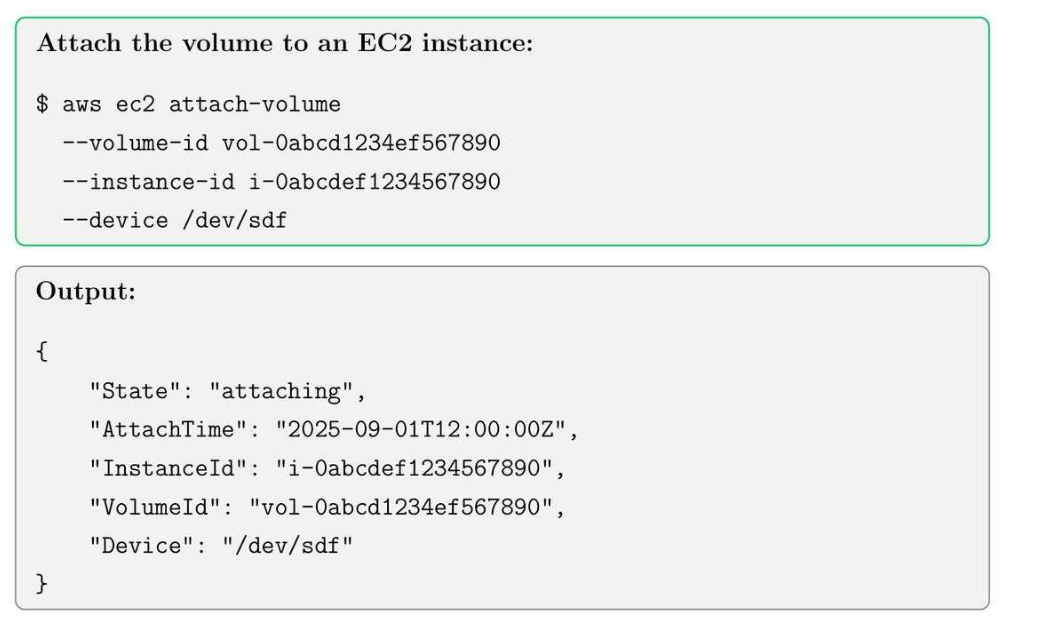
- Attachment: 1 cái volumes sẽ attach với 1 cái EC2 nào đó, view instance thì riêng, template chung thì là AMI (có phần mềm cài đặt trên đó).
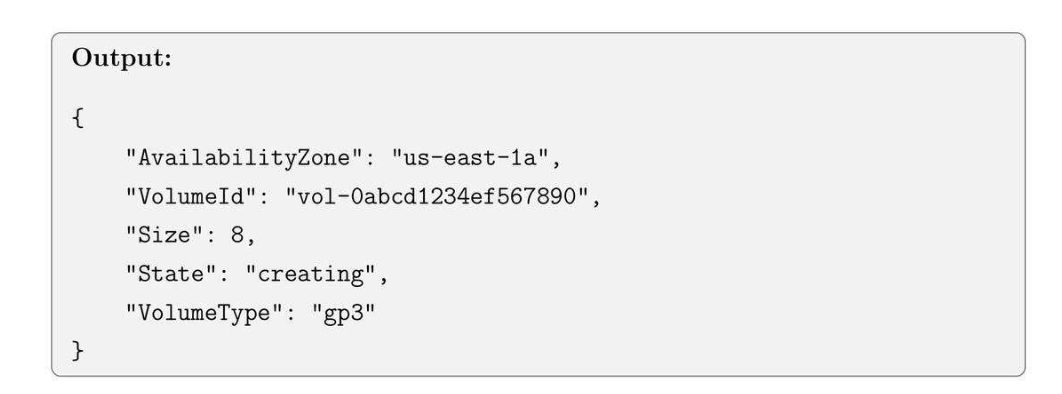
4.2. Create an EBS Volume
4.3. Attaching an EBS Volume to EC2
4.4. Creating a snapshot for EBS Volume
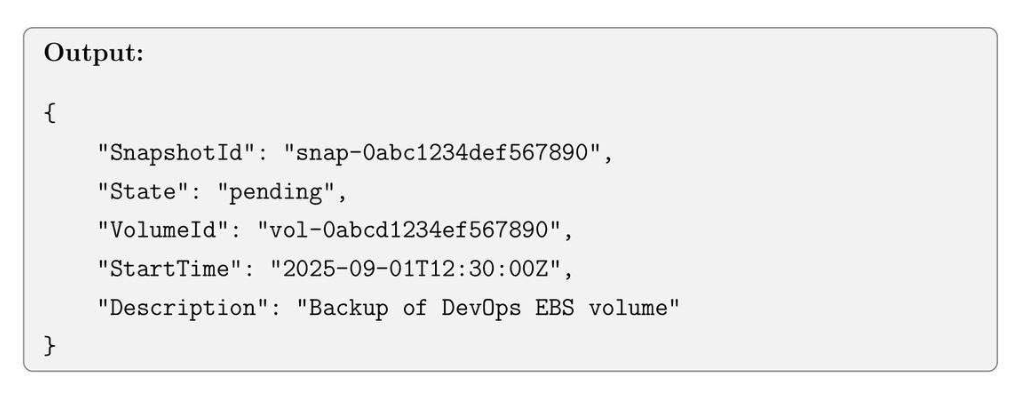
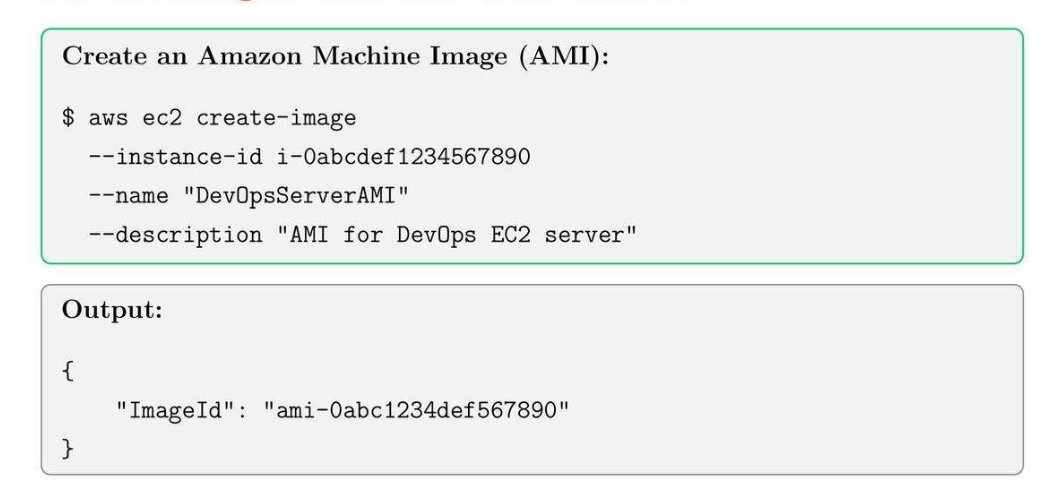
4.5. Creating an AMI
- EBS: Đĩa để ghi dữ liệu.
- AMI:
- Hệ điều hành
- EBS.
4.6. Listing Snapshots and AMIs

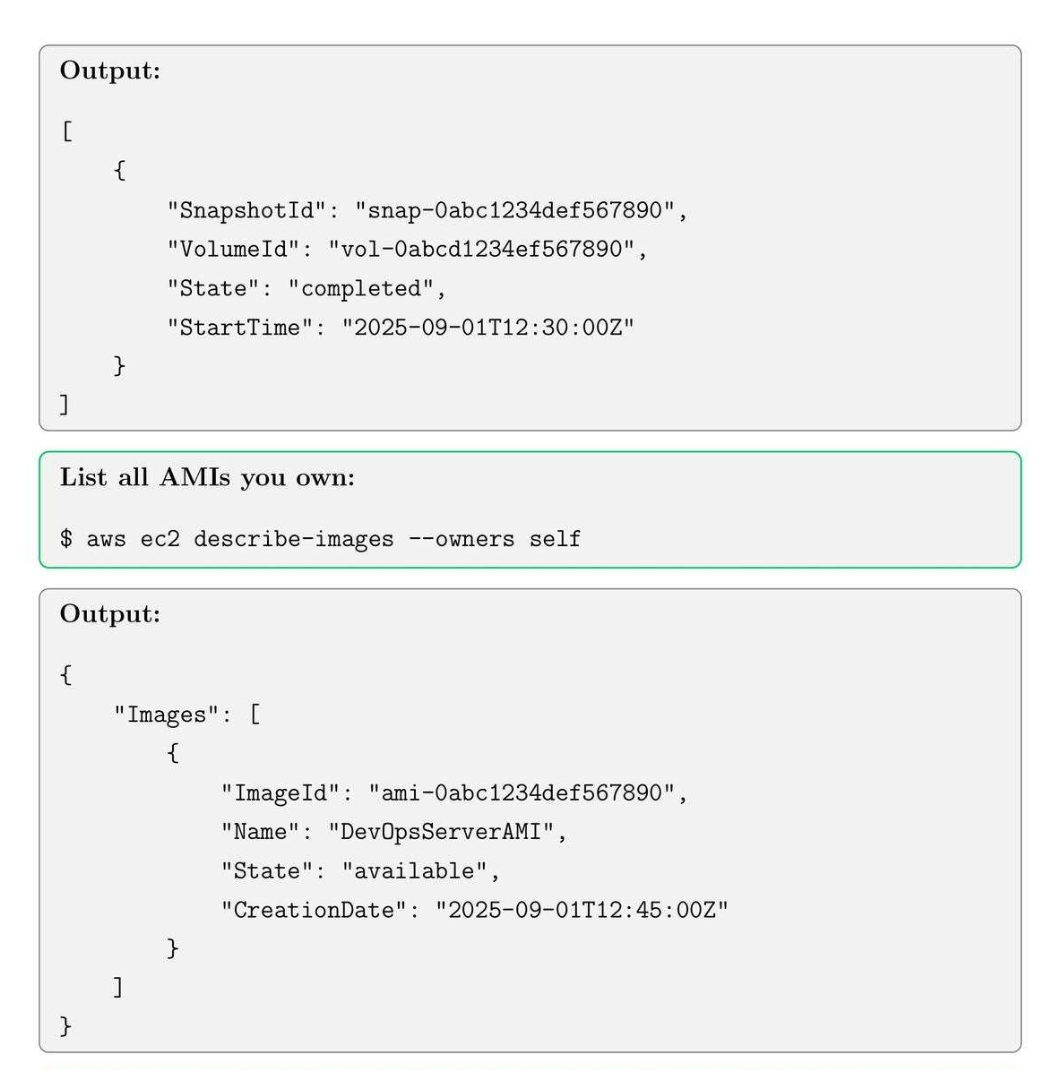
Tip: Use snapshots to recover from accidental data loss and to create new AMIs quickly.
5. VPC, Subnets, and Internet Gateway Setup
5.1. VPC Core Concepts
- VPC: Virtual network with CIDR block, chung là 1 dãy IP.
- Subnet (Private): 1 phần group resource trong VPC.
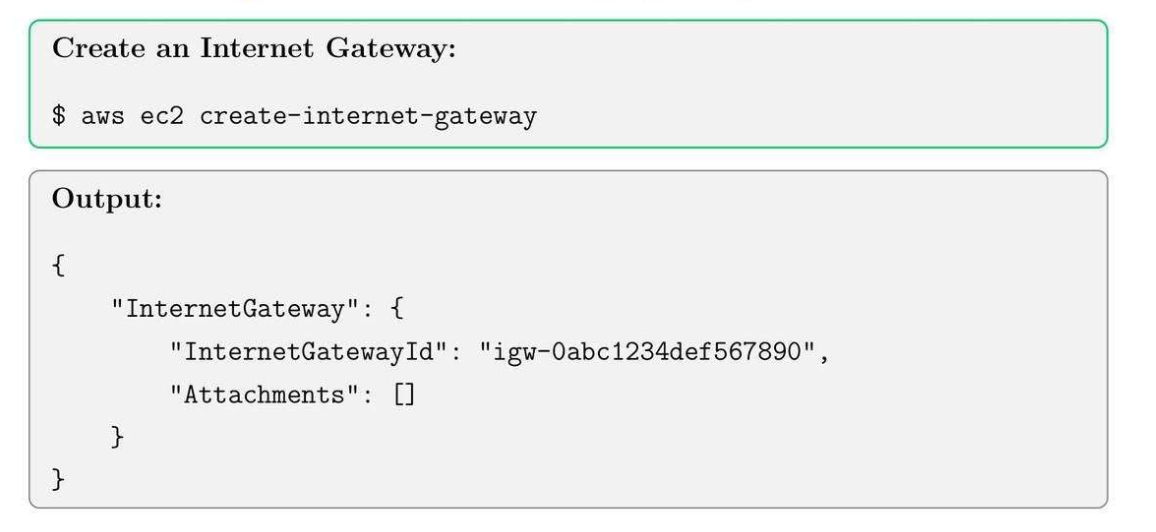
- Internet Gateway (IGW) (Public): Enables internet connectivity for VPC.
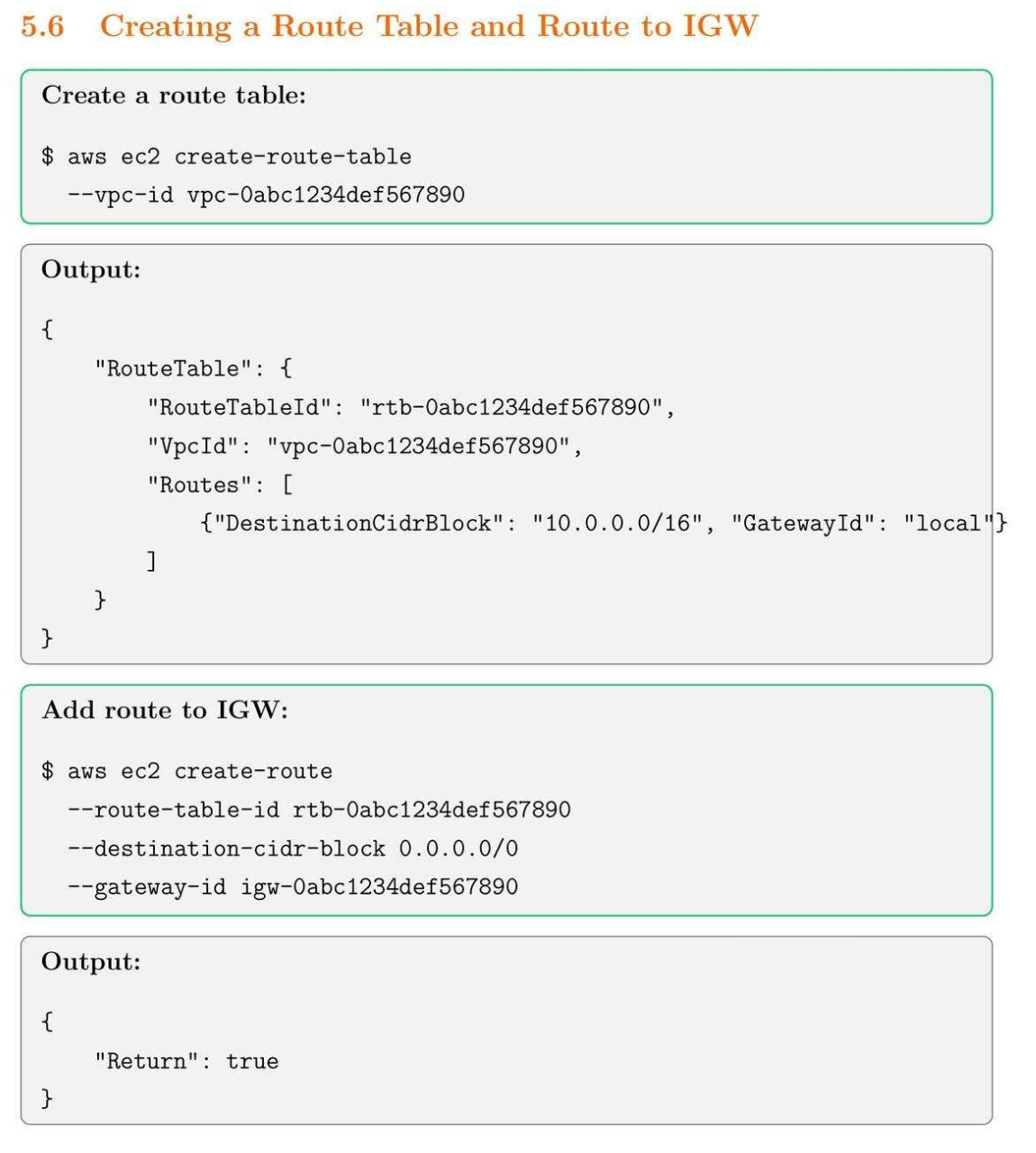
- Route Table: Controls traffic routing in the VPC.
5.2. Create a VPC
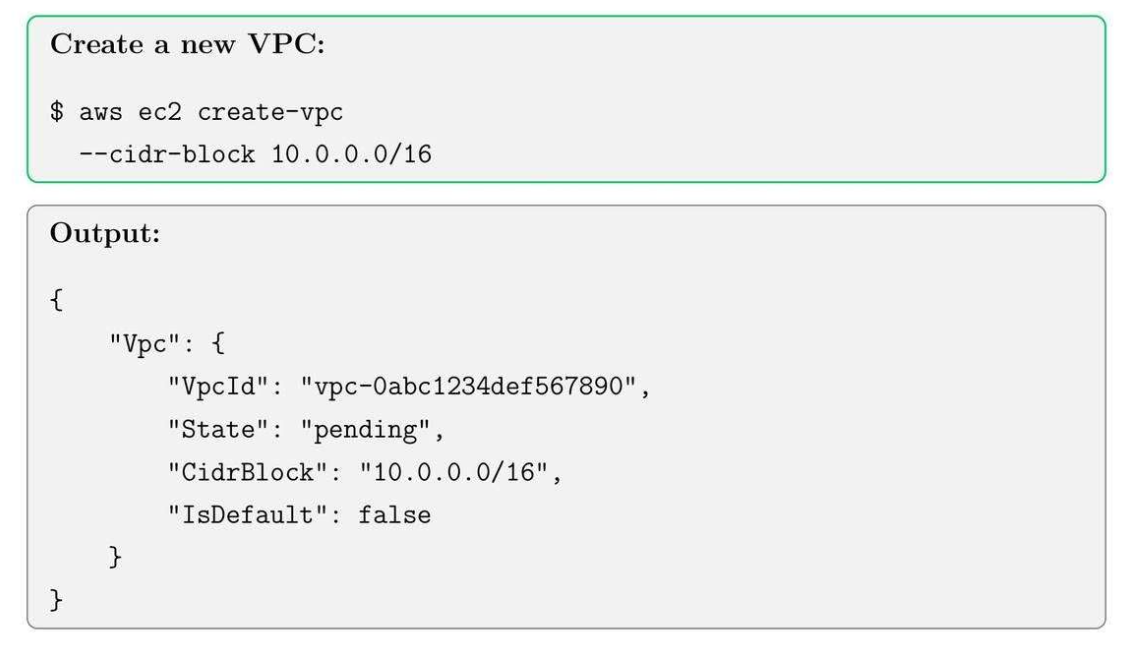
5.3. Create subnets
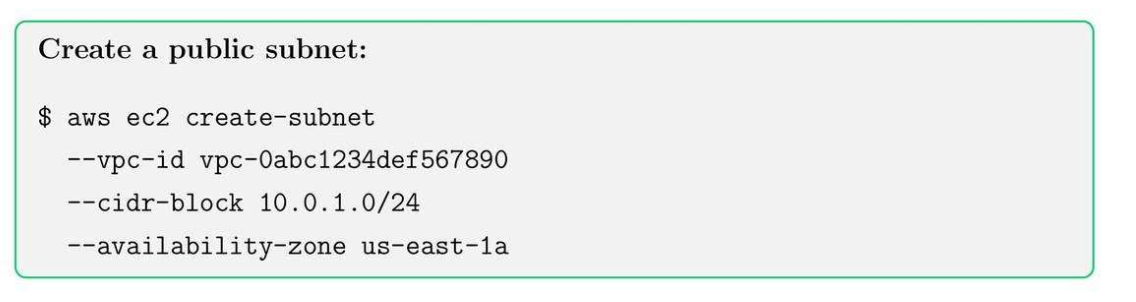
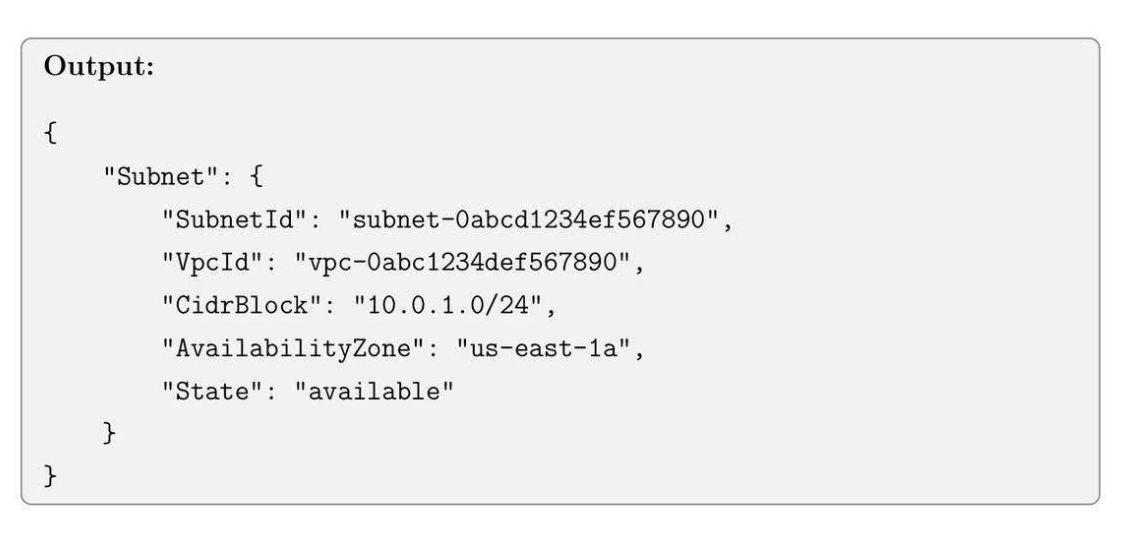
5.4. Create an Internet Gateway (IGW)
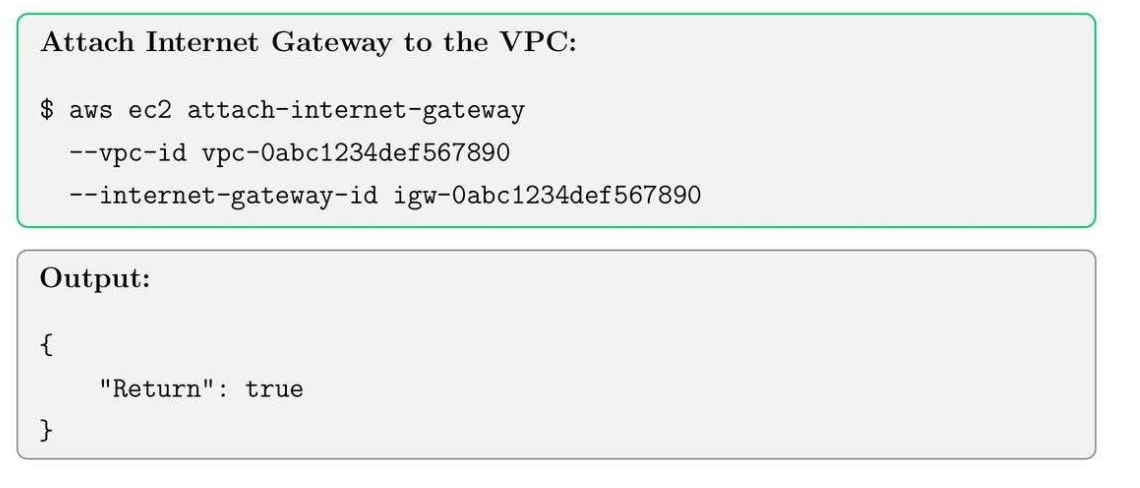
5.5. Attaching IGW to VPC
5.6. Create a Route Table and Route to IGW
5.7. Associating subnet with route table
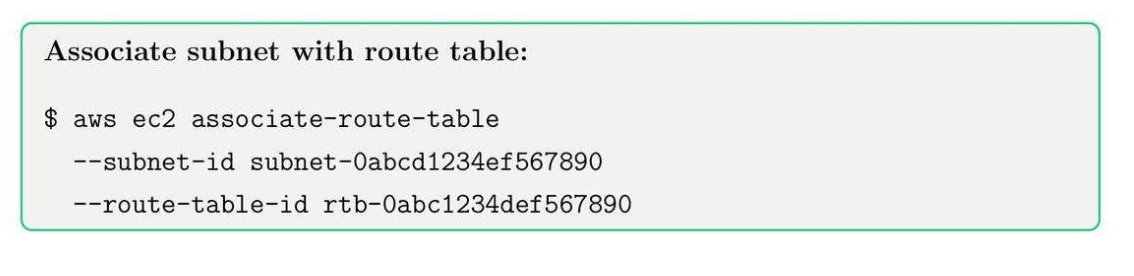
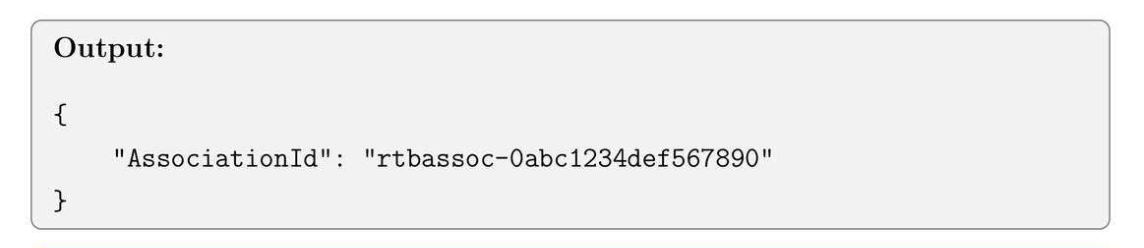
IGW attached to VPC → only subnets whose route tables point to IGW can use it.
| Layer | Responsibility | AWS resource |
|---|---|---|
| VPC edge | Connect the VPC to the internet | Internet Gateway |
| Traffic decision | Decide which subnet can use it | Route tables (per subnet) |
Route Table:
| Subnet | Route table | Result |
|---|---|---|
| Web tier | 0.0.0.0/0 → IGW |
Public |
| App tier | 0.0.0.0/0 → NAT GW |
Private |
| DB tier | No default route | Isolated |
Tip: Always check subnet’s route table to ensure proper internet connectivity for public resources.
6. NAT Gateway, Private Subnets, Elastic IPs
6.1. NAT Core Concepts
- Private subnet: Subnet không có đường đi trực tiếp từ Internet.
- NAT Gateway: cho phép private instances đi ra internet (outbound only).
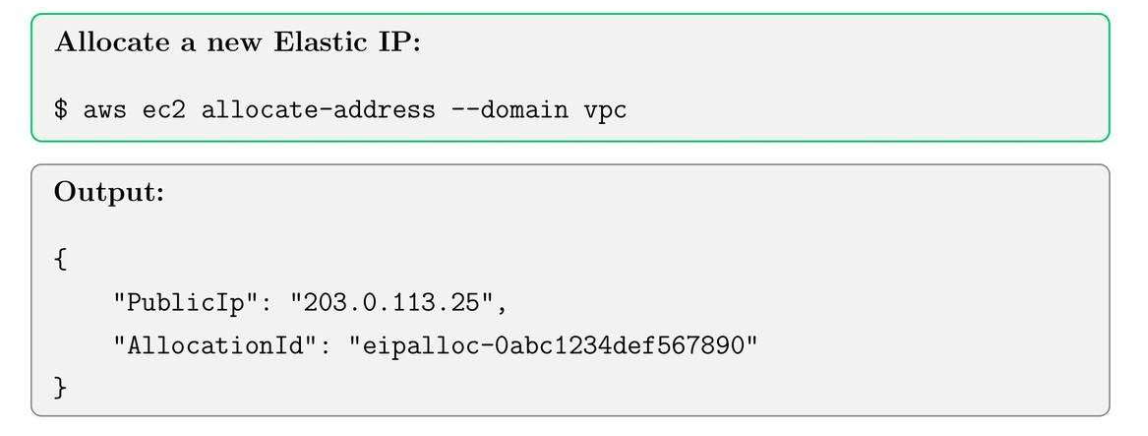
- Elastic IP: 1 cái IP tĩnh vào Nat Gateway hoặc EC2.
- Network ACLs: config inbound và outbound ở tầng subnet.
- Inbound:
User → Internet → IGW → ALB (public subnet) → Private EC2 (internal tool) - Outbound:
Private EC2 → NAT Gateway → Internet Gateway → Internet
6.2. Allocate an Elastic IP
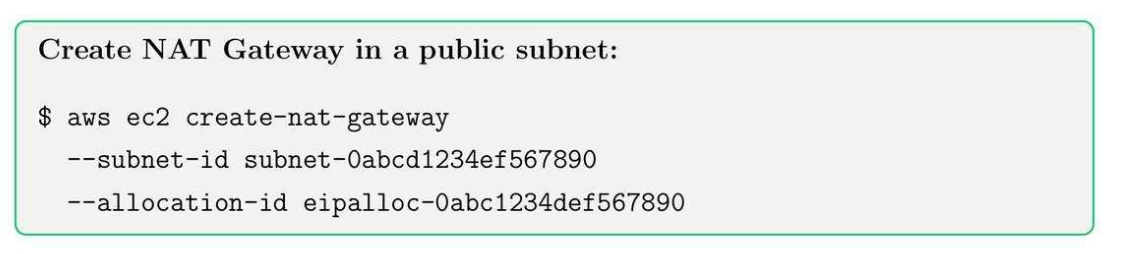
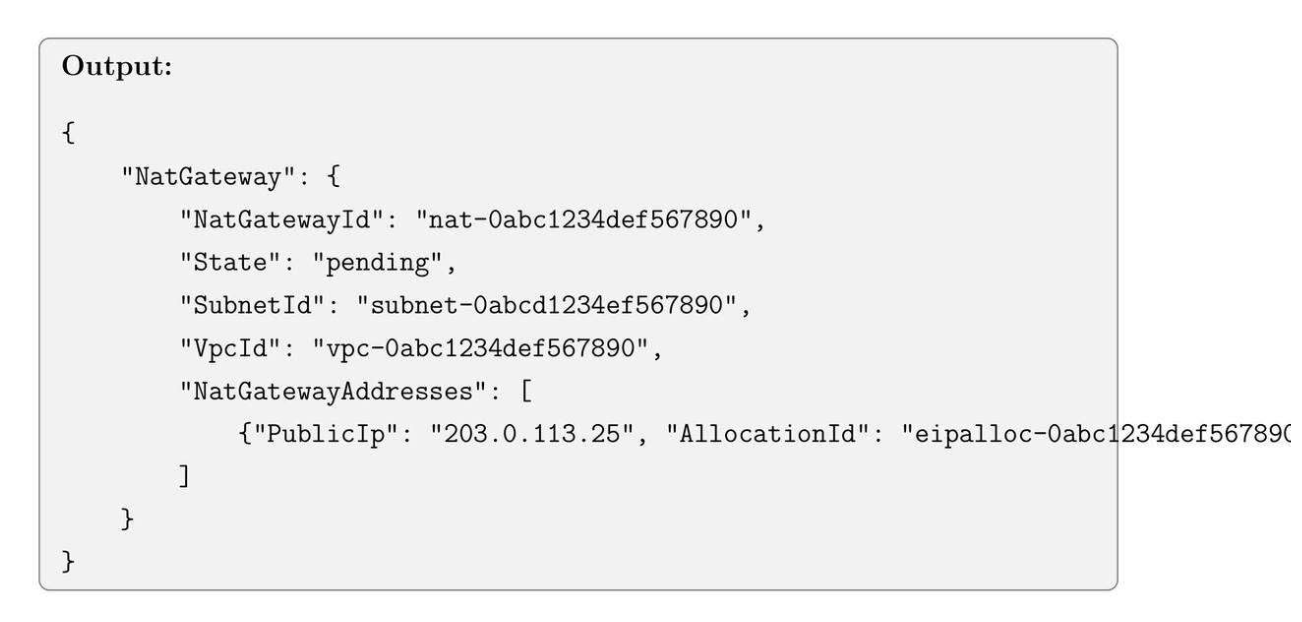
6.3. Create a NAT Gateway
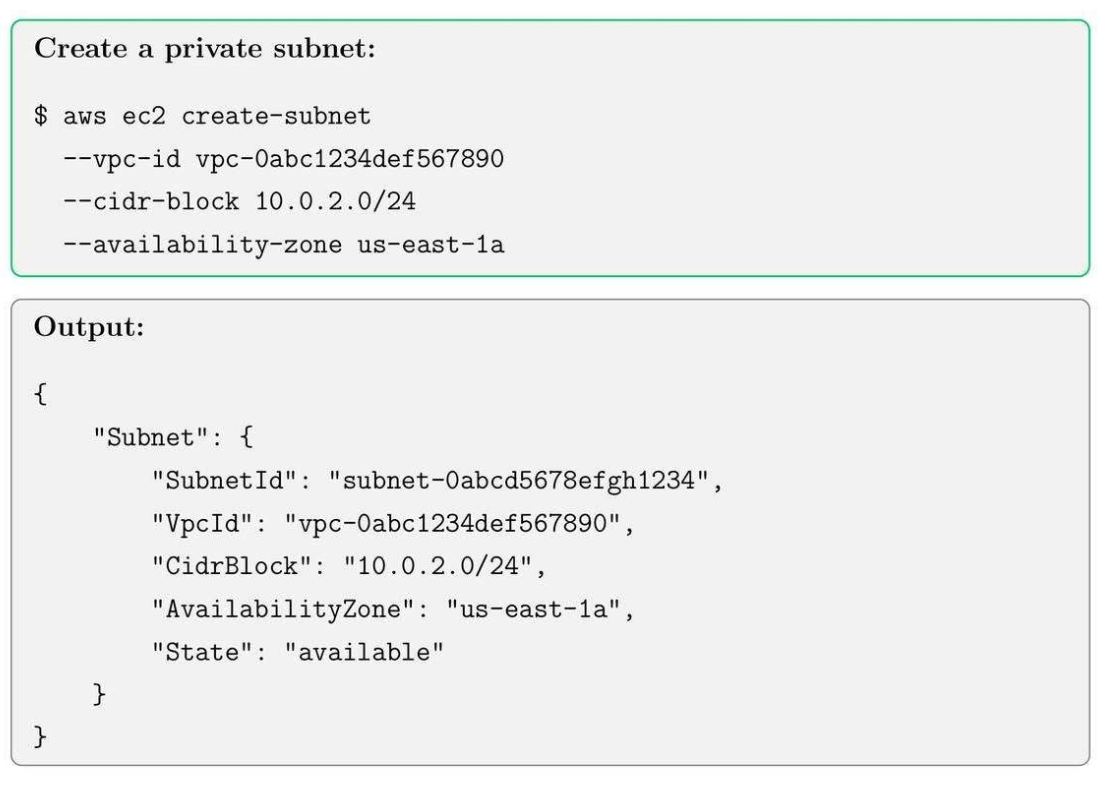
6.4. Create Private Subnet
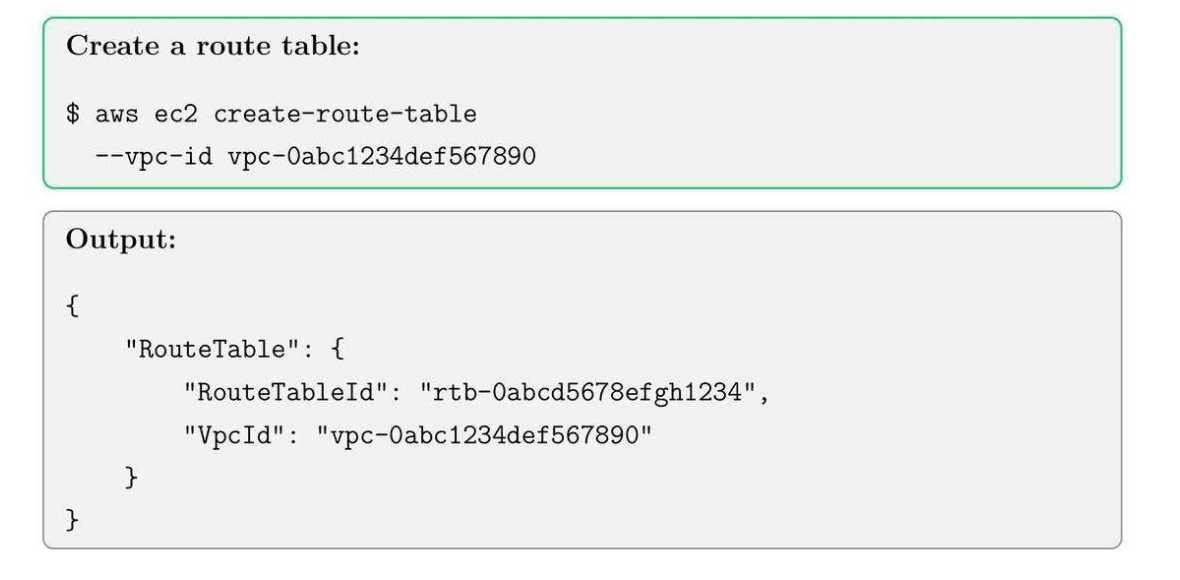
6.5. Create a Route Table for Private Subnet
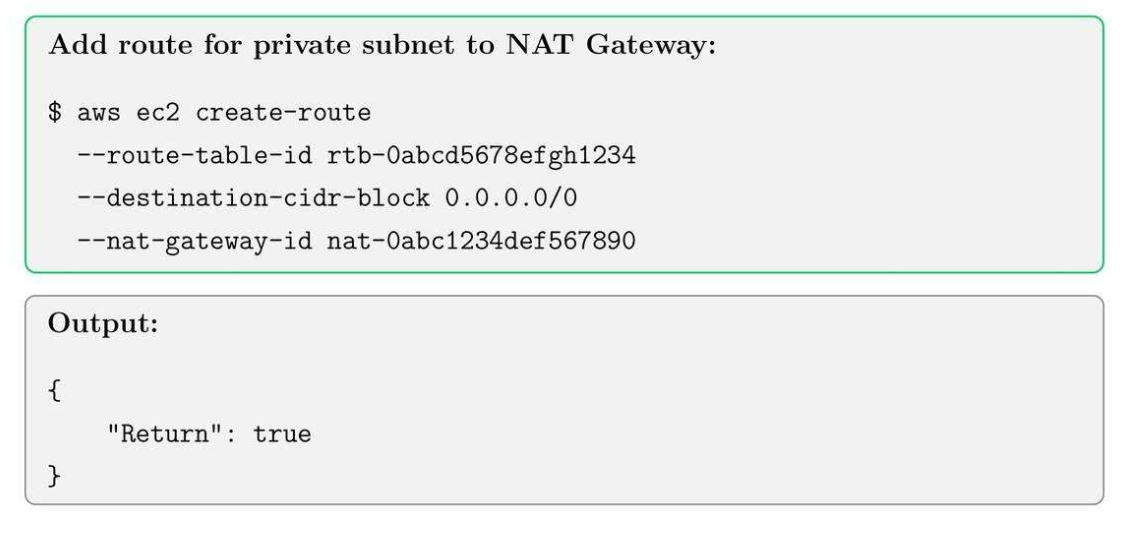
6.6. Add Route to NAT Gateway
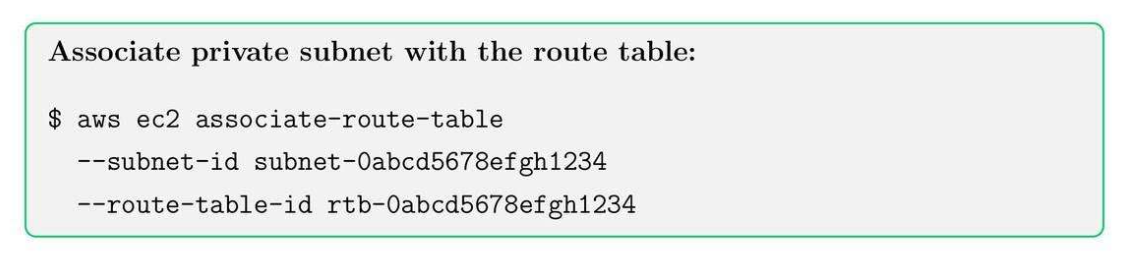
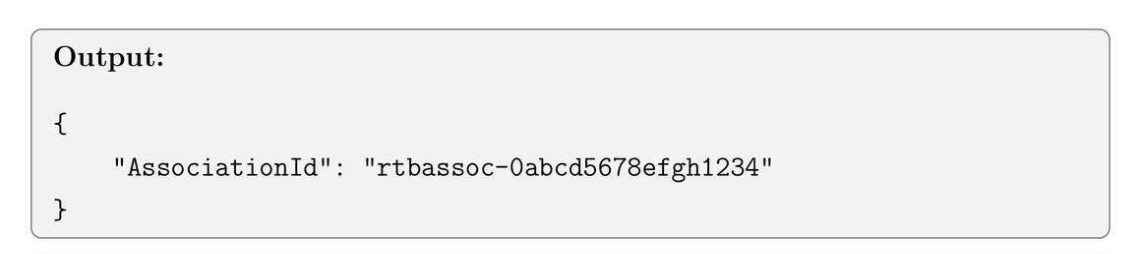
6.7. Associate Private Subnet with Route Table
Tip: NAT Gateways are billed hourly. Use them only when necessary for cost optimization.
7. Security Groups, NACLs and Bastion Hosts
7.1. Security Groups Core Concept
- Security Groups: cài inbound and outbound rule từ EC2.
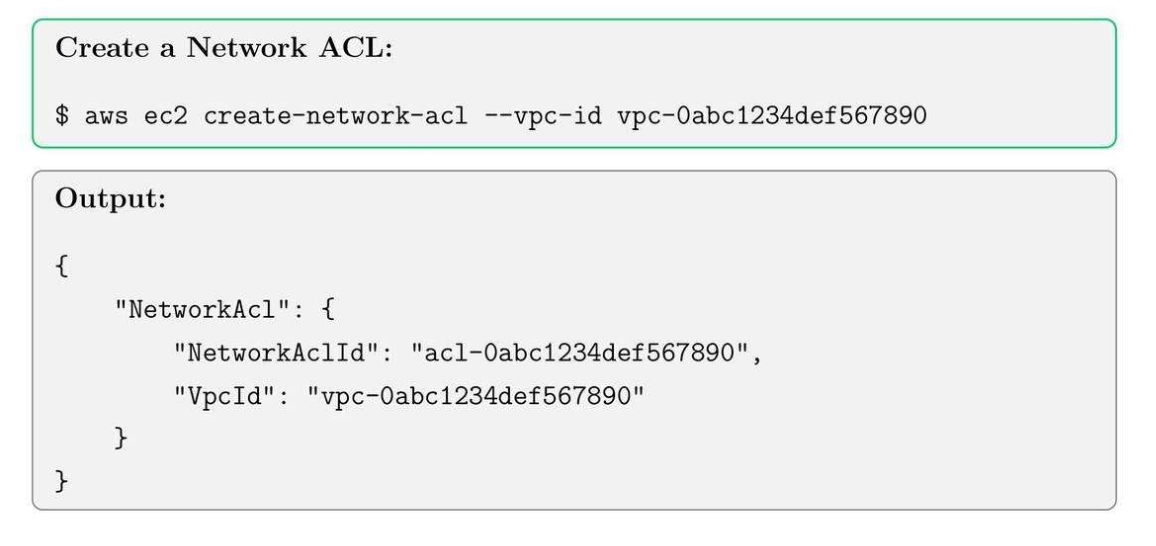
- Network ACLs (NACLs): stateless firewall for subnet-level.
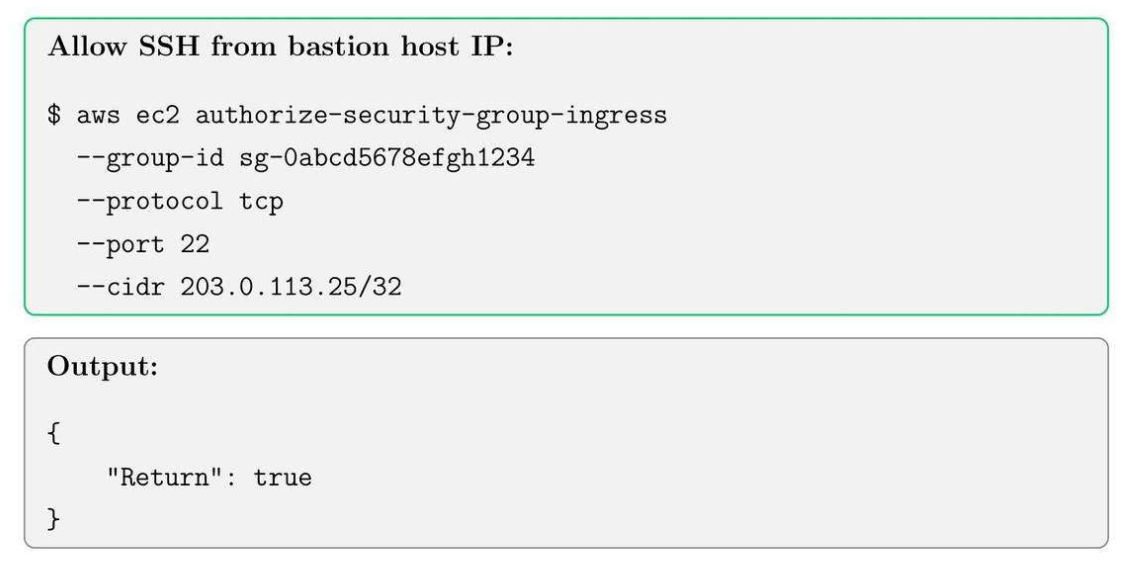
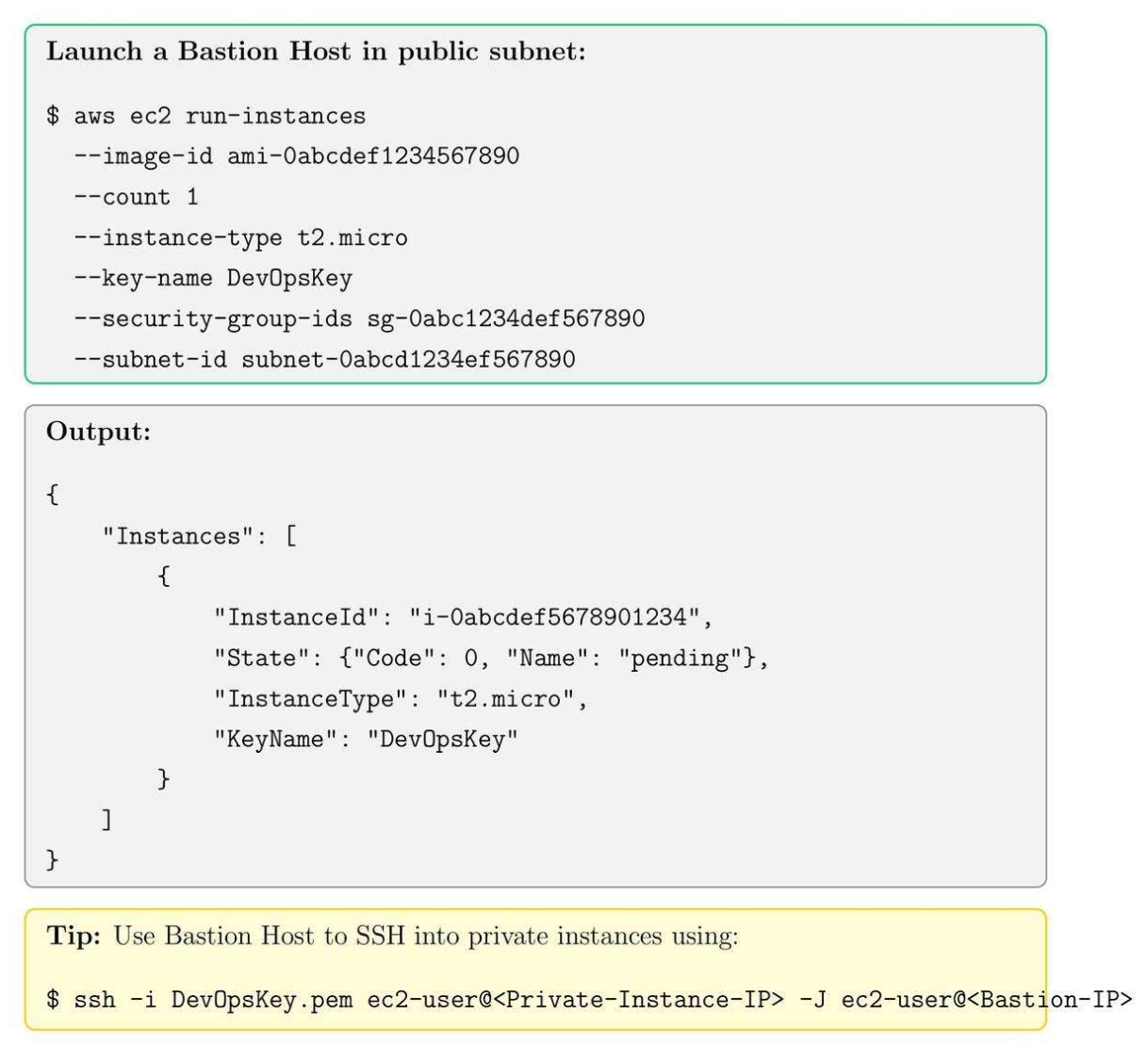
- Bastion Host: SSH vào bastion vào thẳng private server không cần đi qua internet.
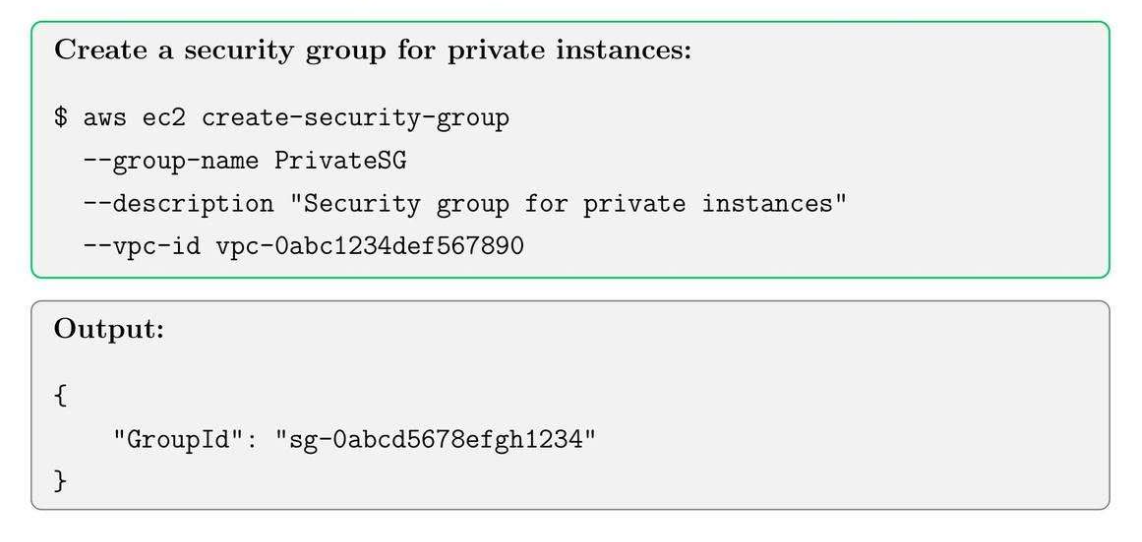
7.2. Create Security Group
7.3. Add inbound rule for bastion access
7.4. Create network ACLs (NACLs)
7.5. Add NACL Rules
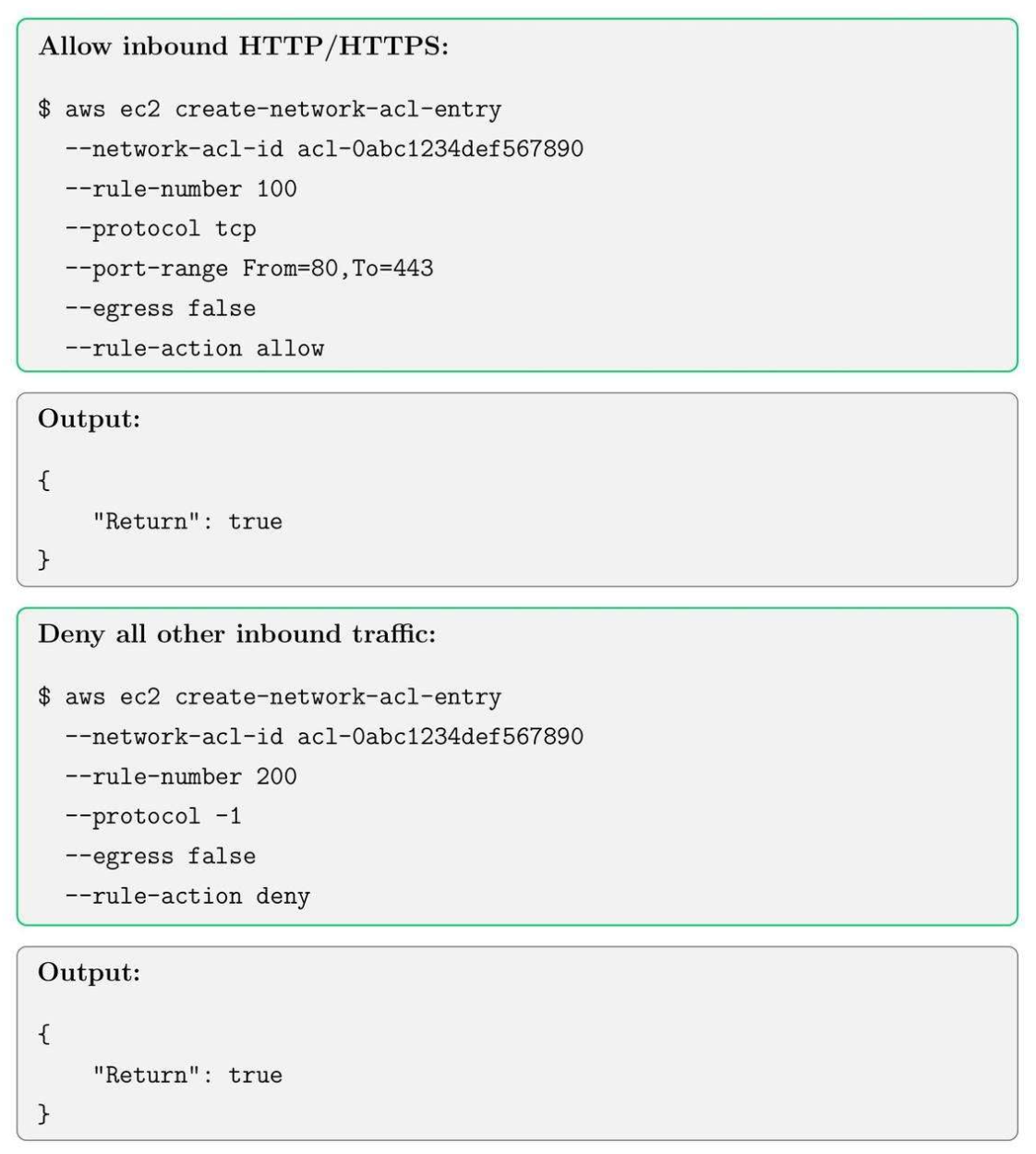
Both are ACLs, but:
- Security Group: tầng instance, cho vào.
- NACL: chặn tầng subnet.
- Use case:
- NACL: chặn to (VD: chặn IP quốc gia, port nguy hiểm)
- Security Group: kiểm soát chi tiết (app, DB, admin)
- Ngắn gọn
- NACL: quản lý subnet của nhiều instance.
- Security Group: theo instance.
7.6. Bastion Host Setup
8. RDS Setup, Subnet and Security
8.1. RDS Core Concepts
- RDS Instance Types: db t2.micro, db.m5.large.
- Subnet Groups: define which subnet RDS instances can use.
- Security Group: controlled via security group and IAM roles.
8.2. Create an RDS Subnet Group in RDS
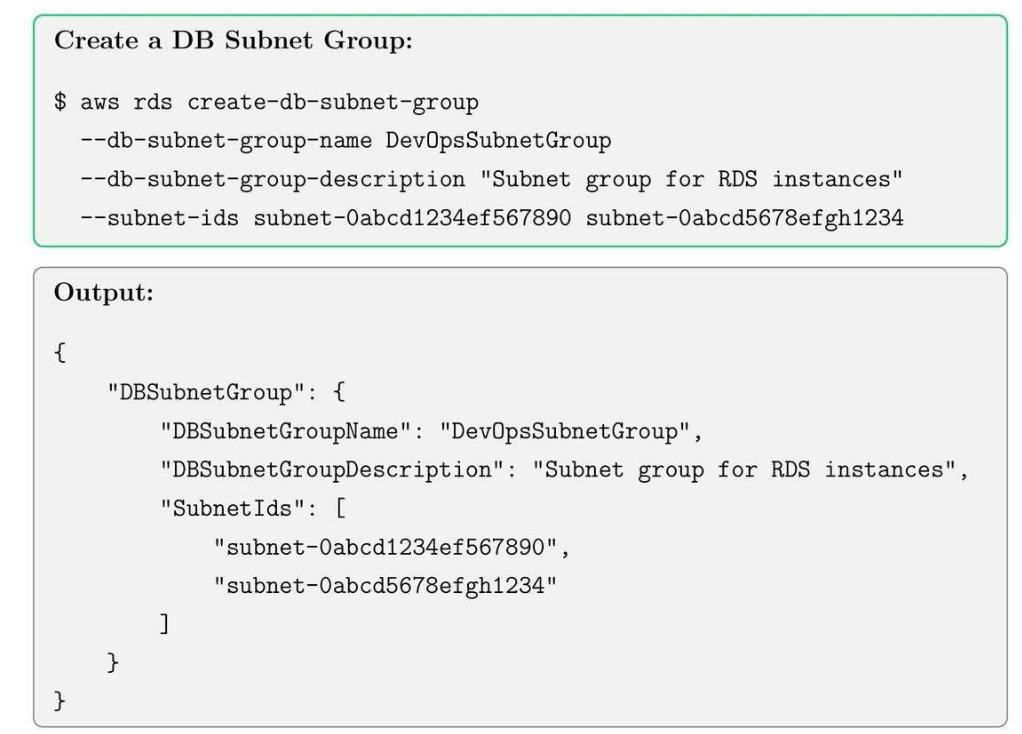
Tạo ra 2 subnet:
- Endpoint nào đi public được
- Endpoint nào đi private được.
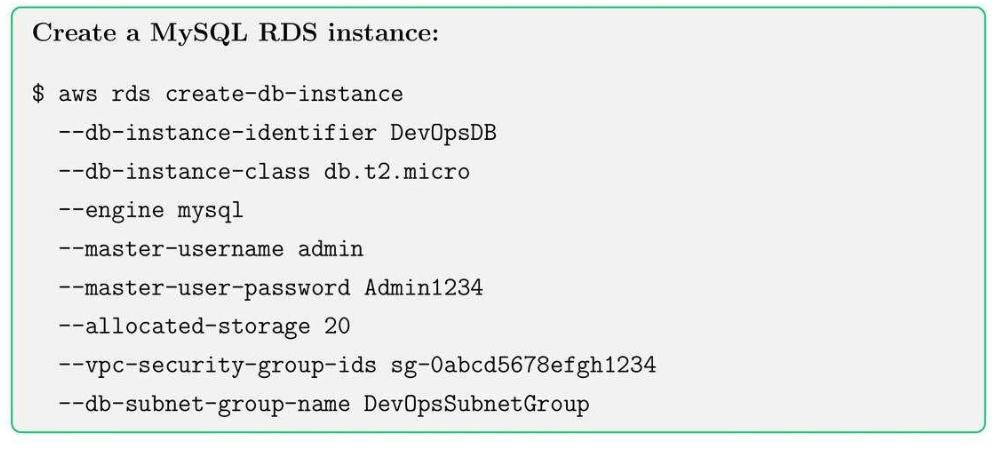
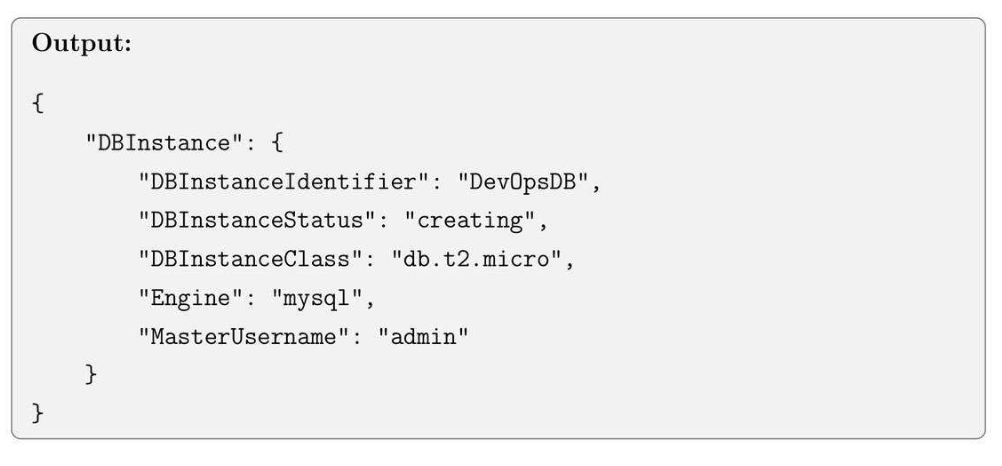
8.3. Launch an RDS Instance
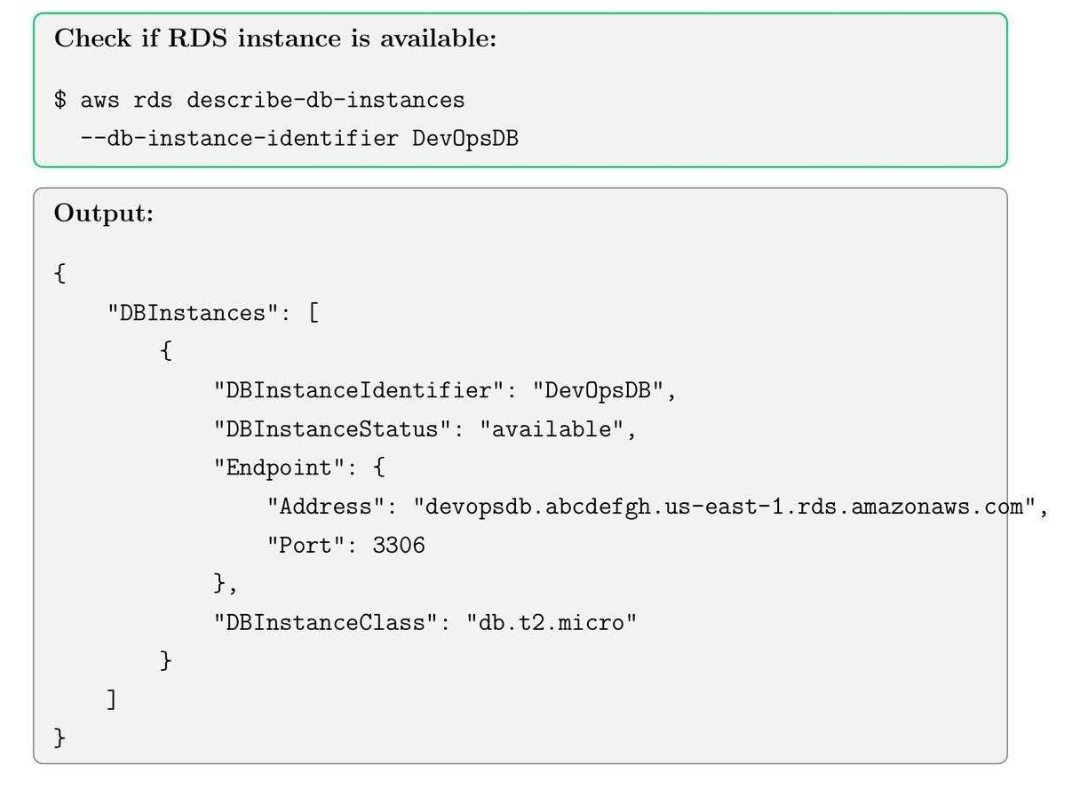
8.4. Check RDS Instance Status
8.5. RDS Security Best Practices
- Enable encryption at rest using KMS.
- Apply security group rules to restrict access.
- Enable automated backups and snapshots.
- Regularly rotate master credentials.
Tip: Use private subnets for RDS instances to prevent direct internet exposure.
9. S3 Buckets, Versioning, and Lifecycle Policies
9.1. S3 Core Concepts
- Buckets: Storing objects.
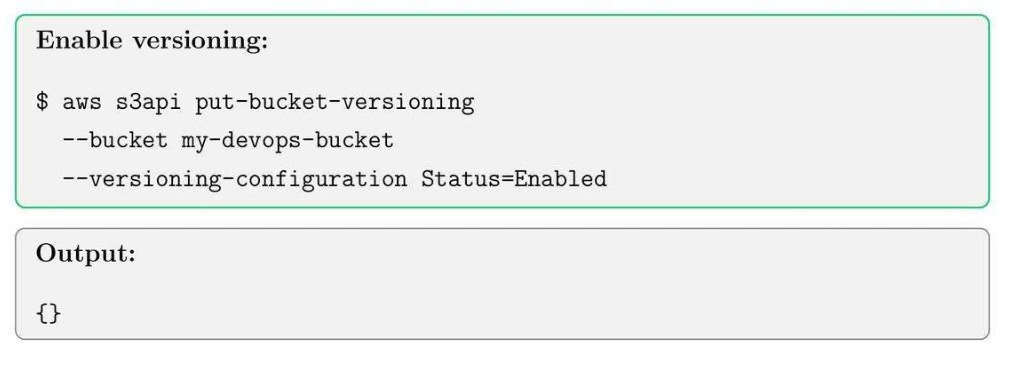
- Versioning: keep multiple versions of objects.
- Lifecycle Policies: automate deletion or transition of the object.
9.2. Create an S3 Bucket
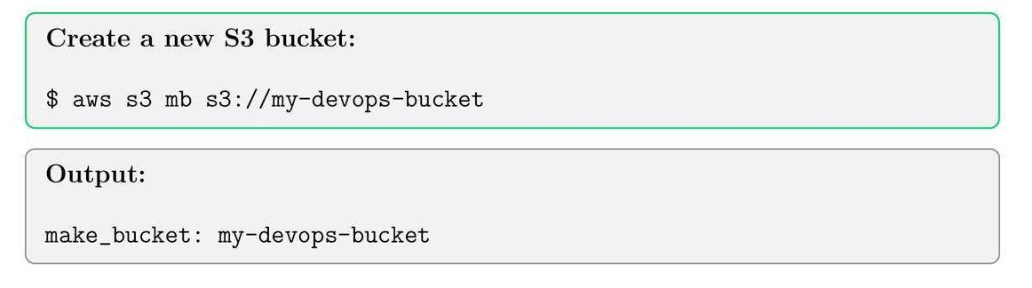
9.3. Enable Versioning on Bucket
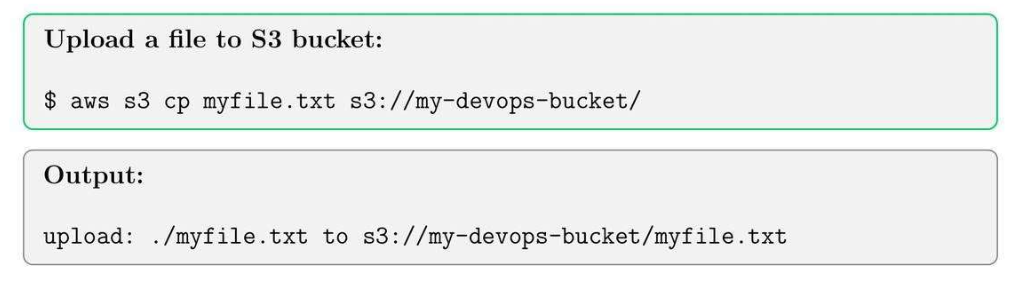
9.4. Upload an Object to S3
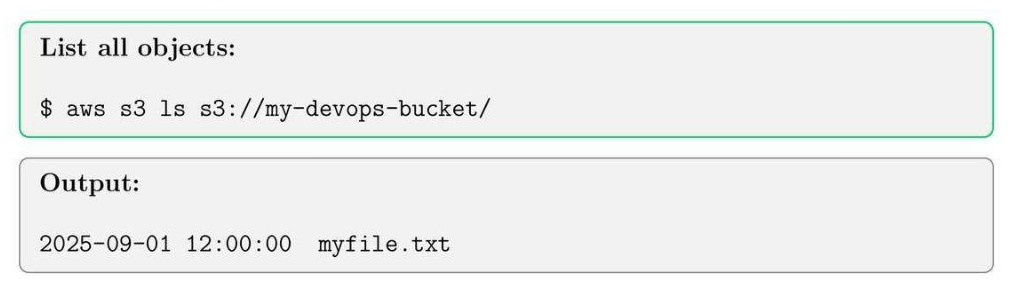
9.5. List Objects in S3 Bucket
9.6. S3 Lifecycle Policy Example
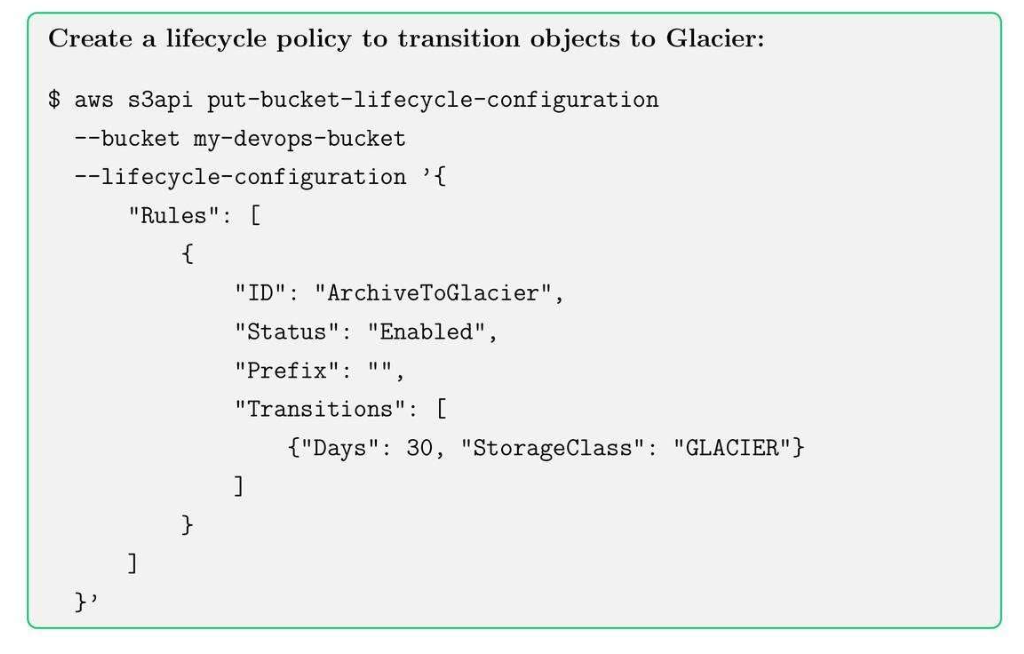

9.7. S3 Best Practices
- Enable bucket versioning for critical data.
- Use server-side encryption (SSE) for security.
- Implement lifecycle policies to optimize storage costs.
- Apply bucket policies and IAM roles for secure access.
Tips: Use –recursive option for bulk uploads and downloads.
10. CloudWatch Monitoring, Alarms and Logs
10.1. CloudWatch Core Concepts
- Metrics: CPU, Memory, Network, RPS, Inbound and Outbound.
- Alarms: trigger action based on thresholds.
- Logs: Centralize logging between multiple pods.
10.2. List CloudWatch Metrics

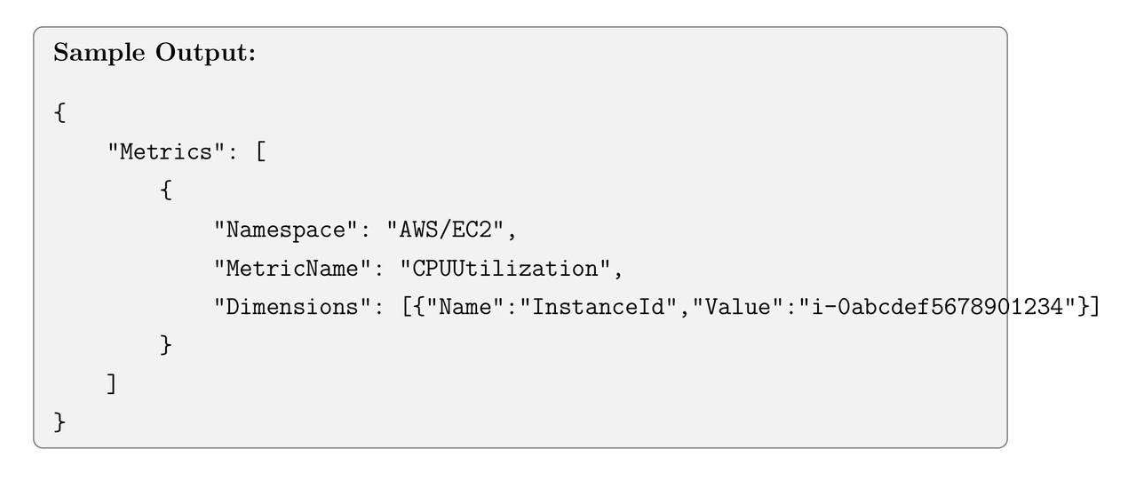
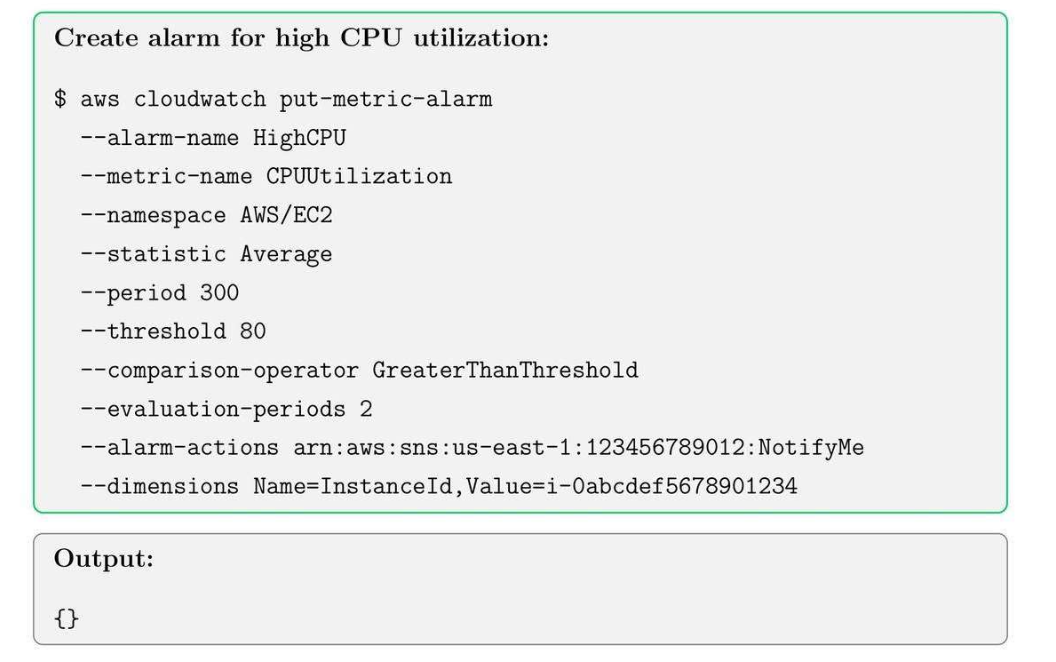
10.3. Create a CloudWatch Alarm
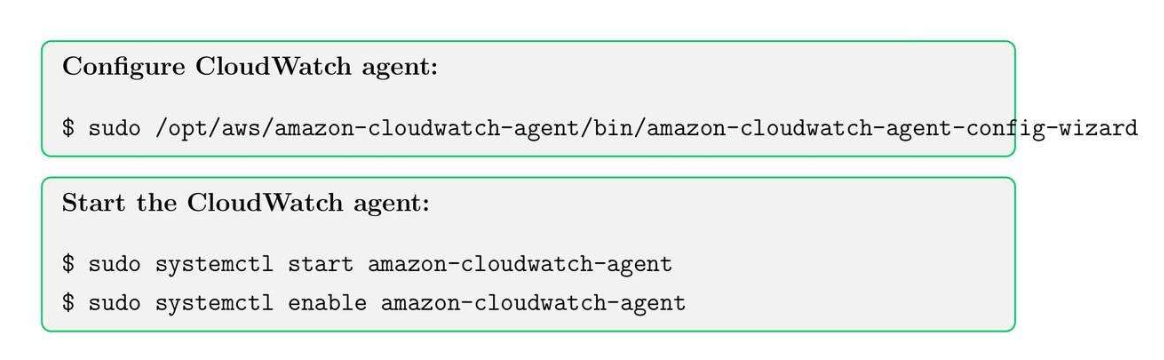
10.4. Enable CloudWatch Logs for EC2

10.5. View Logs in CloudWatch
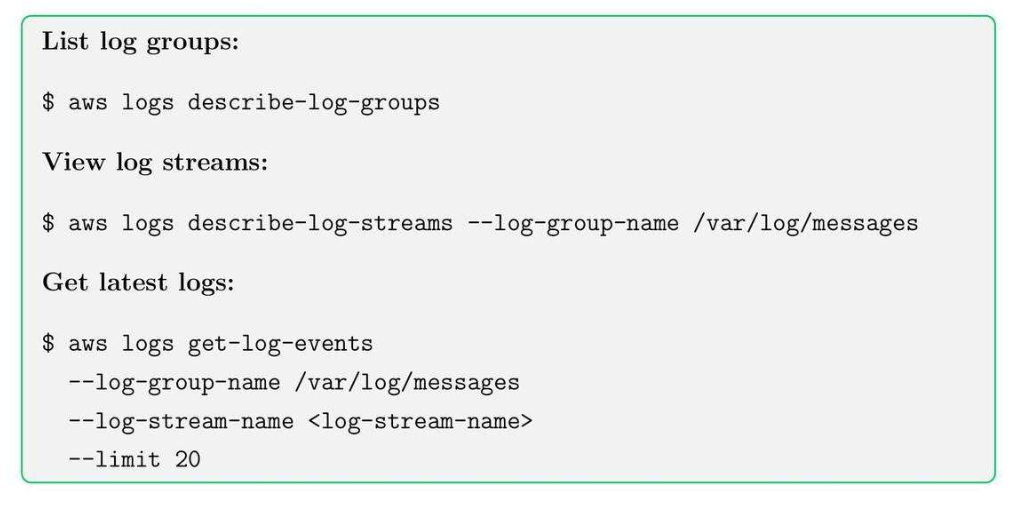
10.6. Best Practices
- Set meaningful thresholds for alarms to avoid false positives.
- Use tags to organize metrics and logs.
- Centralize logs across multiple accounts for better observability.
- Archive old logs to S3 for long-term storage.
Tip: Combine Cloud Watch Alarms with SNS to receive instant notifications on criitical events.
11. CodePipeline, CodeBuild, and CI/CD Basics
11.1. CI/CD Core Concepts
- CodePipeline: Monitor các bước trong build, test, deployment process.
- CodeBuild: compile source code, run tests ⇒ run cái script.
- CI/CD: Automate code delivery và giảm manual errors.
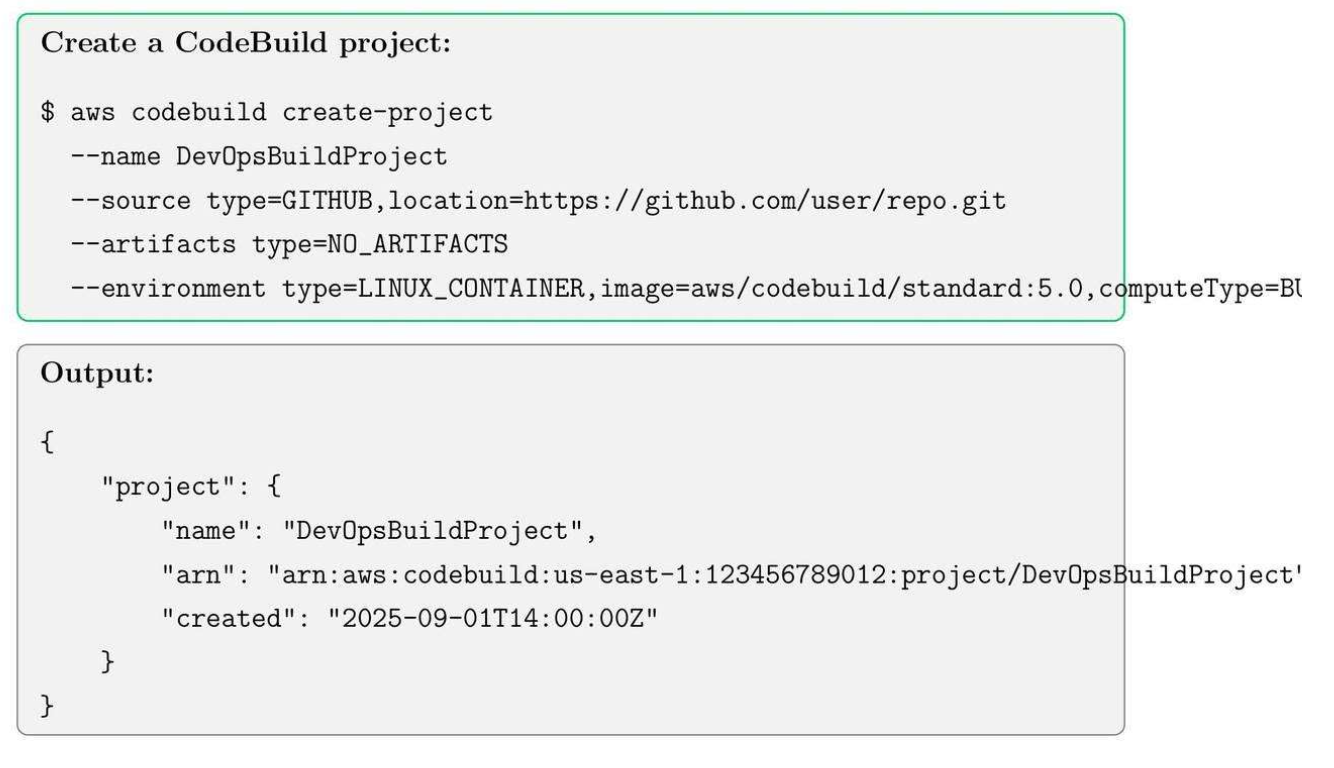
11.2. Create a CodeBuild Project
Init môi trường để run Docker.
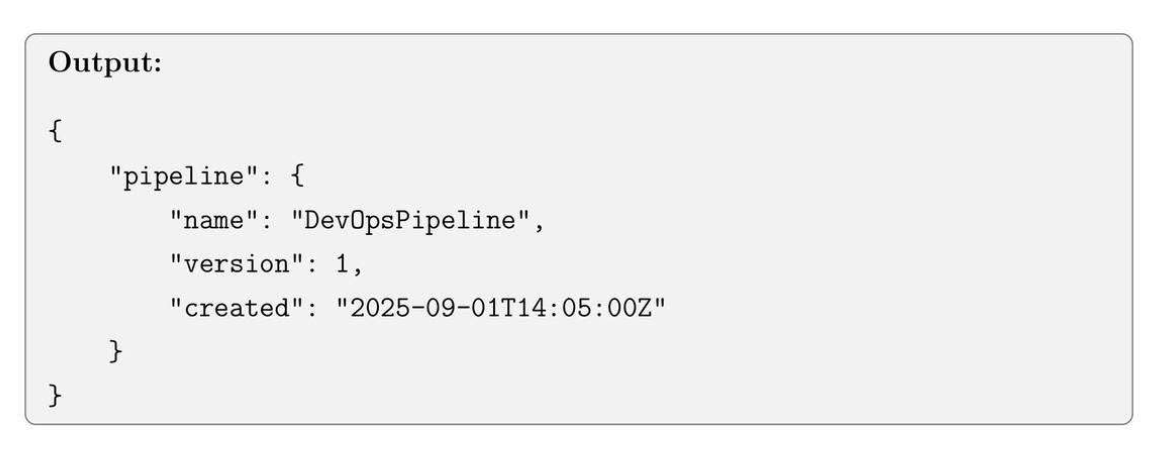
11.3. Create a Simple Code Pipeline

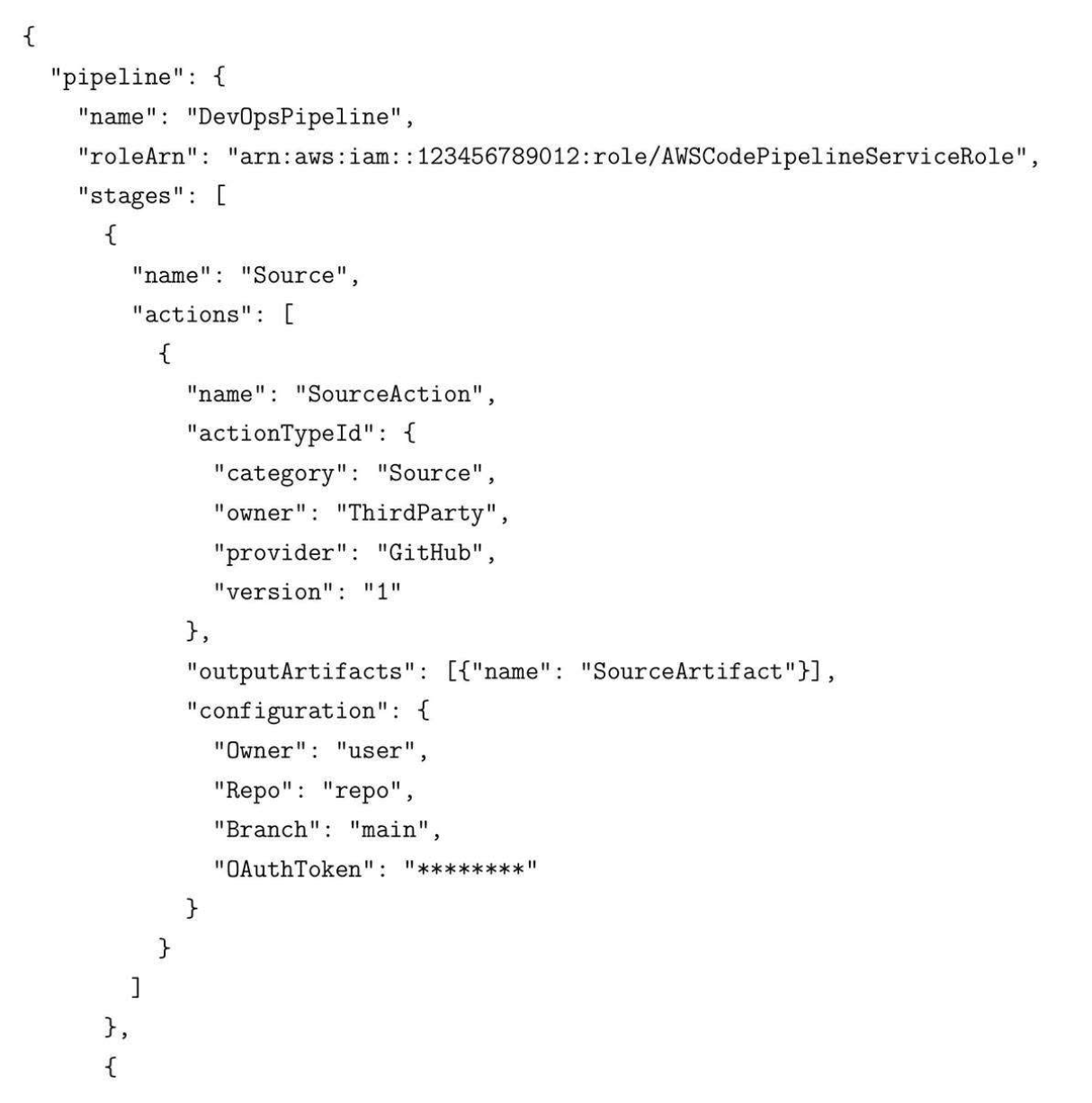
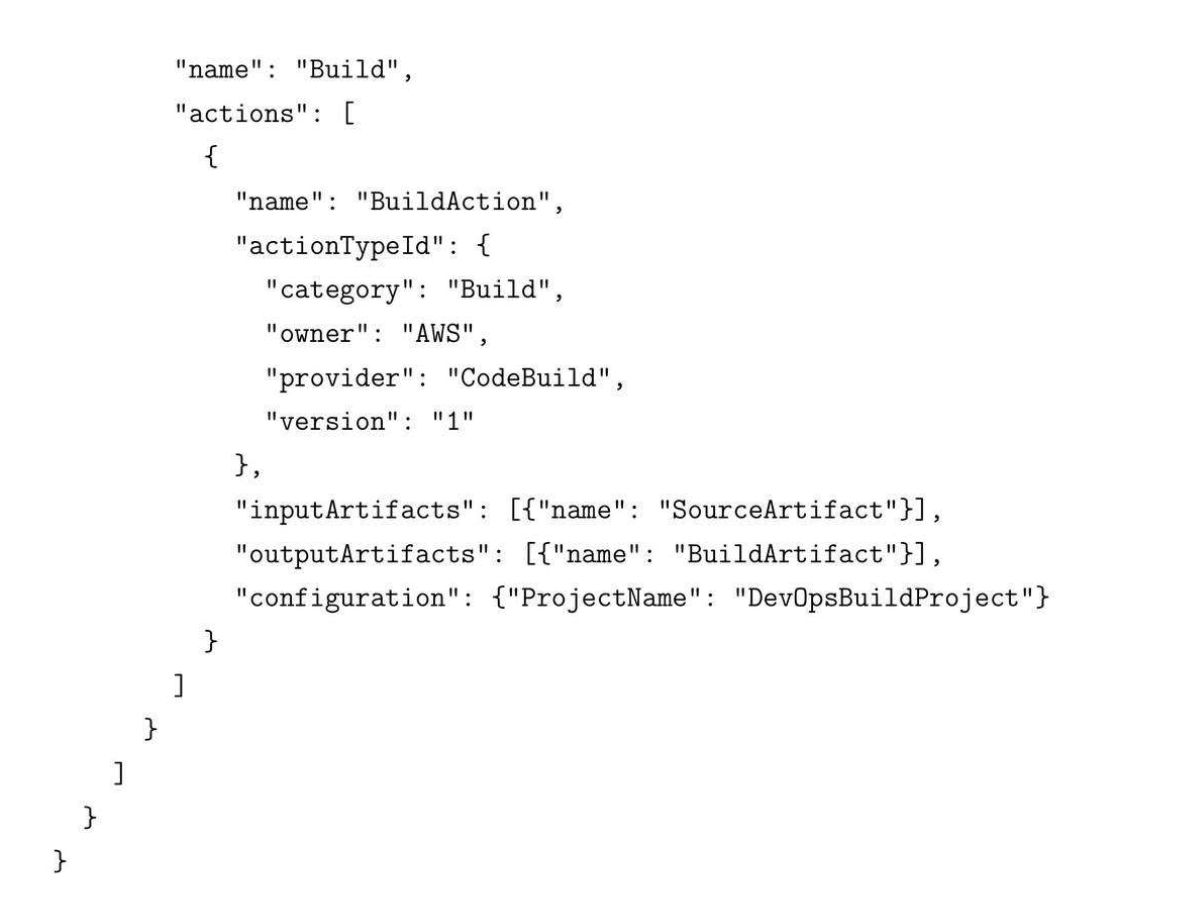
11.4. Example pipeline-definition.json
11.5. CI/CD Best Practices
- Use separate AWS accounts or stages for dev, test, and prod.
- Integrate automated tests in the build stage.
- Keep pipelines declarative and version-controlled.
- Monitor pipeline status with CloudWatch and SNS notification.
Tips: Always use IAM roles with least privilege for pipeline and build projects.
12. Run ECS in Fargate Deployment Basics
12.1. ECS Core Concepts
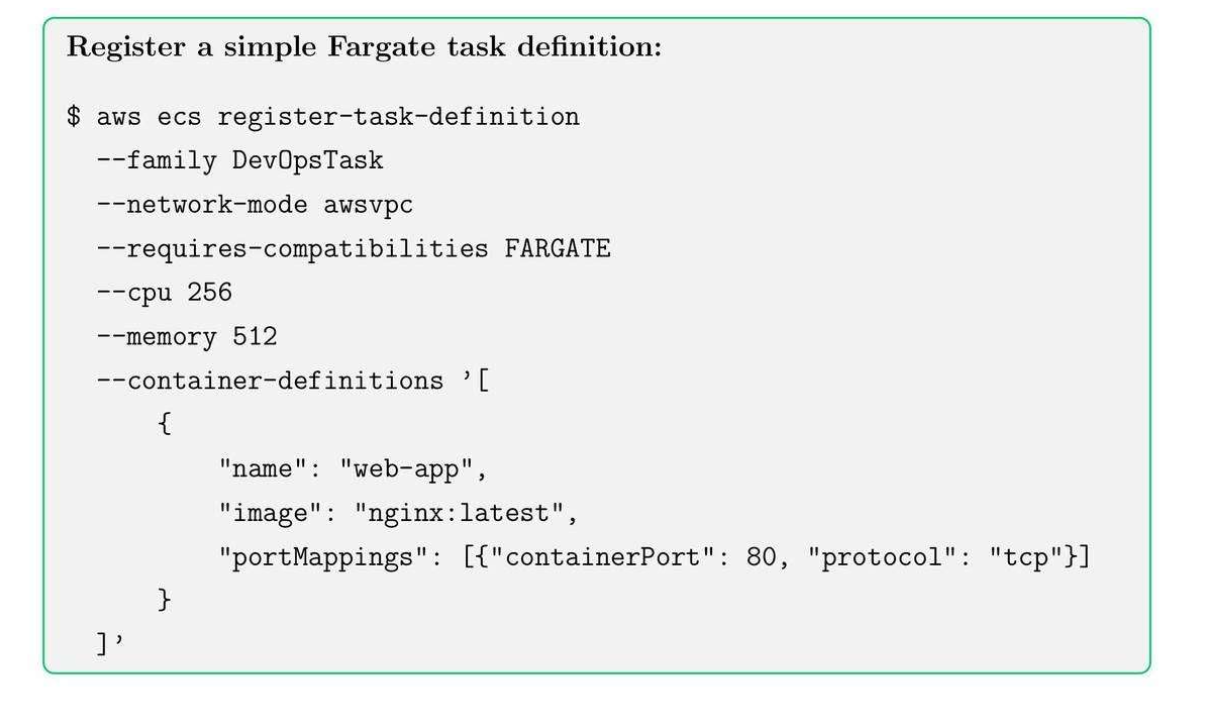
- Task Definition: blueprint for containers, including CPU, memory, and Docker image ⇒ init config yaml.
- Service: Manage running tasks and ensure the desired count.
- Cluster: Grouping of tasks or services.
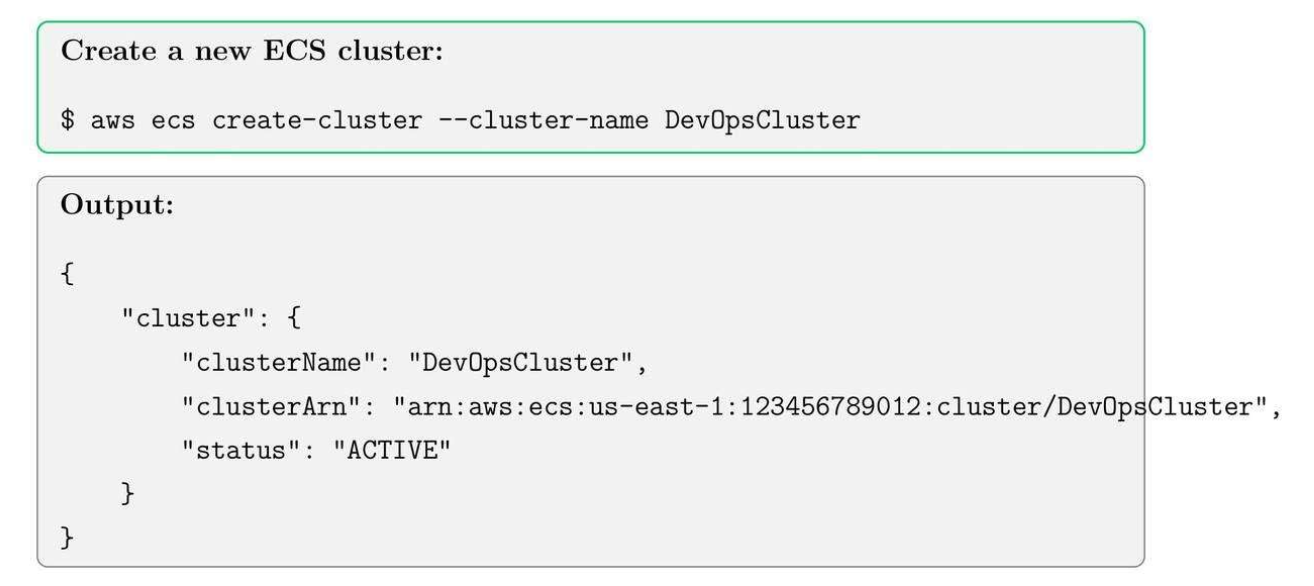
12.2. Create ECS Cluster
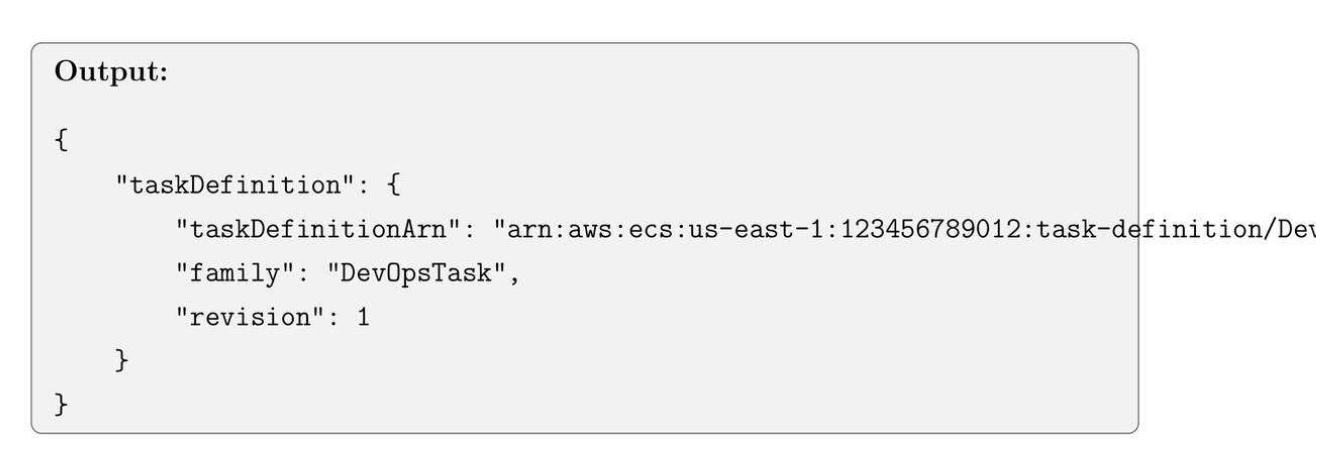
12.3. Register Task Definition
- Khởi tạo CPU 256, Memory 512MB to run cho cái Gateway.
12.4. Run ECS Fargate Service
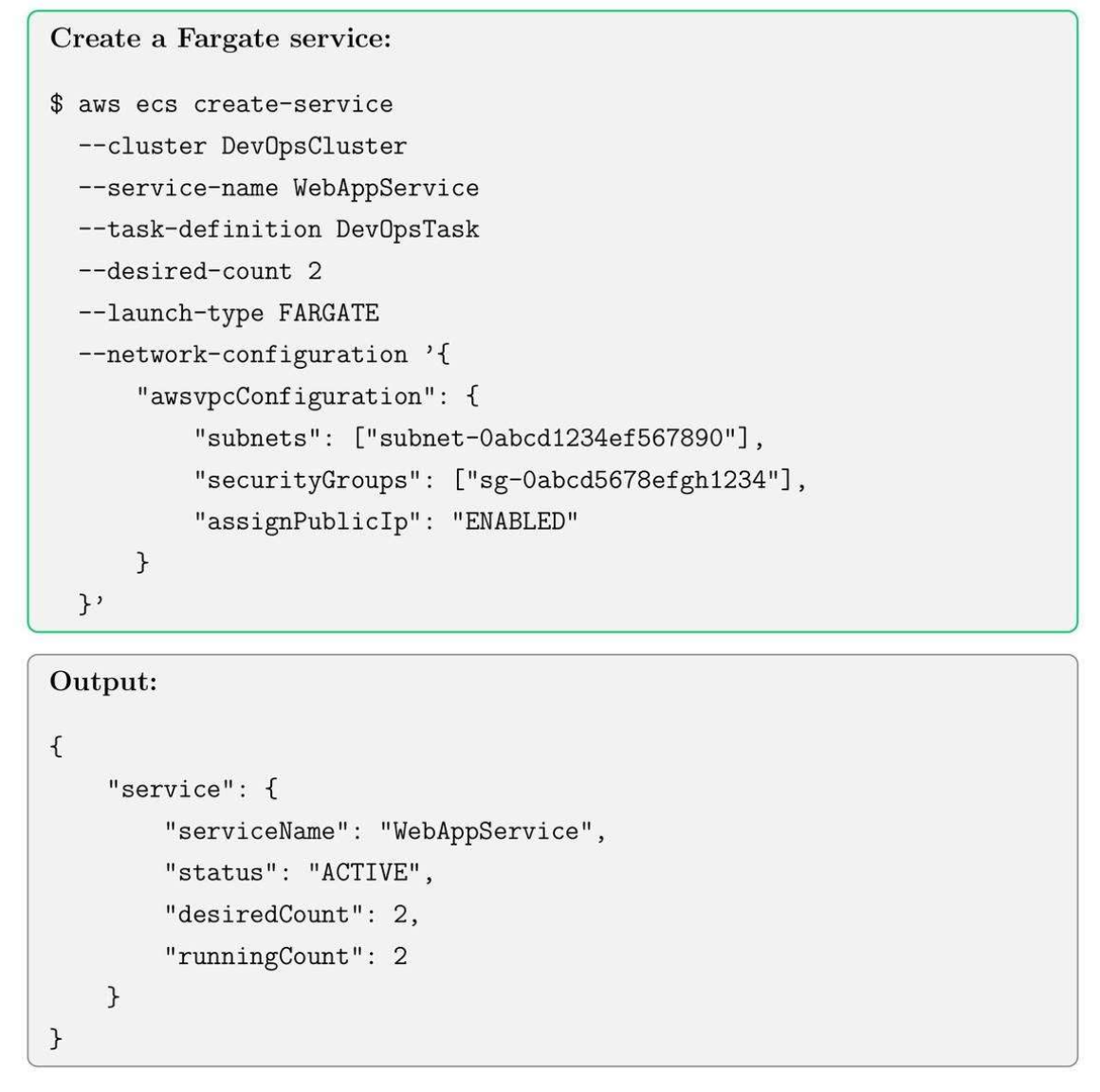
12.5. Best Practices for ECS + Fargate
- Use IAM roles for tasks to limit permissions.
- Enable CloudWatch logging for container output.
- Set up auto-scaling policies based on CPU/memory metrics.
- Use multiple availability zones for high availability.
Tip: Fargate simplifies container management, but need to pay for monitor costs for high-scale deployment.
13. Lambda Functions, IAM Roles and Event Triggers
13.1. Lambda Core Concepts
- Lambda function: your code executed on-demand.
- IAM Role: permissions for lambda to access AWS resources.
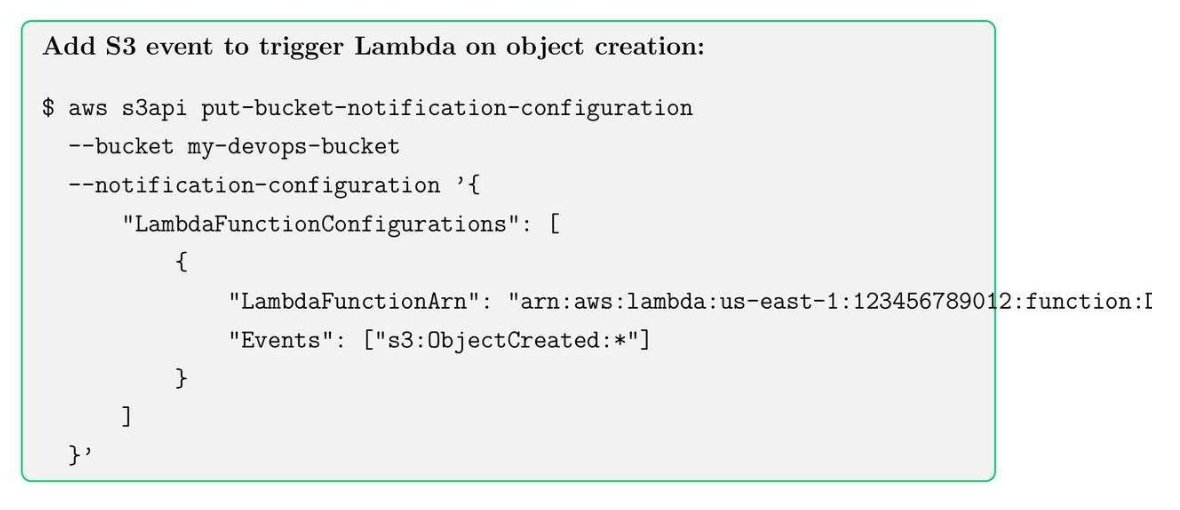
- Event trigger: initiates lambda execution automatically.
13.2. Create an IAM Role for Lambda
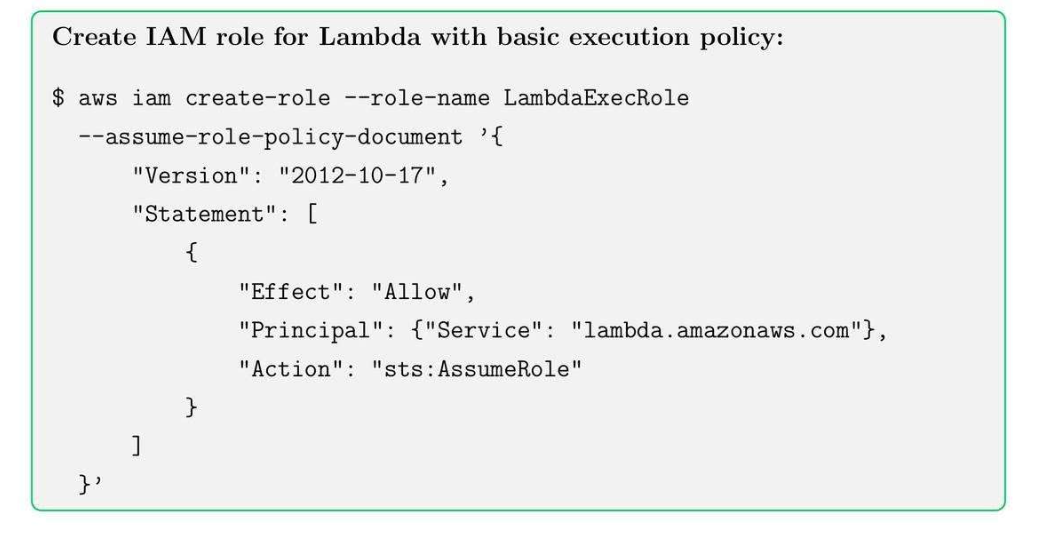
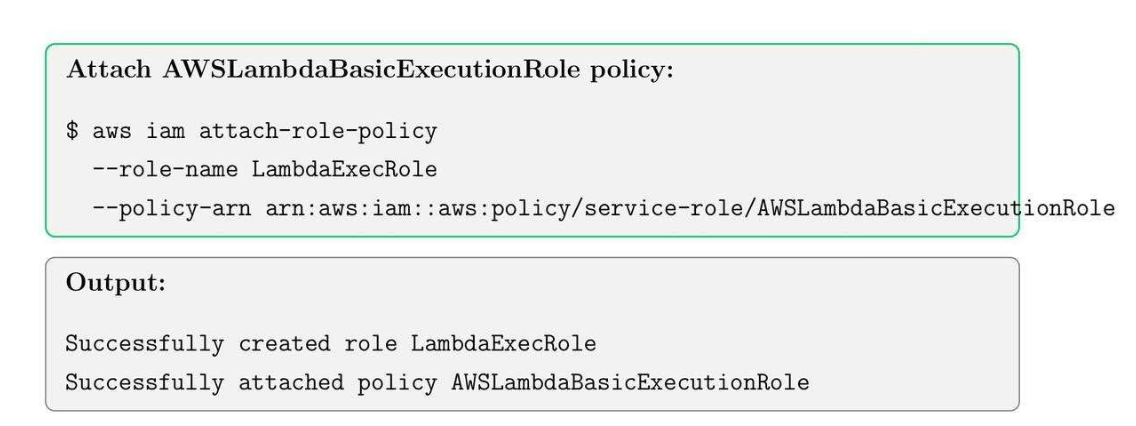
13.3. Create Lambda Function
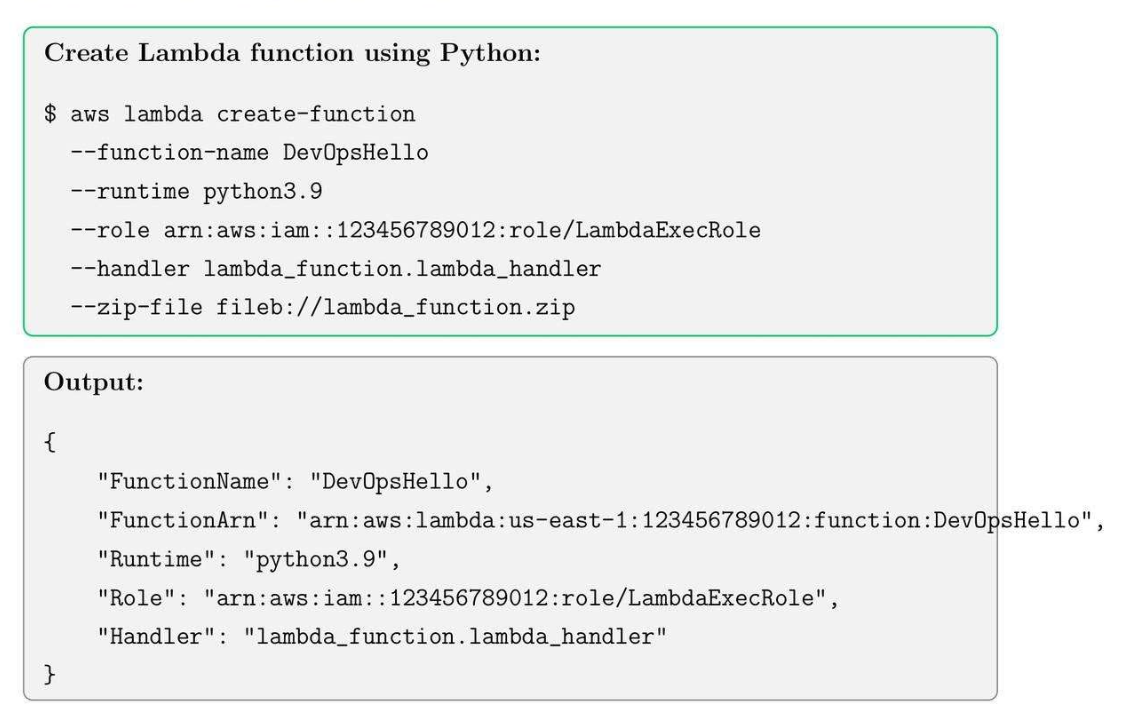
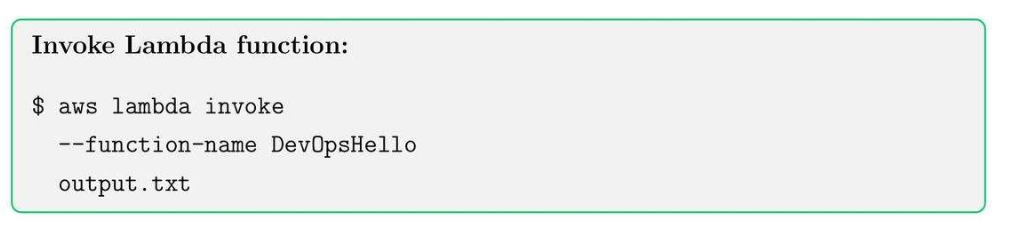
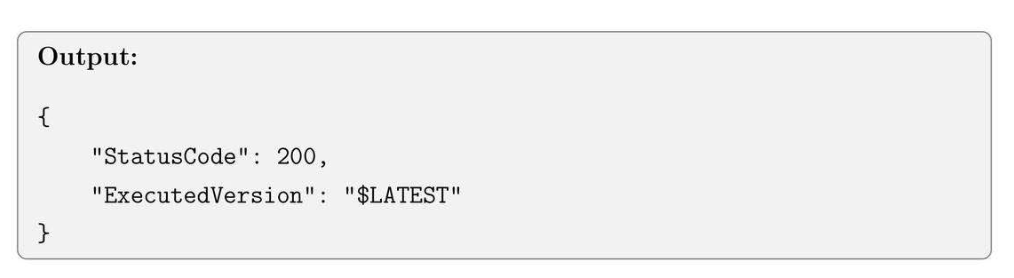
13.4. Invoke Lambda Function
13.5. Add Event Trigger (S3 Upload)
13.6. Best Practices for Lambda
- Keep Lambda functions small and single-purpose.
- Use environment variables for configuration.
- Monitor execution using CloudWatch logs.
- Use IAM Roles with least privilege to access resources.
- Consider cost for high-frequency invocations.
Tips: Combine Lambda with S3, DynamoDB, and SNS for event-driven architectures.
14. CloudFormation Basics and Stack deployment
14.1. CloudFormation Core Concepts
- Template: JSON or YAML file defining AWS resources.
- Stack: a collection of resources created and managed as a single unit.
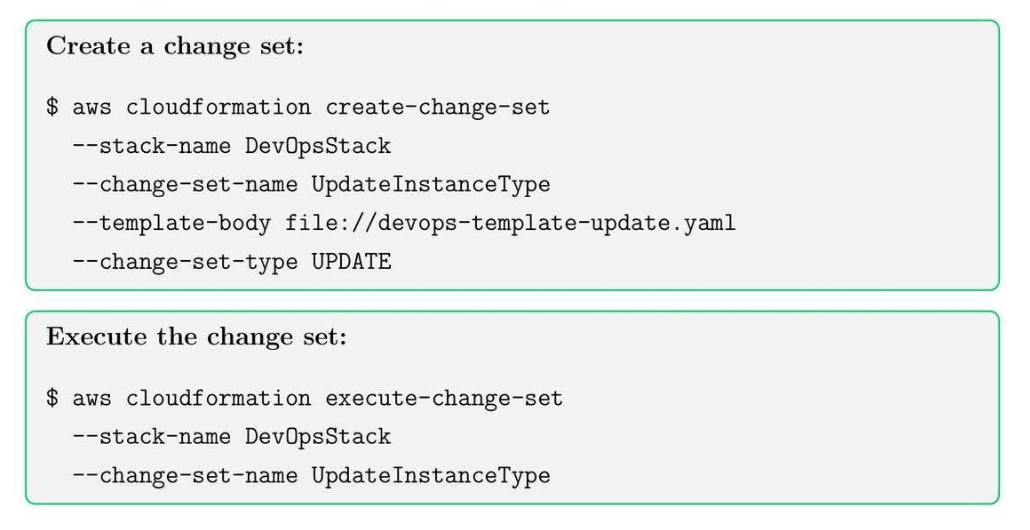
- Change Set: Preview changes before updating stacks (kiểu Merge Requests để view changes).
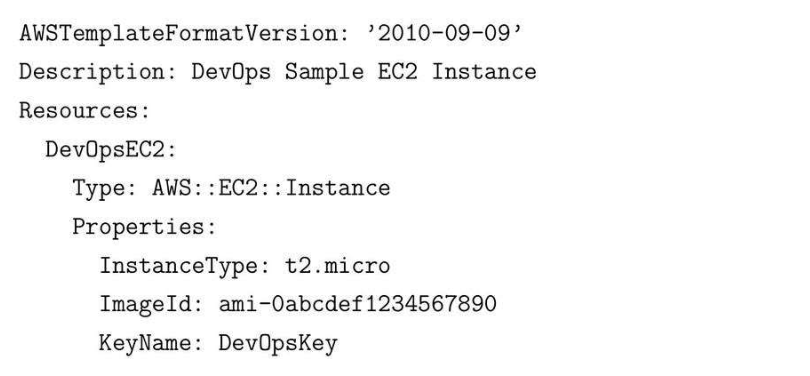
14.2. Create a Simple CloudFormation Template
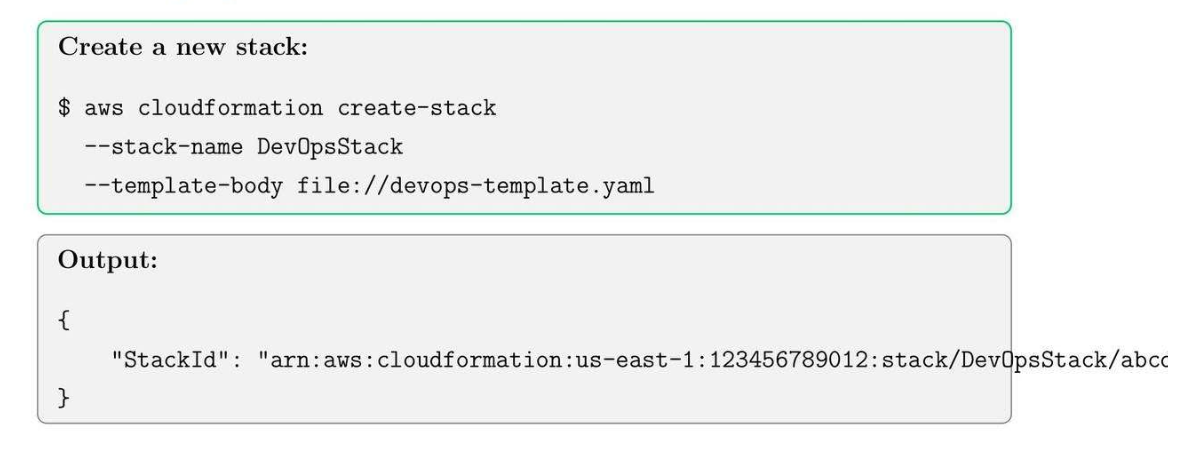
14.3. Deployment CloudFormation Stack
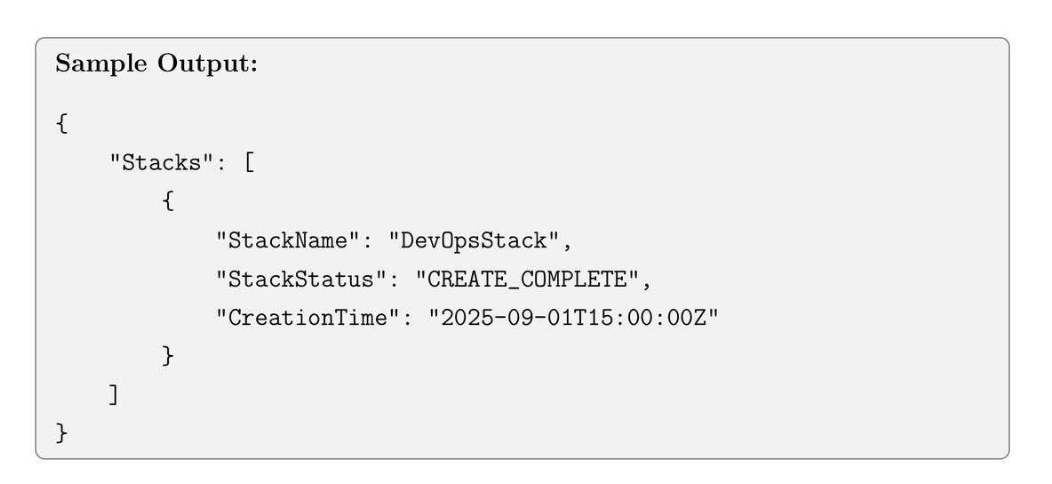
14.4. Check Stack status

14.5. Update a Stack using Change Set
14.6. CloudFormation Best Practices
- Keep templates modular and reusable.
- Use parameters and mappings to customize stacks.
- Version control templates using Git.
- Monitor stack events and logs for errors.
- Test template in dev/test accounts before production deployment.
Tips: Use CloudFormation drift detection to monitor manual changes in resources.
15. Elastic Beanstalk Basics and Application Deployment
15.1. Elastic Beantalk Core Concepts
- Application: Container for environments and versions.
- Environment: deployed instances for an application.
- Version: Specific code bundle deployed to the environment.
Idea:
- Infrastructure template version control.
- Dùng chung với CloudFormation.
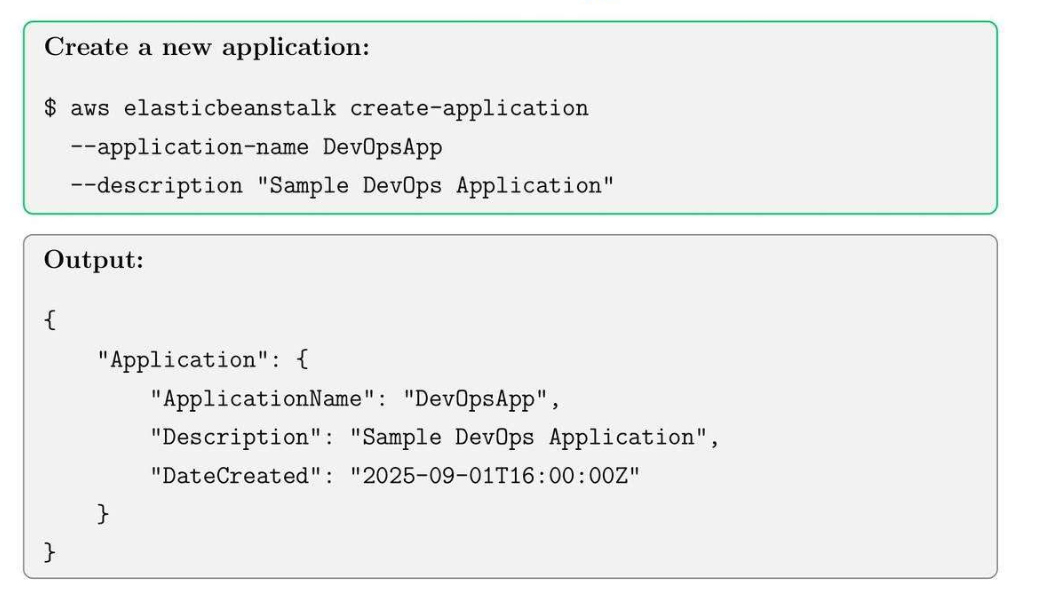
15.2. Create an Elastic Beanstalk Application
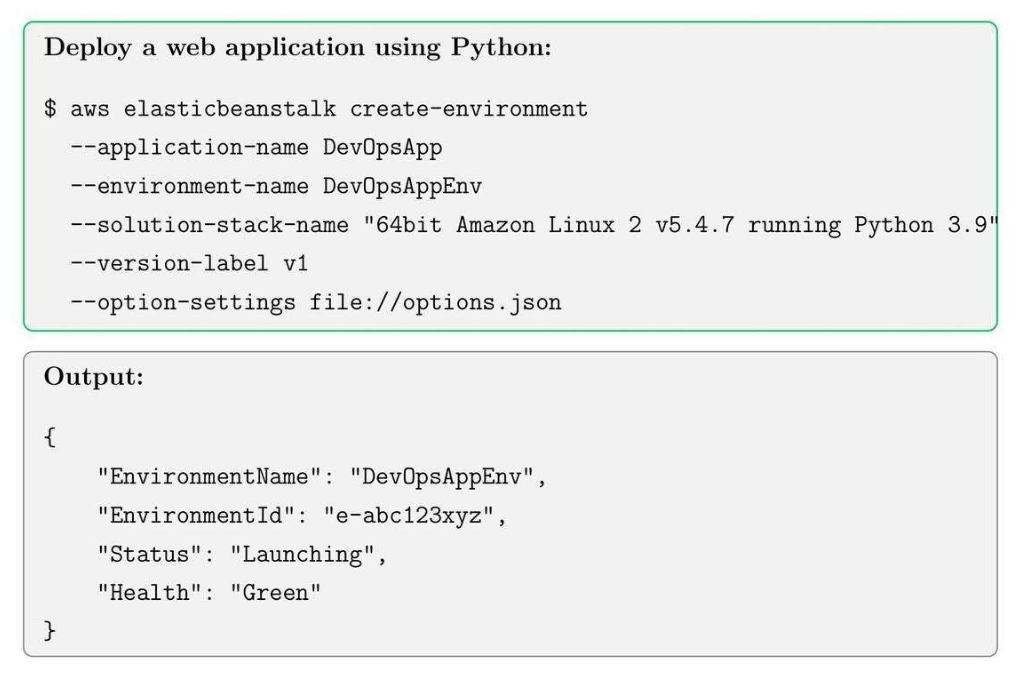
15.3. Create an Environment and Deploy Application
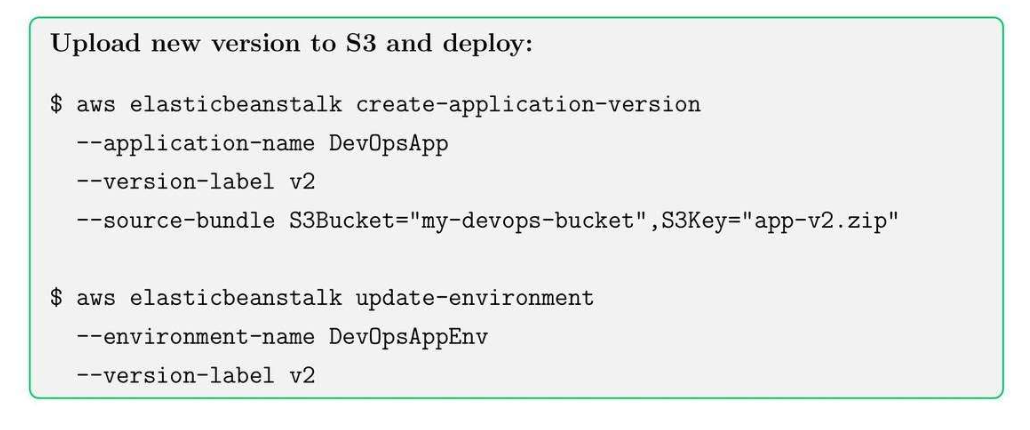
15.4. Update Application Version
15.5. Elastic Beanstalk Best Practices
- Use separate environments for dev, test, prod.
- Enable enhanced health monitoring for better visibility.
- Store application versions in S3 for version control.
- Use environment variables for configuration instead of hard coding.
- Monitor logs and events, and troubleshoot deployment issues.
Tip: Use rolling deployments to minimize downtime during updates.
16. CloudTrail and Auditing for Compliance
16.1. CloudTrail Core Concept
- Trail: capture 1 chuỗi các API activity.
- Event: đối với API calls ứng với user, time, source IP, parameters.
- Log file validation: Ensure integrity of logs for auditing.
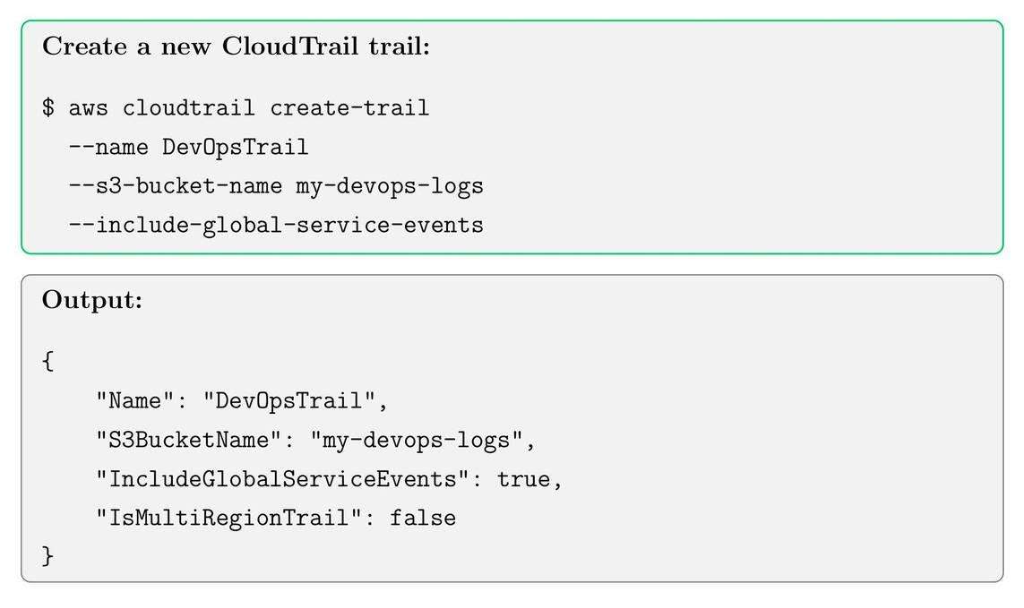
16.2. Create a CloudTrail Trail
16.3. Start Logging

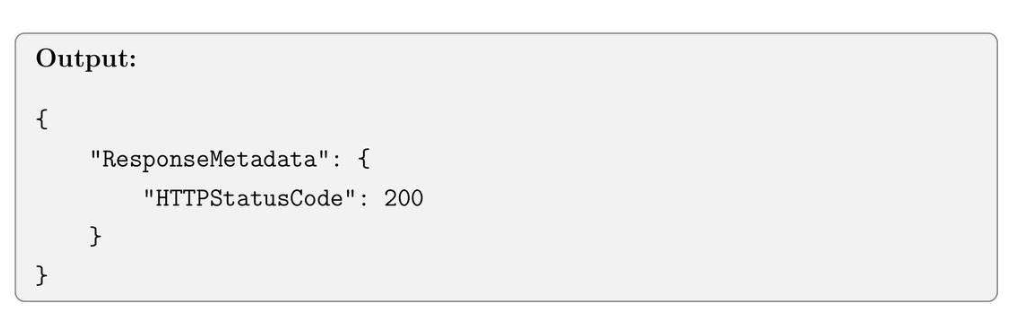
16.4. View Trail Events
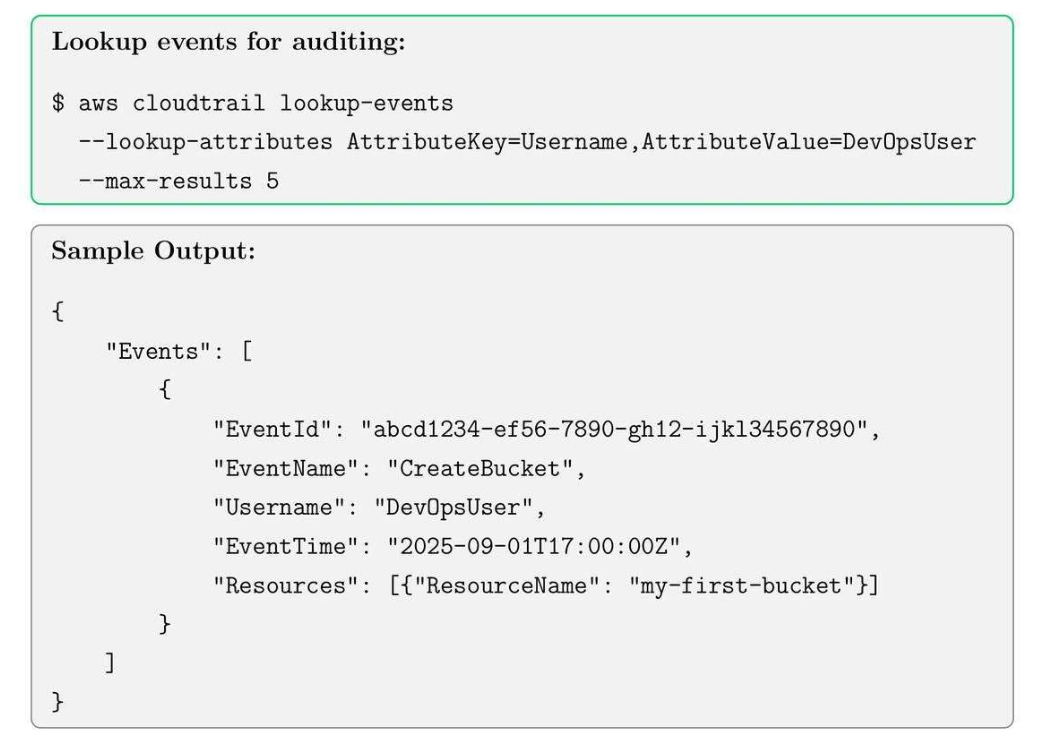
16.5. CloudTrail Best Practices
- Enable multi-region trails.
- Encrypt logs using SSE-KMS for security.
- Enable log file validation for compliance auditing.
- Integrate CloudWatch Logs to monitor events in real-time
- Regularly review trails for unusual activity.
Tips: Use CloudTrail insights to detect unusual API activity patterns automatically.
17. AWS Config: Resource Inventory and Compliance
17.1. AWS Config Core Concepts
Idea: ghi lại mấy change in AWS.
- Configuration Recorder: records resource configuration continuously.
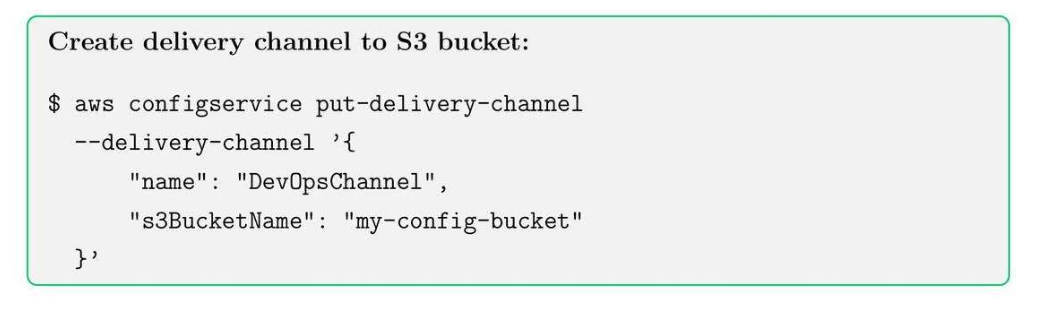
- Deliver channel: sends the recorded configuration to the S3 bucket.
- Rules: Evaluate resource configurations against desired policies.
17.2. Set up AWS Config Recorder
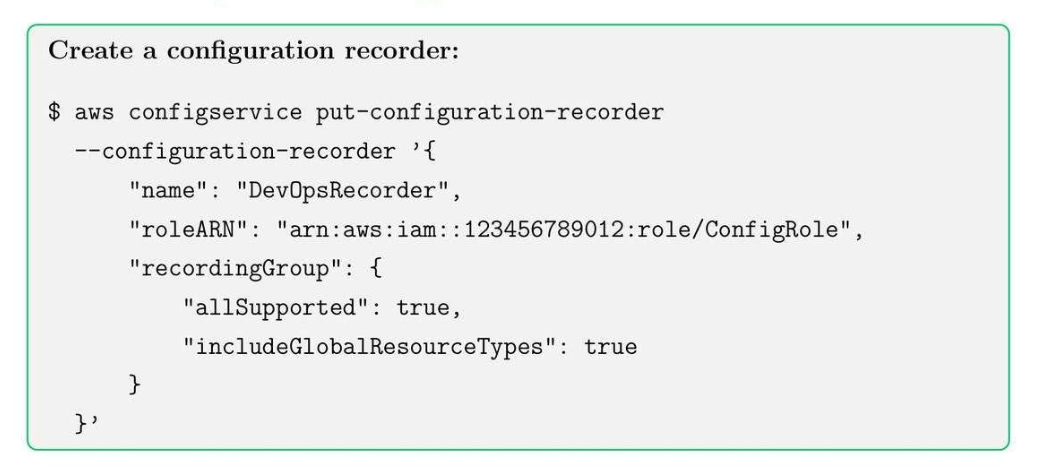
17.3. Set up Delivery Channel
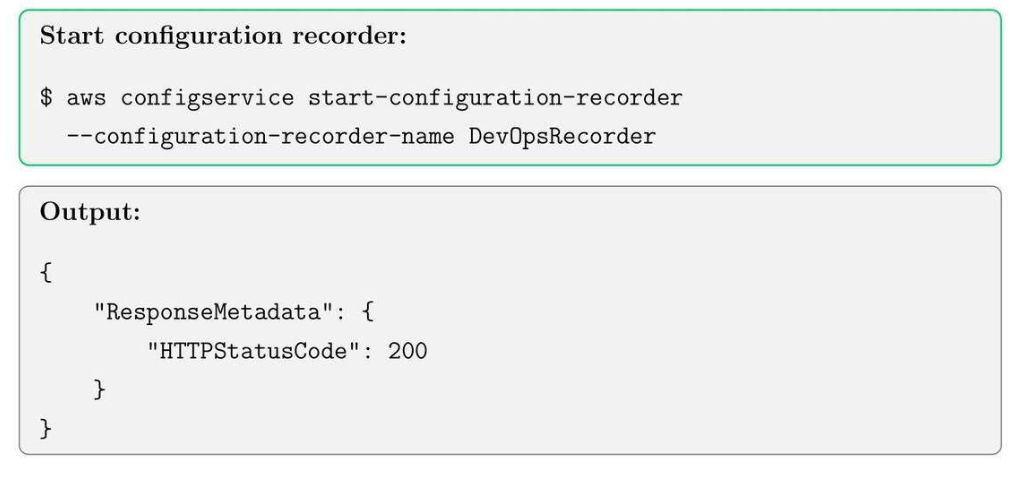
17.4. Start Recording Configurations
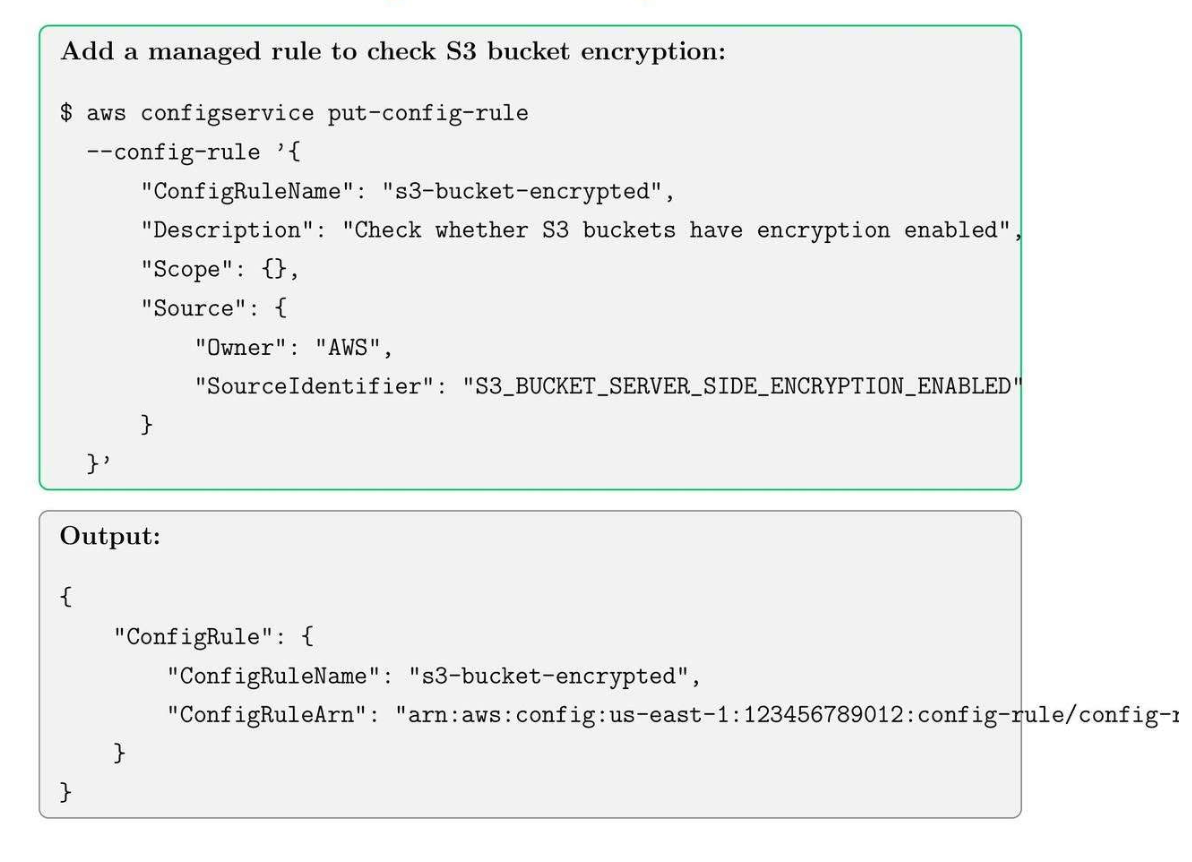
17.5. Add AWS Config Rules for Compliance
17.6. AWS Config Best Practices
- Enable all supported resource types to track a comprehensive inventory.
- Integrate Config with CloudWatch Events for real-time alerts.
- Use managed rules for common compliance standards (PCI, HIPAA, CIS).
- Periodically review compliance dashboards to enforce governance.
- Store historical configurations for audit and rollback purposes.
Tip: Combine AWS Config with CloudTrail for end-to-end auditing and governance.
18. Amazon SNS: Notifications and Messaging
18.1. SNS Core Concepts
- Topic: local access point to publishing messages.
- Subscription: receivers of messages.
- Publisher: send messages to the topic.
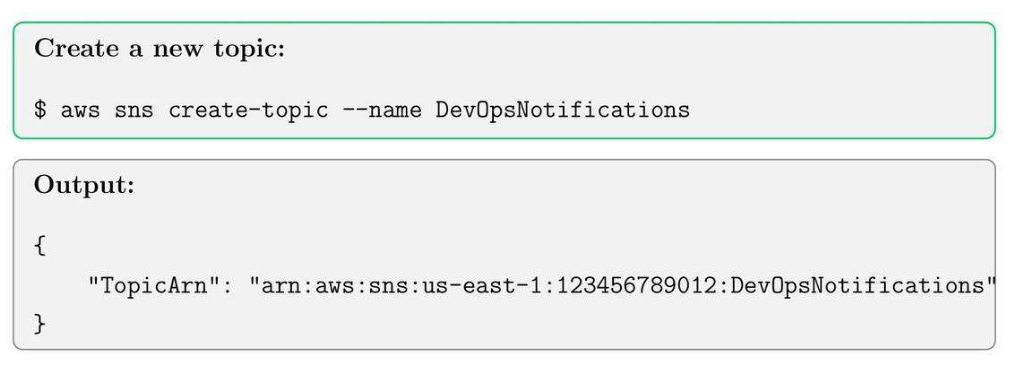
18.2. Create SNS Topic
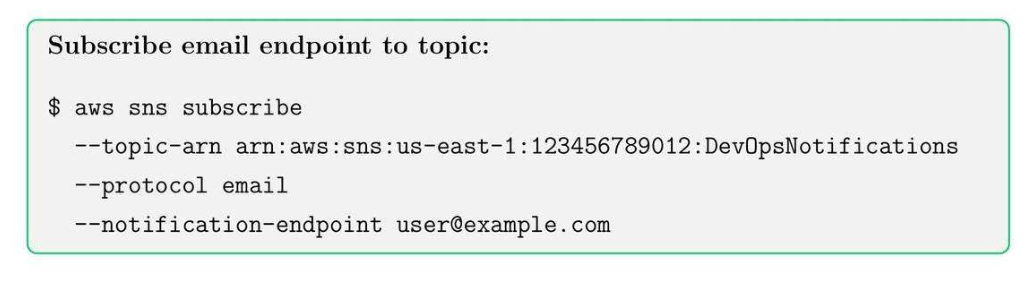
18.3. Subscribe to SNS Topic
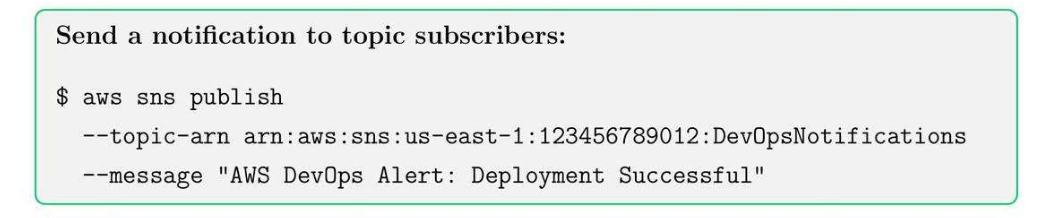
18.4. Publish a Message
Tip: Combine SNS with Cloud Watch alarms for automated notifications.
19. Amazon SQS
19.1. SQS Core Concepts
- Queue: Stores messages until they are consumed by the receiver.
- Producer: Sends a message to a queue.
- Consumer: Receives and process messages.
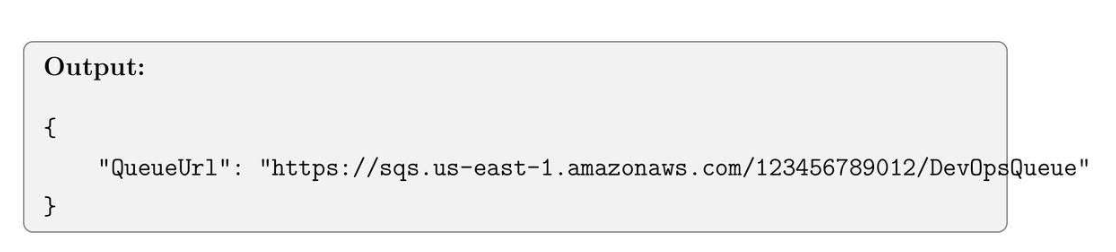
19.2. Create an SQS Queue

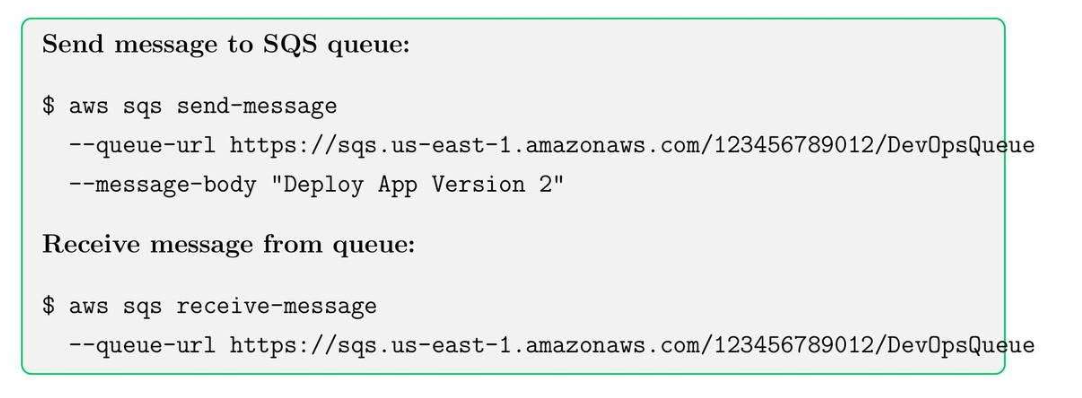
19.3. Send and Receive Messages
20. AWS EventBridge
20.1. AWS EventBridge Core Concepts
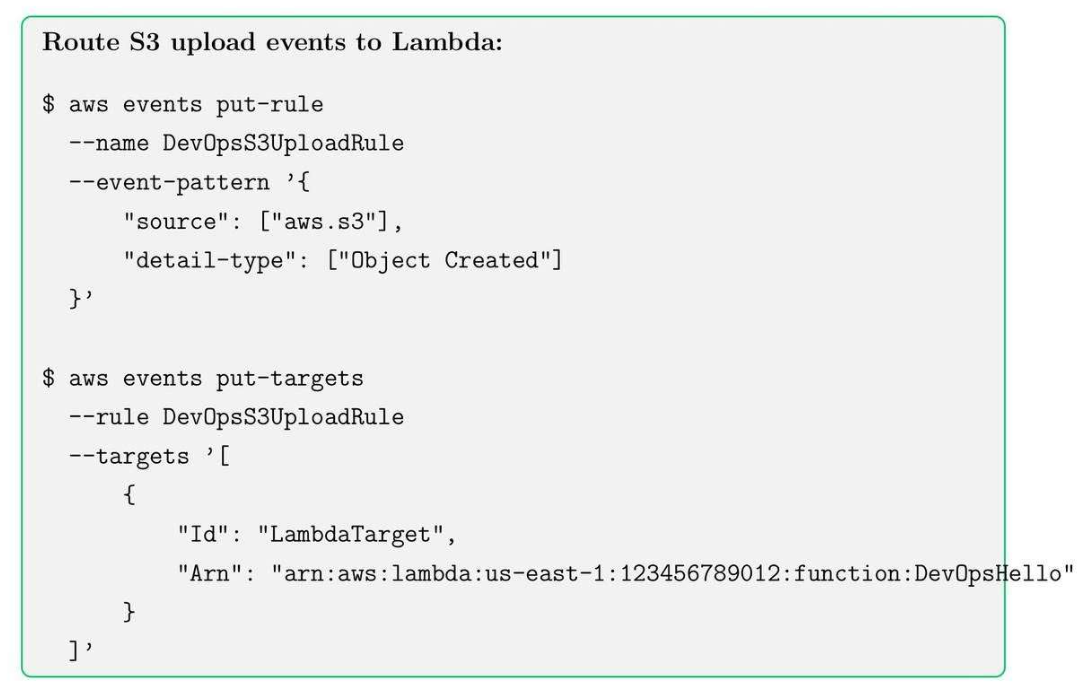
- Rule: defines which events trigger actions.
- Target: Lambda, SQS, SNS, or other service responds to events
20.2. Create EventBridge Rule
20.3. AWS EventBridge Best Practices
- Use SNS for fan-out messaging to multiple subscribers.
- Use SQS for decoupling and reliable message processing.
- Use EventBridge for event-driven automation and workflows.
- Monitor queue length and delivery failures for troubleshooting.
21. Amazon DynamoDB: Basics and Tables
21.1. DynamoDB Core Concepts
- Table: Collections of items.
- Item: A record of database.
- Attribute: Data fields of an item.
- Primary key: unique identifier for items
- Partition key
- Sort key.
21.2. Create DynamoDB Table
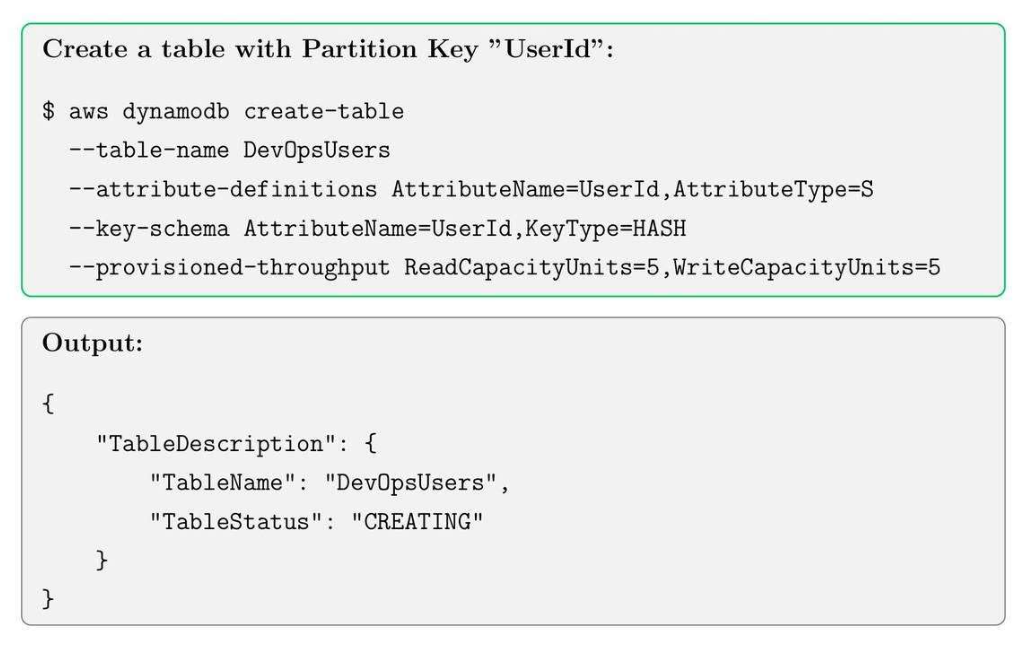
21.3. Check Table Status
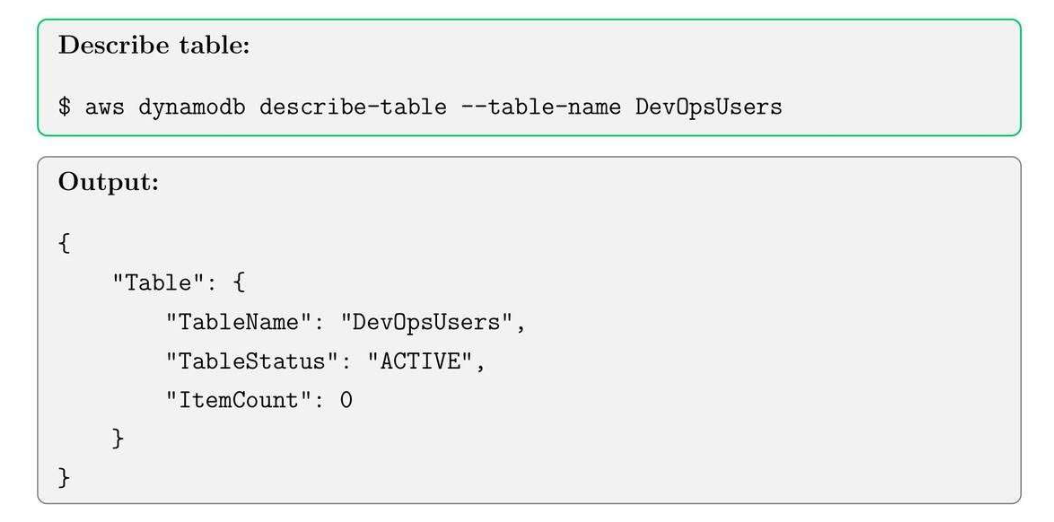
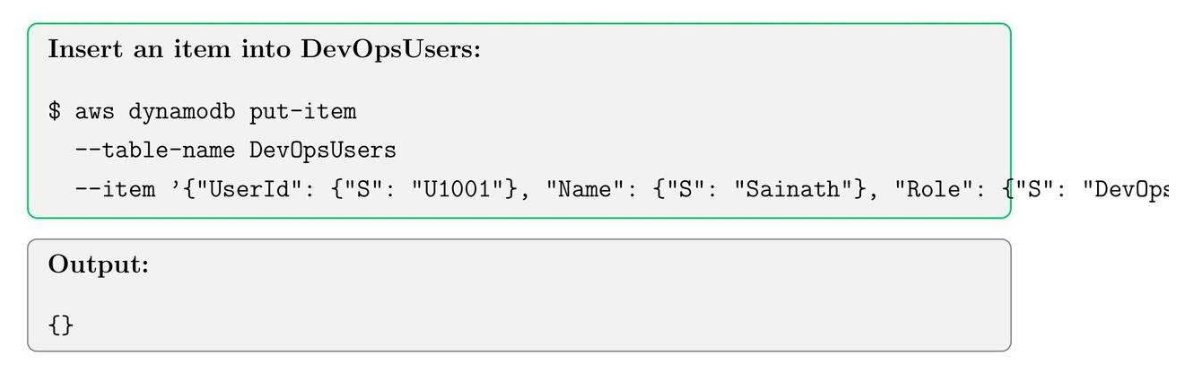
21.4. Add Item
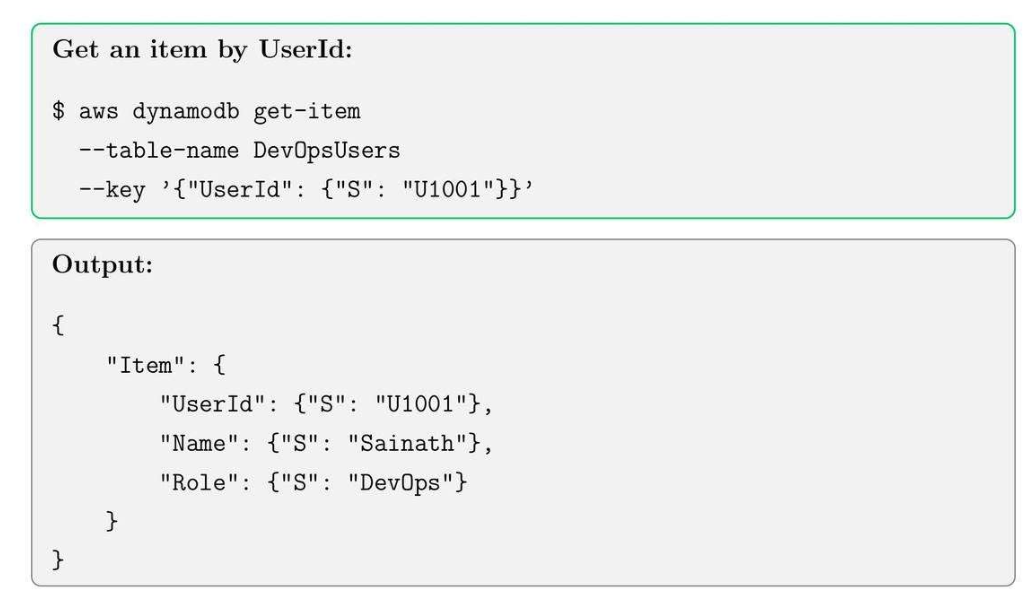
21.5. Read Item
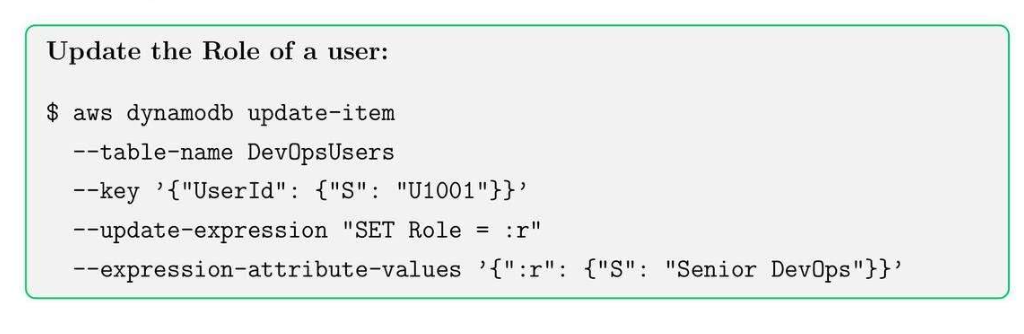
21.6. Update Item (Condition-based)
21.7. Delete Item
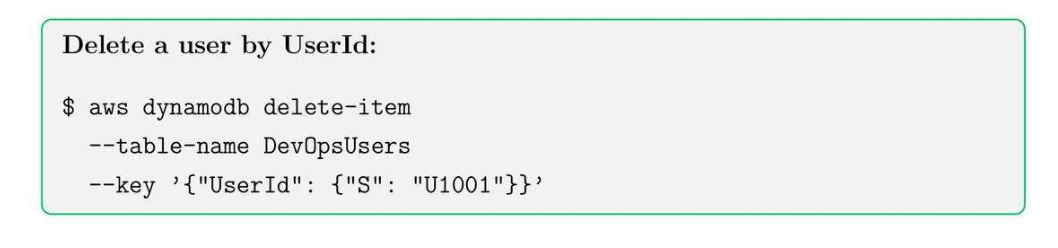
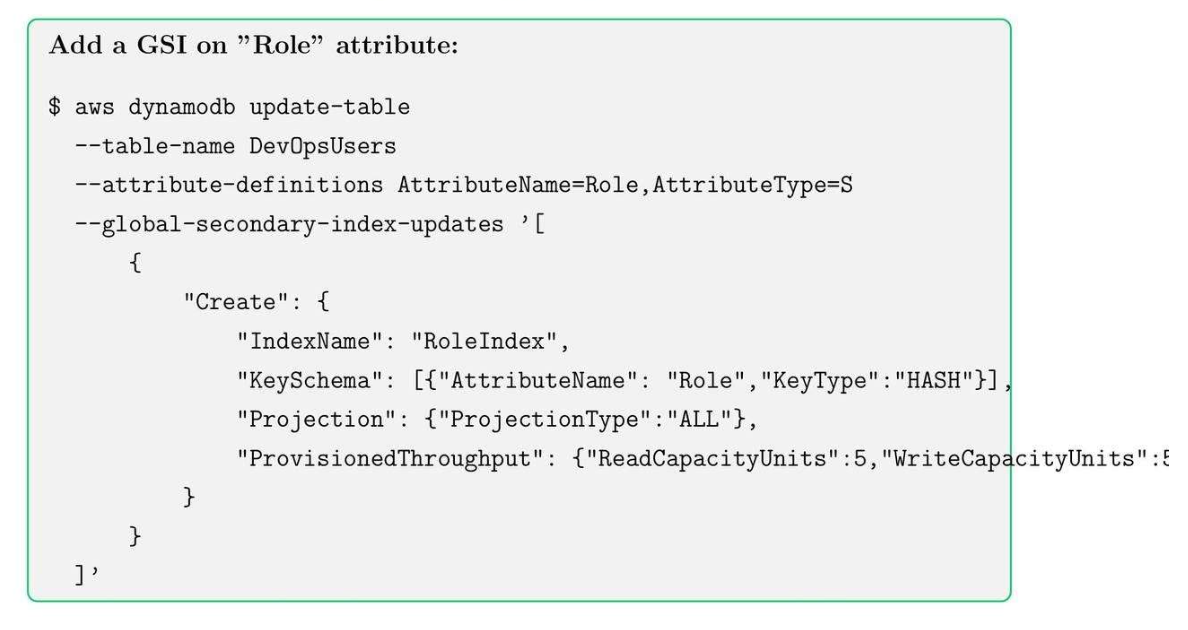
21.8. Global Secondary Index (GSI)
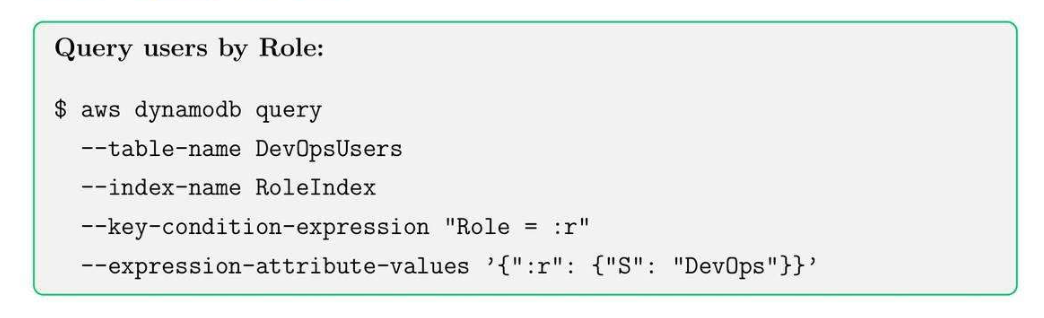
21.9. Query by GSI
21.10. Best Practices
- Choose partition keys wisely to avoid host paritions.
- Use GSIs sparingly for flexible queries.
- Monitor read/write capacity and enable auto scaling.
- Use DynamoDB streams for event-driven architecture.
- Enable point-in-time recovery for backups.
22. Amazon RDS: Relational Database Service Basics
22.1. RDS Core Concepts
- DB Instance: database server.
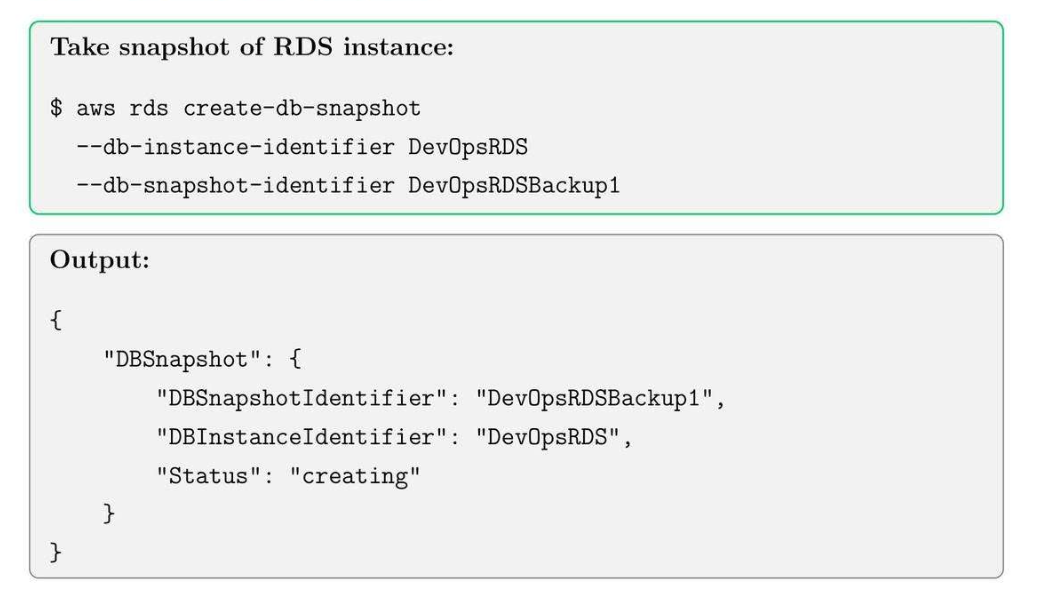
- DB Snapshot: backup for DB instance.
- Multi-AZ: High availability for failover support, 1 AZ có 3 database rồi.
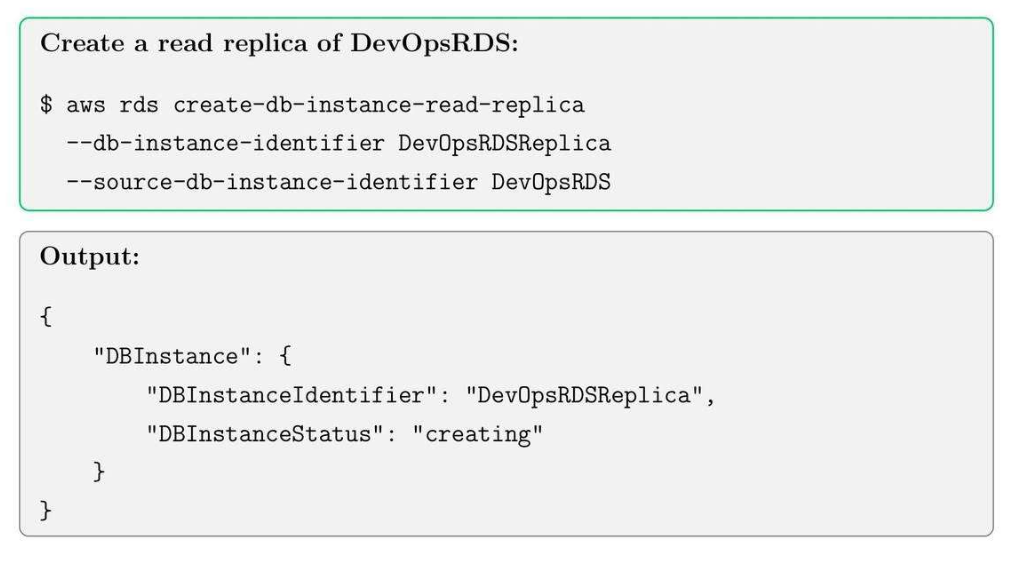
- Read replica: Chia tải read ra nhiều node khác nhau.
- Encryption: encrypt data và patching new OS for EC2.
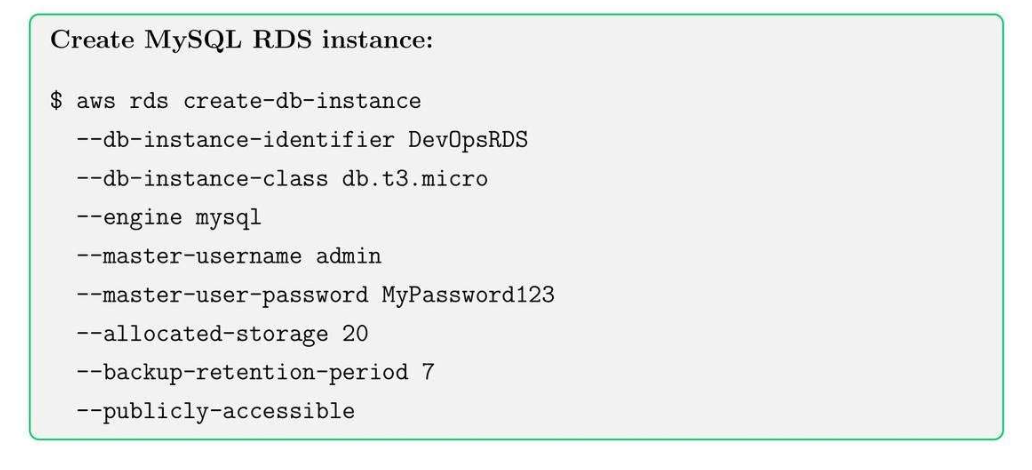
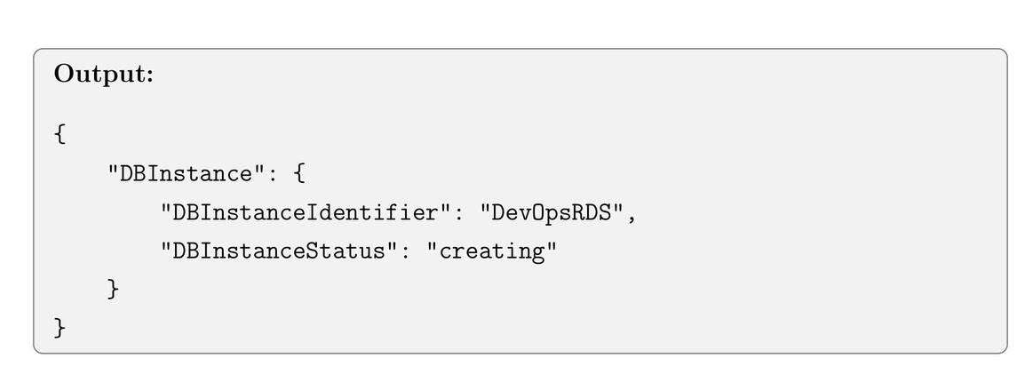
22.2. Create RDS Database Instance
22.3. Create DB Snapshot
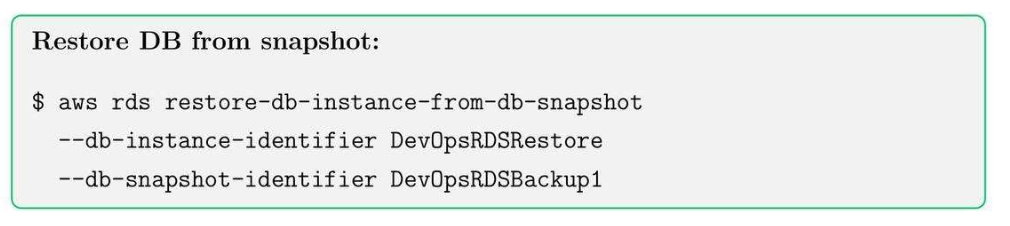
22.4. Restore from Snapshot
22.5. Create Read Replica
22.6. Best Practices for RDS
- Enable multi-AZ for production workloads.
- Schedule automated backups and retain snapshots.
- Use read replicas to scale heavy-read applications.
- Monitor CPU, storage and connections with CloudWatch.
- Use IAM roles for RDS access when possible.
22.7. Enable encryption
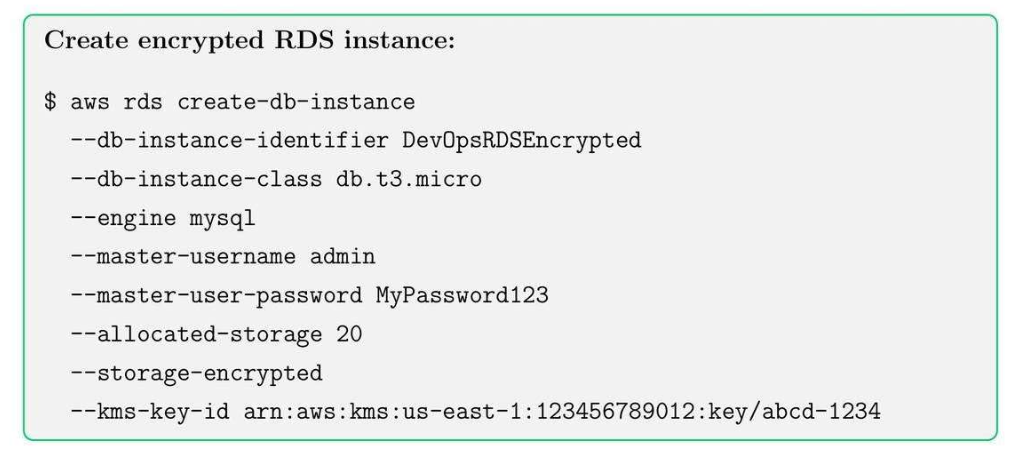
Note:
- Encrypt theo field_name mình cần.
- Với key trong KMS.
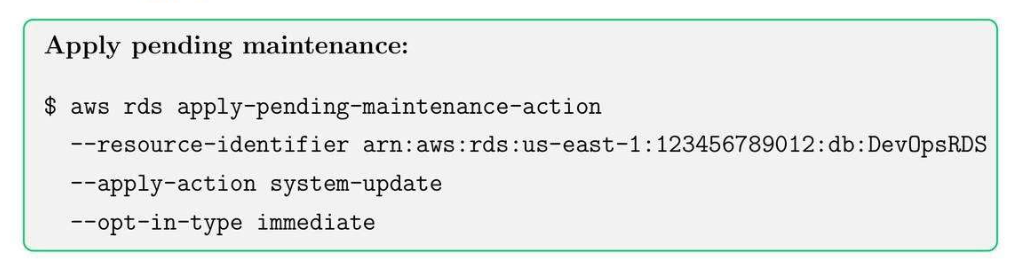
22.8. Apply Patches and Maintenance
22.9. Best Practices for RDS Security
- Enable encryption for sensitive data.
- Keep automatic backups enabled with retention period.
- Schedule maintenance windows during low traffic periods.
- Use monitoring and alarms for performance and storage.
23. Amazon EKS: Kubernetes on AWS
23.1. EKS Core Concepts:
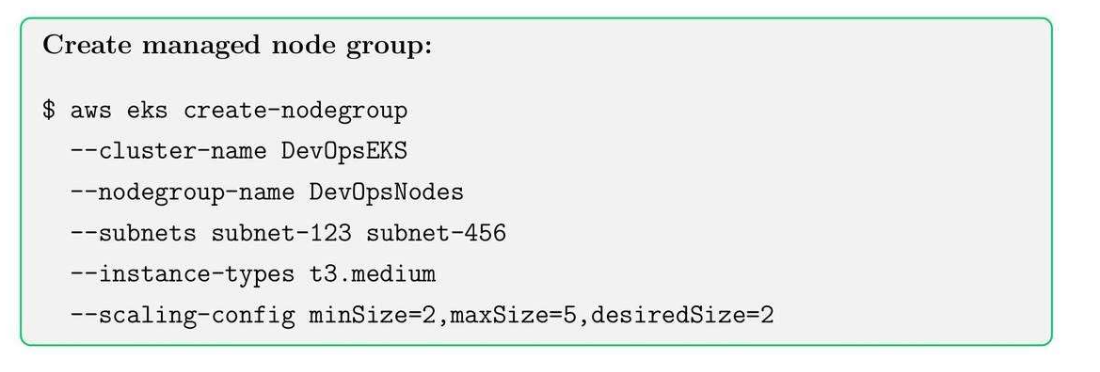
- Cluster: control plane to manage worker nodes and Kubernetes resources.
- Node Groups: EC2 instances running containers in the cluster.
- Fargate: Serverless compute for running containers.
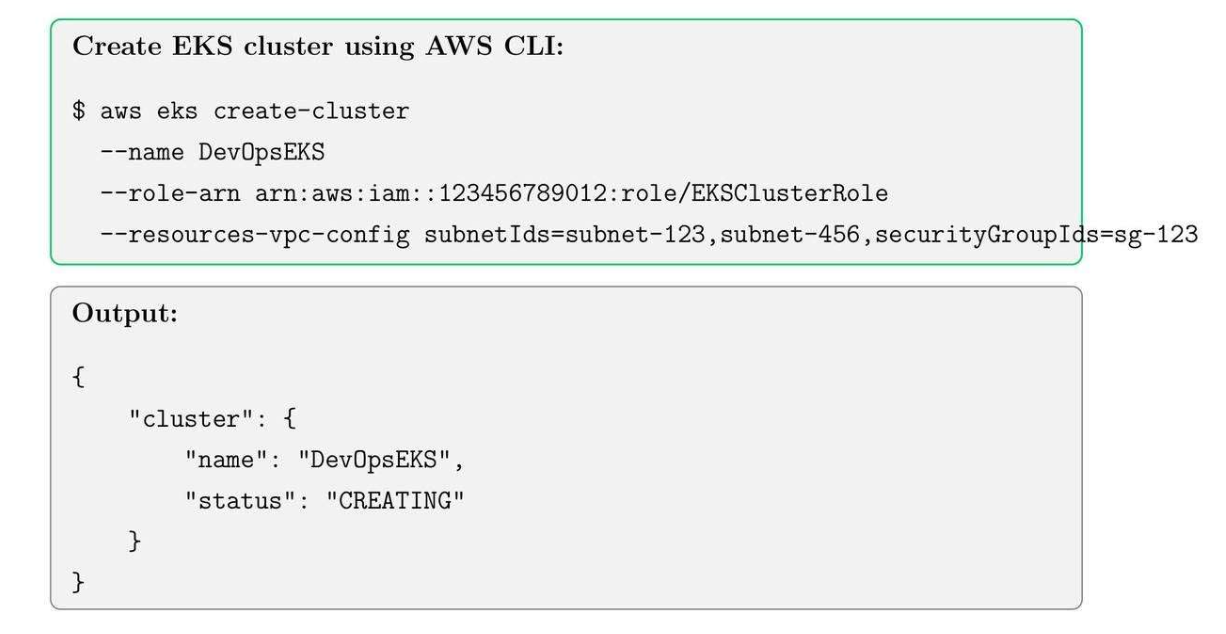
23.2. Create Cluster
23.3. Create EKS Node Groups
23.4. Node Group Best Practices
- Use multiple subnets for high availability.
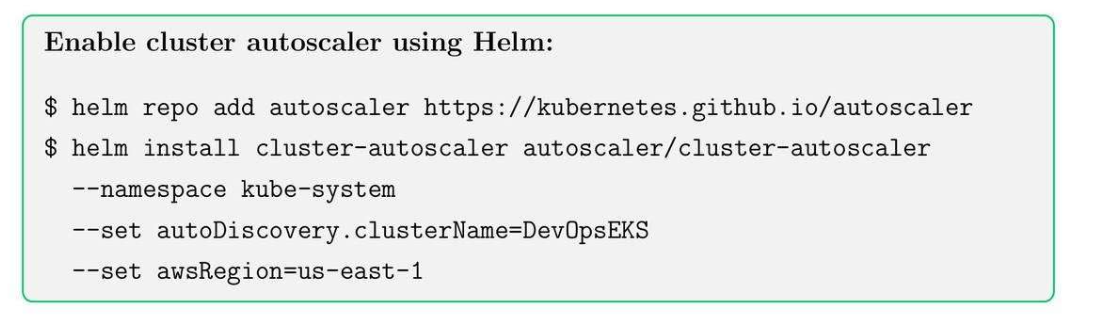
- Enable auto scaling for workload fluctuations.
- Tag nodes for cost allocation and monitoring.
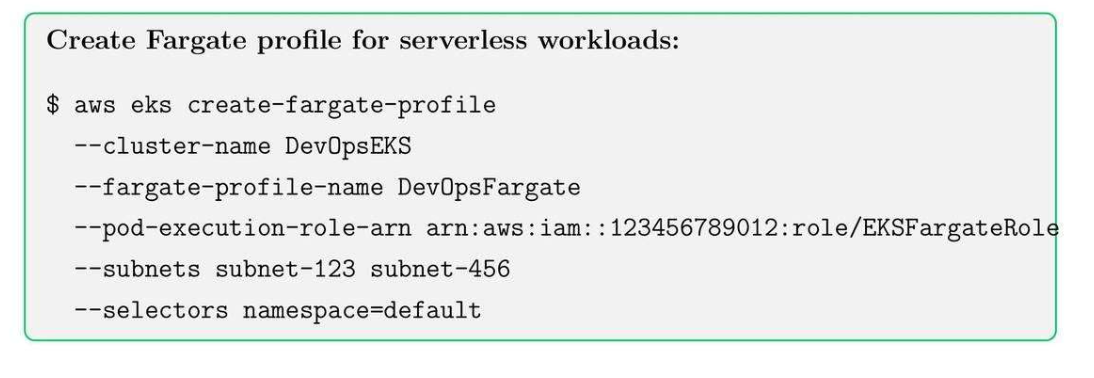
23.5. EKS Fargate Profiles
Public Subnet
| AZ | Subnet CIDR | Purpose |
|---|---|---|
| az-a | 10.0.0.0/24 |
ALB / NLB |
| az-b | 10.0.1.0/24 |
ALB / NLB |
| az-c | 10.0.2.0/24 |
ALB / NLB |
Private Subnet
| AZ | Subnet CIDR | Purpose |
|---|---|---|
| az-a | 10.0.10.0/20 |
Nodes + Pods |
| az-b | 10.0.26.0/20 |
Nodes + Pods |
| az-c | 10.0.42.0/20 |
Nodes + Pods |
We can have multiple subnets in the same cluster for different services.
23.6. EKS Cluster Autoscaling
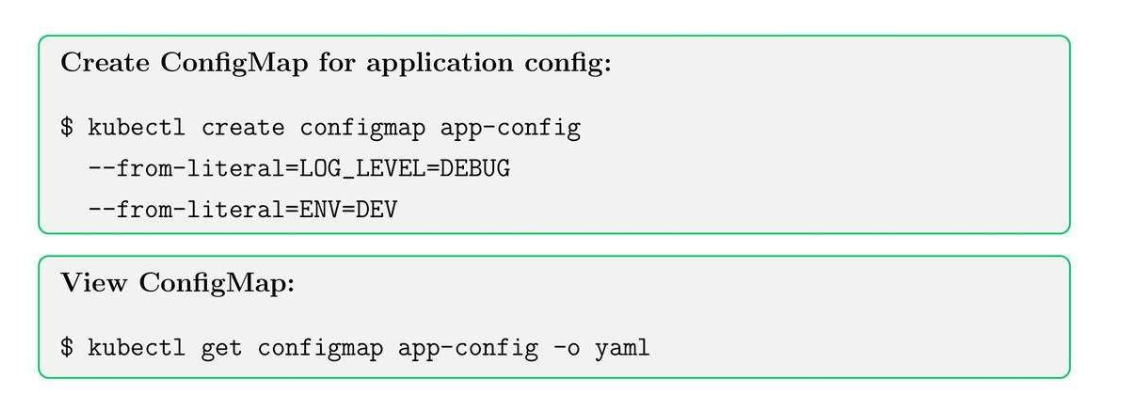
23.7. Kubernetes Config Map (YAML file)
- Store non-secret variable.
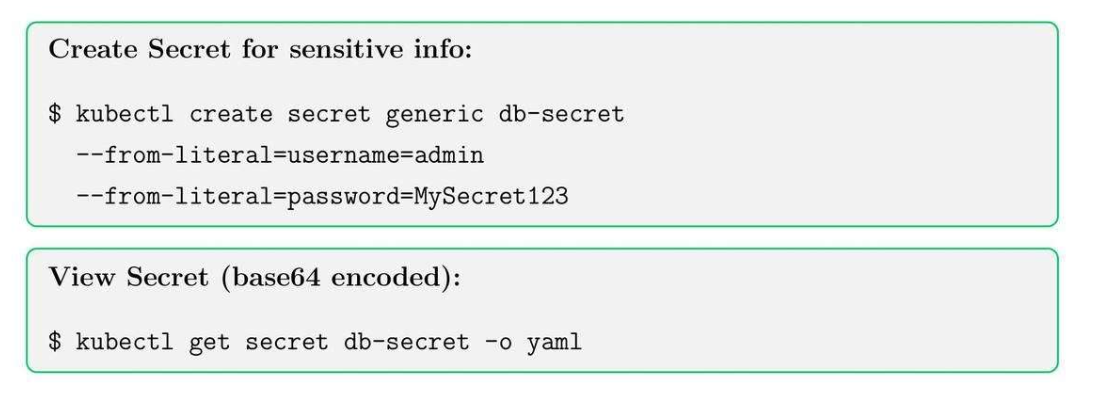
23.8. Secrets in Kubernetes
23.9. Deploy Applications on EKS
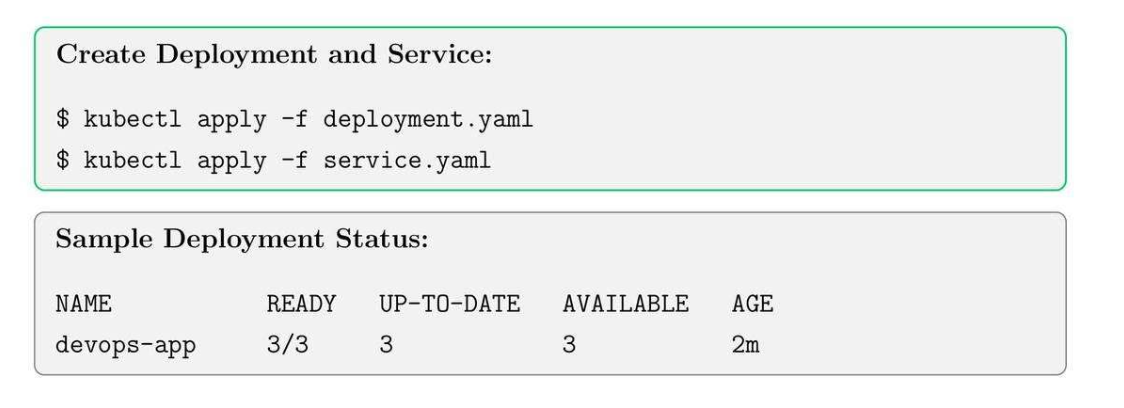
23.10. EKS Best Practices
- Always use IAM roles for service accounts (IRSA).
- Separate workloads between node groups and Fargate profiles.
- Fargate profiles: node nào chạy trên EKS, node nào chạy trên EC2 bình thường.
- Enable logging with CloudWatch Container Insights.
- Use namespaces and labels for organization and RBAC policies.
- Regularly update worker nodes and control plane versions.
24. AWS CodePipeline
24.1. CodePipeline Core Concepts
- Project: define source, build commands and environment.
- Environment: OS, runtime and compute type.
- Buildspec: YAML file defining build commands.
24.2. Create CodeBuild Project
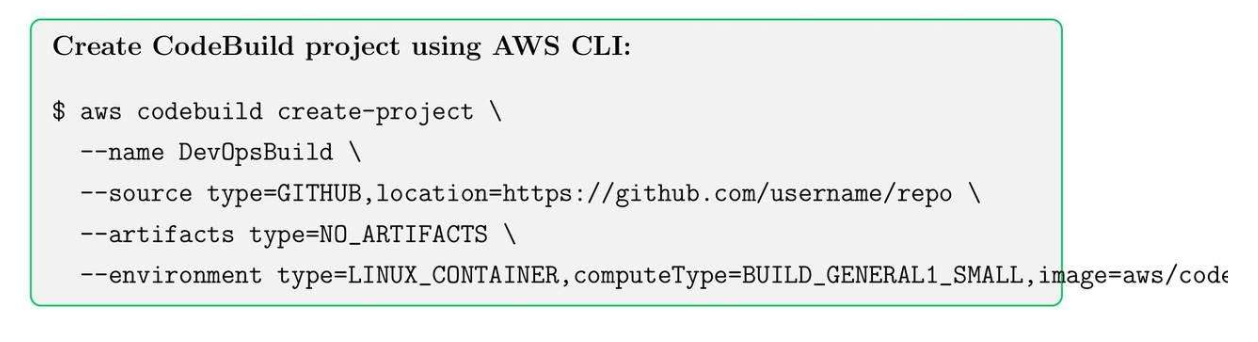
24.3. Build Project
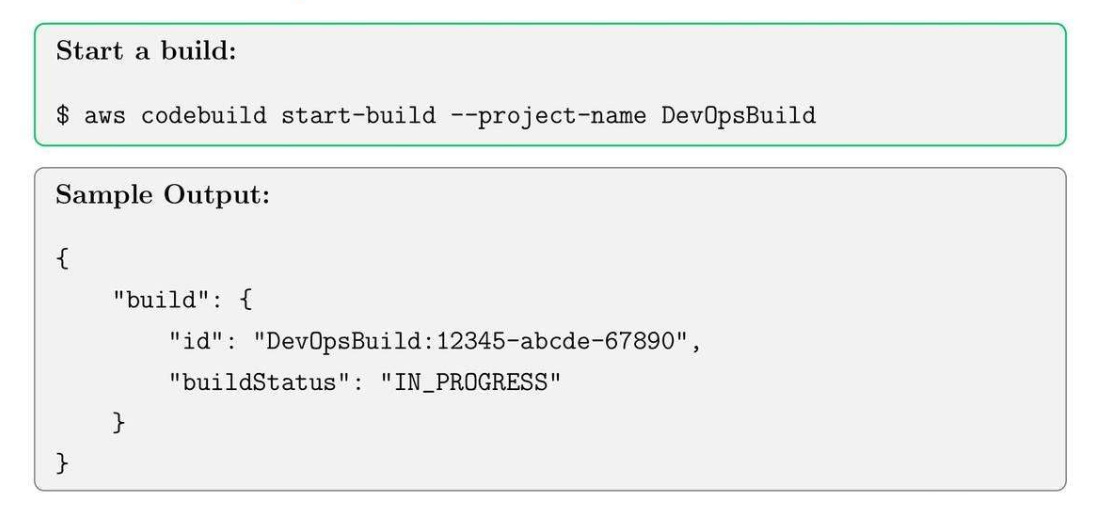
25. AWS CodeDeploy
25.1. CodeDeploy Core Concepts
- Application: container for deployment artifacts.
- Deployment Group: target instances for deployment.
- Revision: application version to deploy.
25.2. Create CodeDeploy Application
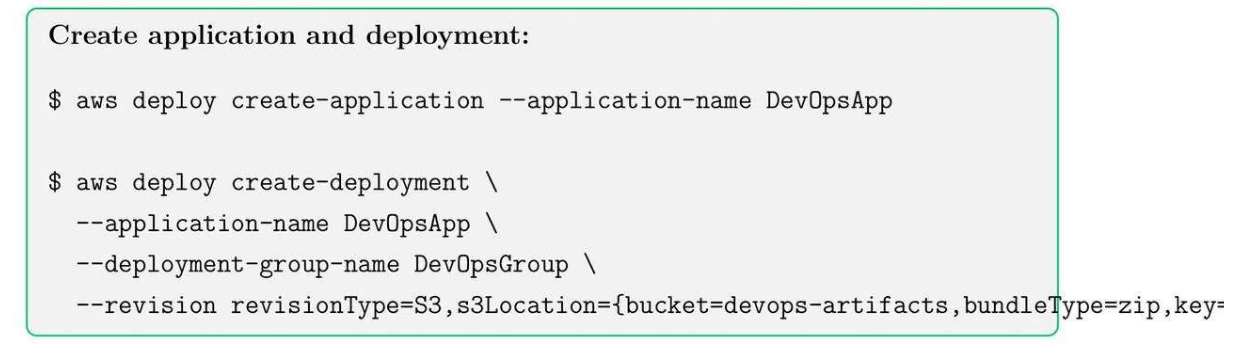
25.3. Best Practices
- Use versioning and S3 for deployment artifacts.
- Test in staging before deploying to production.
- Monitor deployment status using AWS CLI or console.
- Combine with CodePipeline for CI/CD automation.
26. AWS Code CloudFormation
26.1. CloudFormation Core Concepts
- Stack: Collection of AWS resources.
- Template: JSON or YAML file.
- Change set: preview changes before applying them to stack.
26.2. Creating a CloudFormation Stack
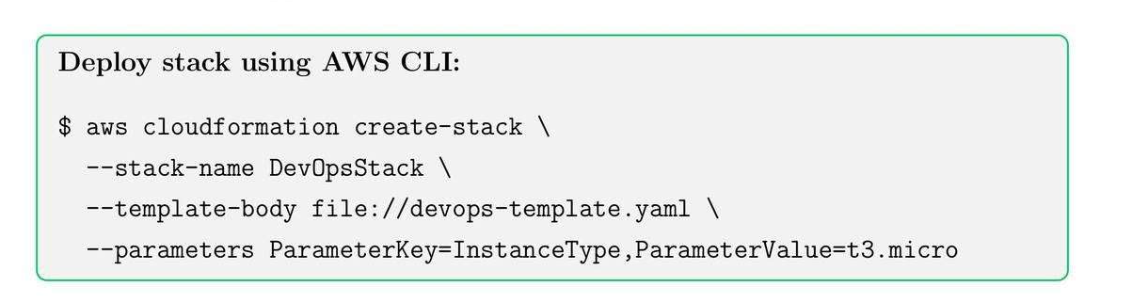
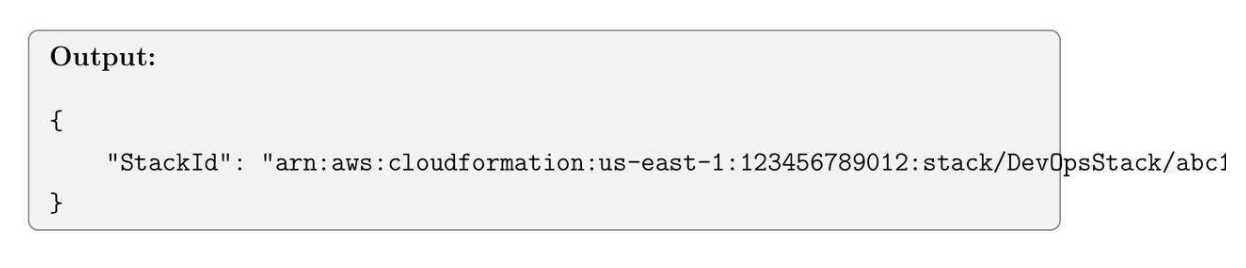
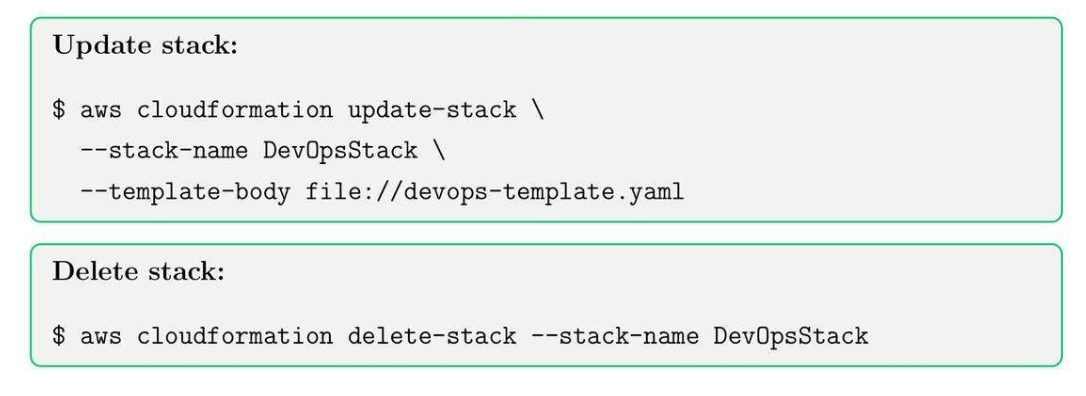
26.3. Update and Delete CloudFormation Stacks
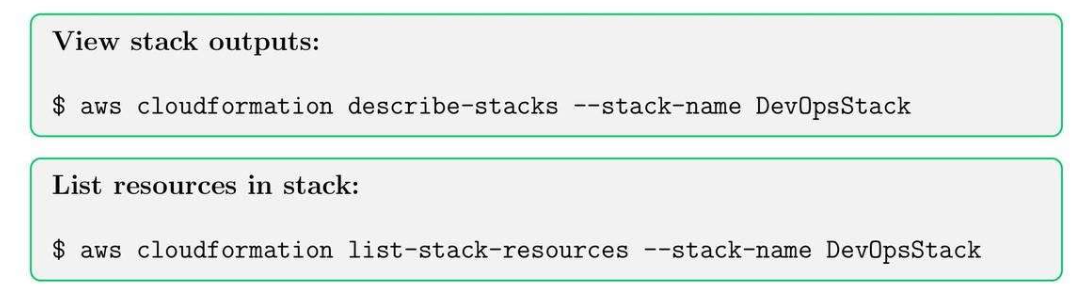
26.4. Stack Outputs and Resources
27. AWS Cost Management and Billing
27.1. Cost Management Tool
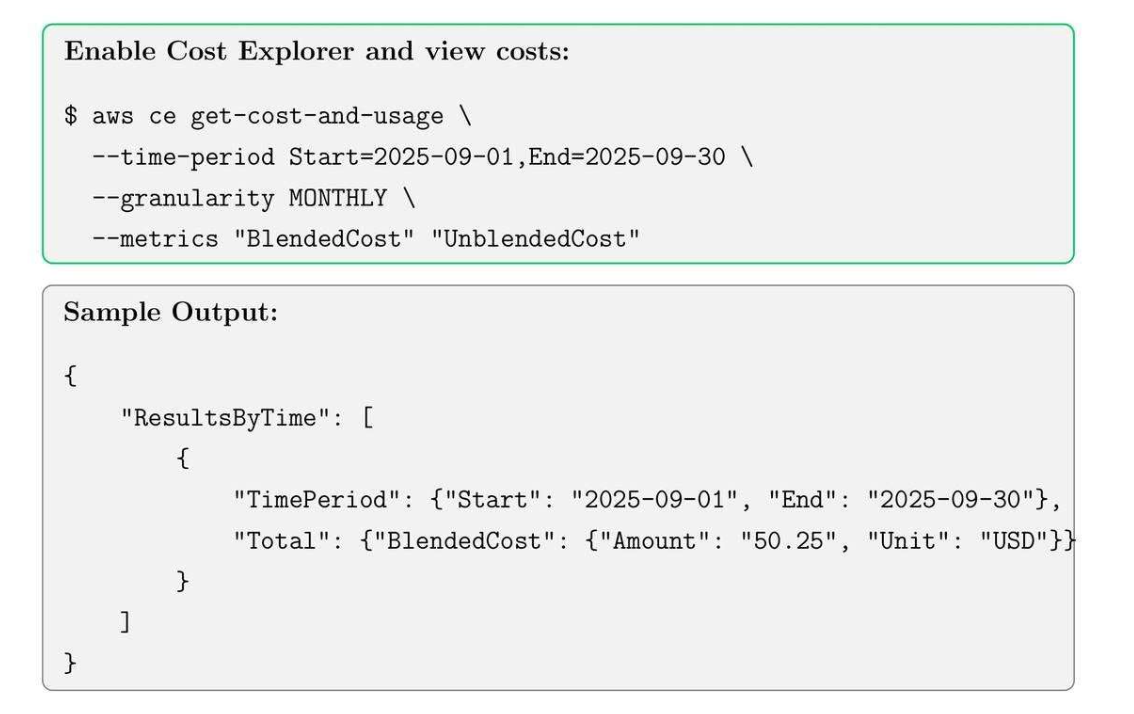
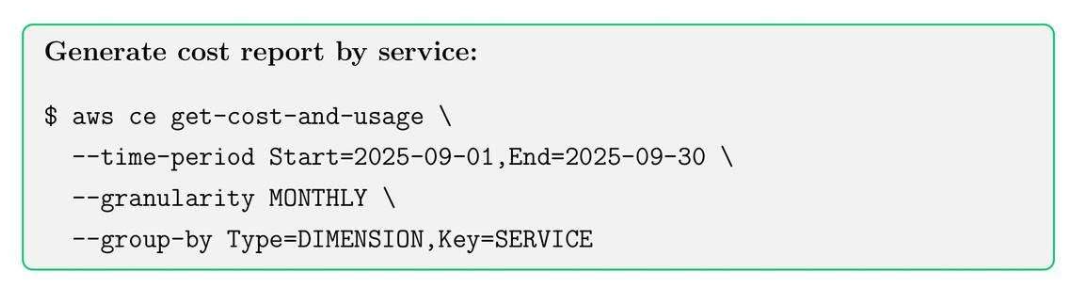
- Cost Explorer: historical cost.
- Budgets: Set spending threshold.
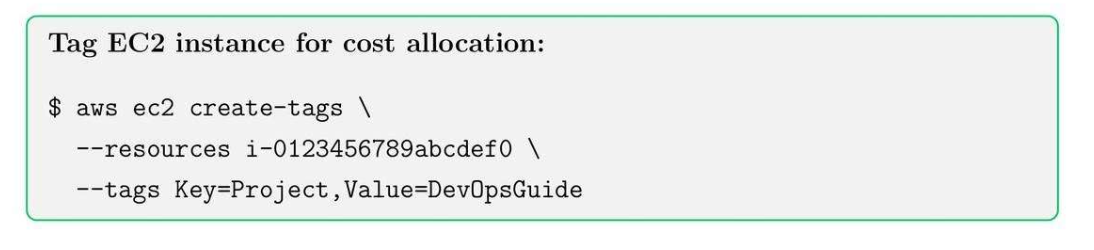
- Tags: allocate costs by project, department, team.
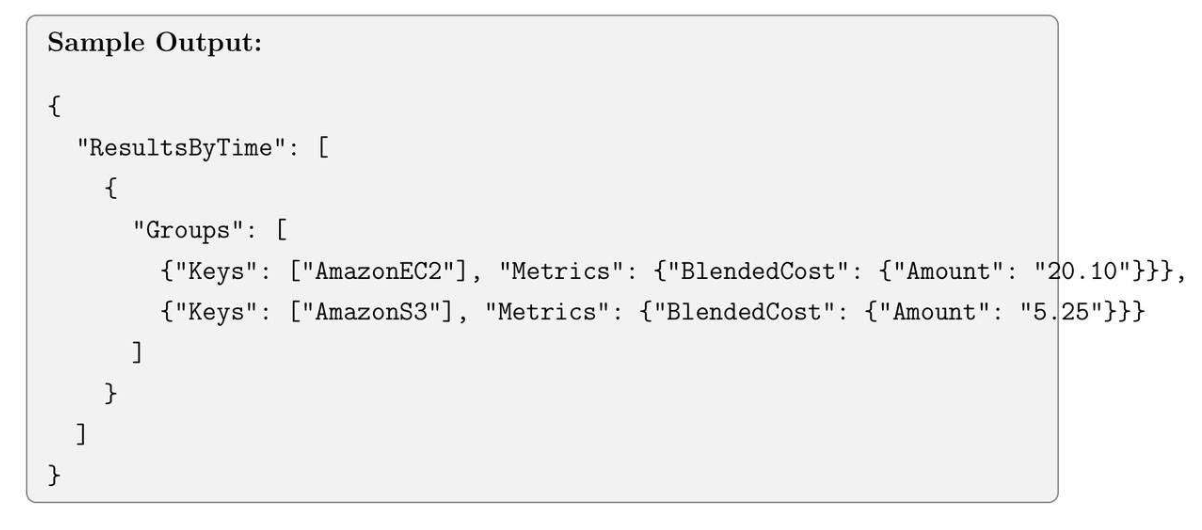
27.2. AWS Cost Explorer
27.3. AWS Budgets
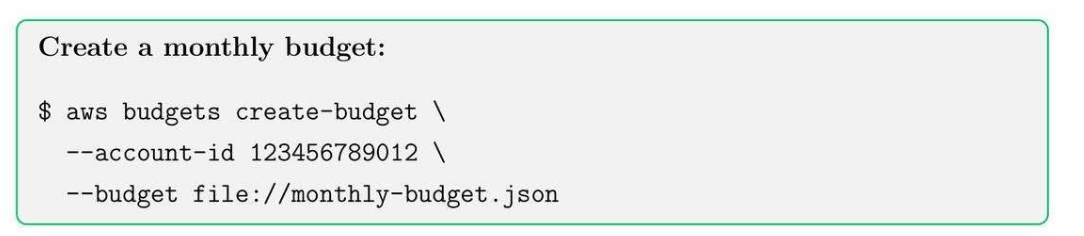
Tip: Use SNS notifications to alert when budget thresholds are reached.
27.4. AWS Resource Tagging
27.5. Best Practices
- Tag all resources with Project, Environment, and Owner.
- Use tags for Cost Explorer and billing reports.
- Enforce tagging via AWS Config rules.
27.6. Reserved Instances and Savings Plans
- Purchase Reserved Instances (RI) for long-term workloads to save costs.
- Use Savings Plans for compute flexibility across EC2, Lambda, and Fargate.
- Use Spot Instance for running non-critical services.
- Monitor usage and adjust commitments accordingly.
27.7. Cost Optimization Tips
- Right-size instances using CloudWatch metrics.
- Turn off unused resources (EC2, RDS, EBS).
- Use Spot instances for non-critical workloads.
- Enable S3 lifecycle policies to move old data to Glacier.
- Automate budget alerts and monitoring.
27.8. Cost Reports and Analytics
27.9. AWS Billing and Cost Management Summary
- Monitor and optimize AWS costs using Cost Explorer, Budgets, and Tags.
- Implement automation to reduce wastage and overprovisioning.
- Use Reserved Instances and Savings Plans for predictable workloads.
- Review monthly reports to identify trends and optimize usage.
28. AWS Lambda: Serverless Compute
28.1. Lambda Core Concepts
- Event-driven execution
- Automatic scaling
- Pay-per-use pricing
28.2. Creating a Lambda Function
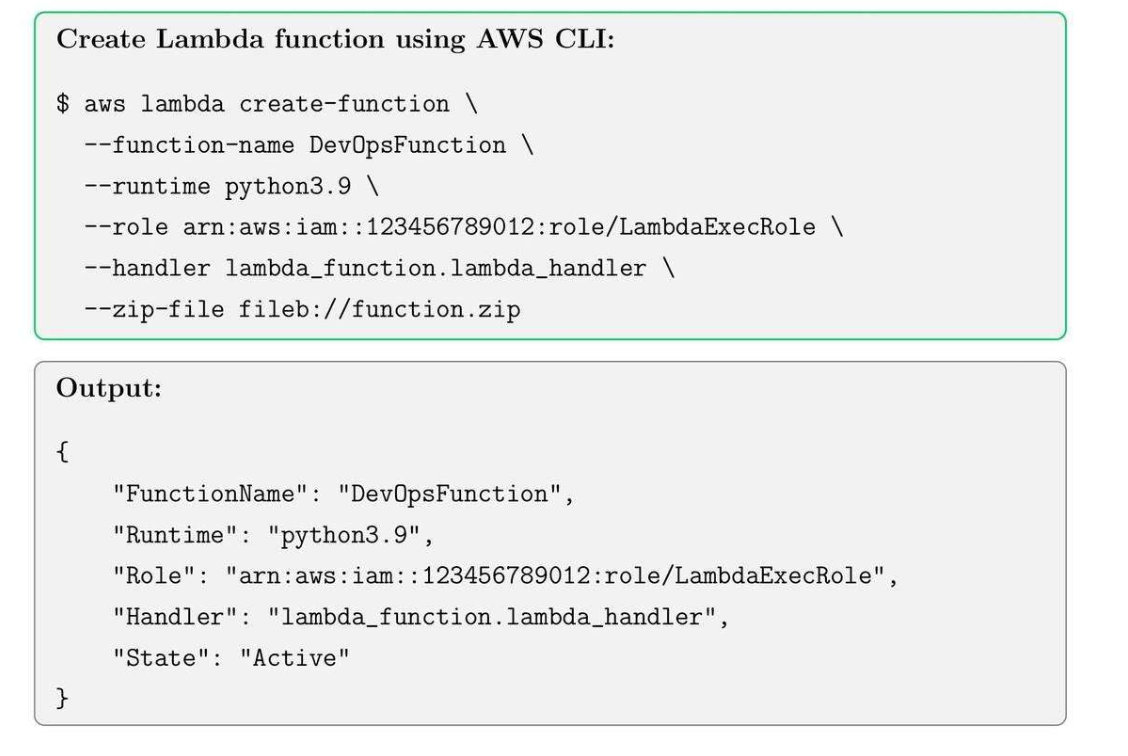
28.3. Event Bridge Triggers
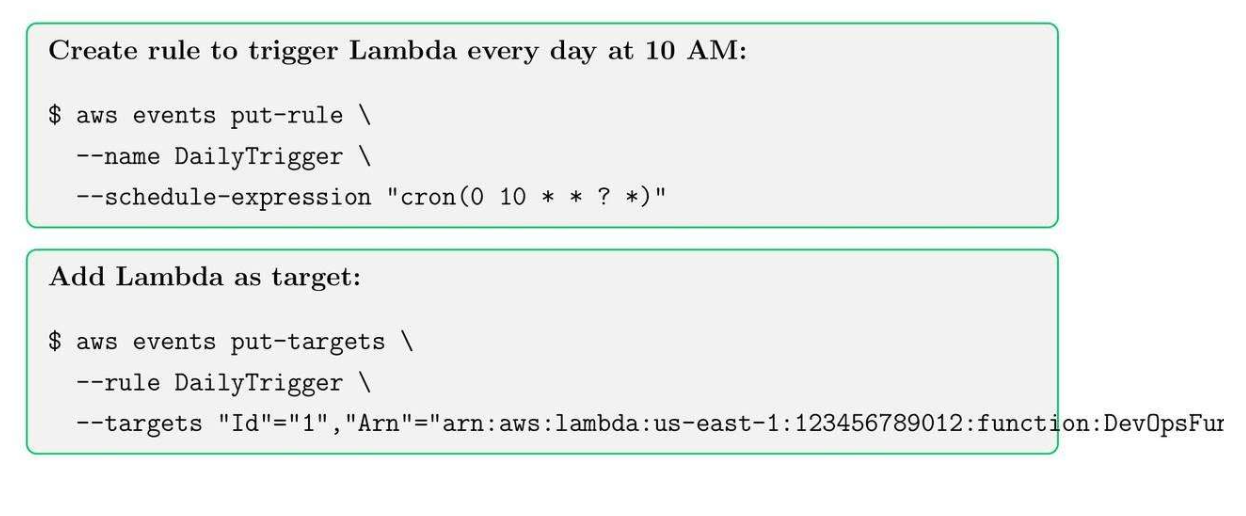
29. API Gateway
29.1. API Gateway Core Concepts
- Create REST or HTTP APIs
- Integrate with Lambda, ECS, or other endpoints
- Enable authentication (Cognito, IAM, Lambda Authorizers)
29.2. API Gateway Integration
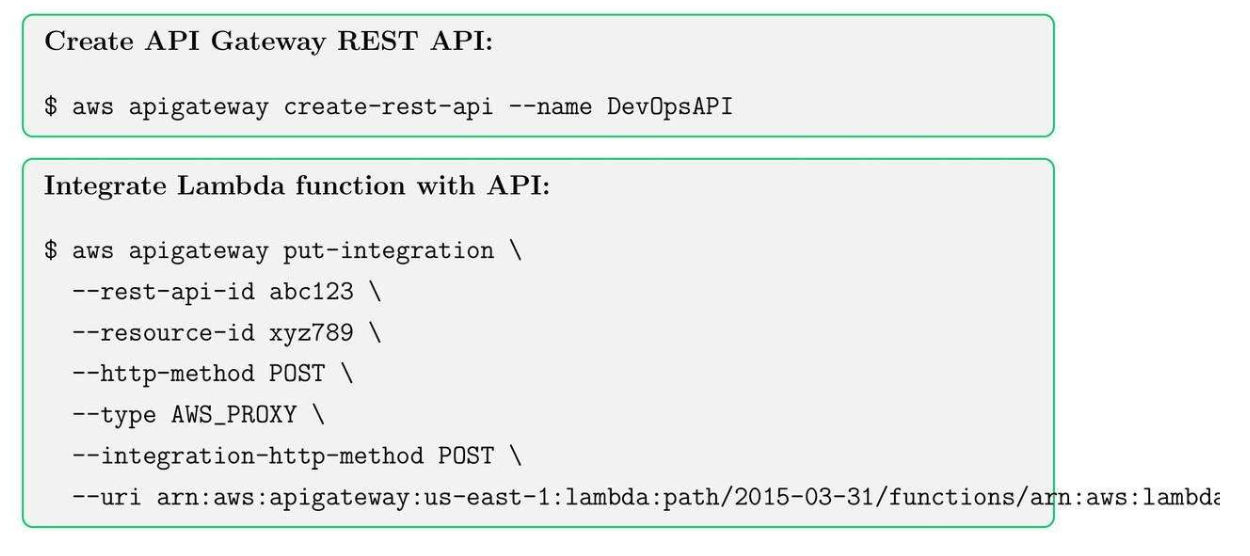
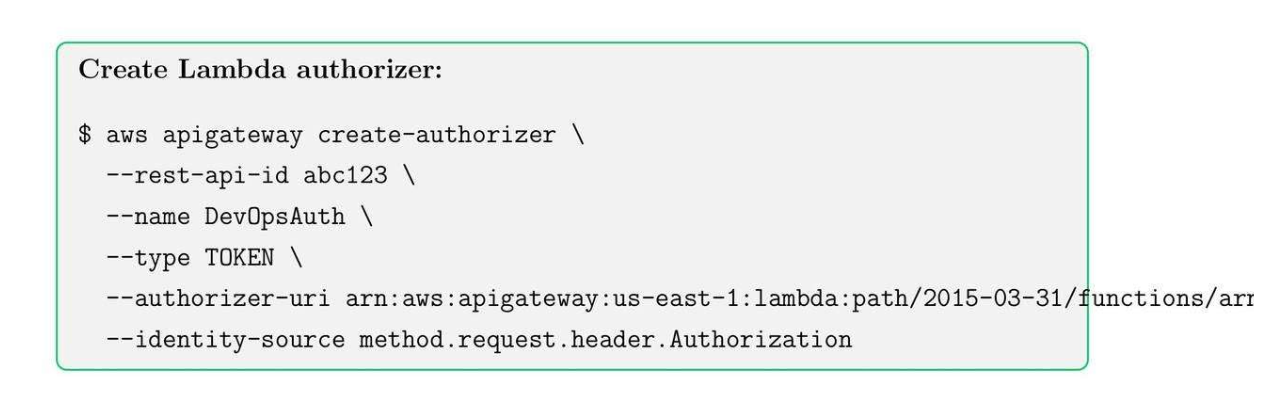
29.3. Lambda Authorizes in API
- Used for custom authentication for API Gateway
- Can validate tokens or headers
30. AWS Step Functions
30.1. AWS Step Functions Core Concepts
- Visual workflows
- Parallel execution
- Error handling and retries
30.2. Creating Step Functions
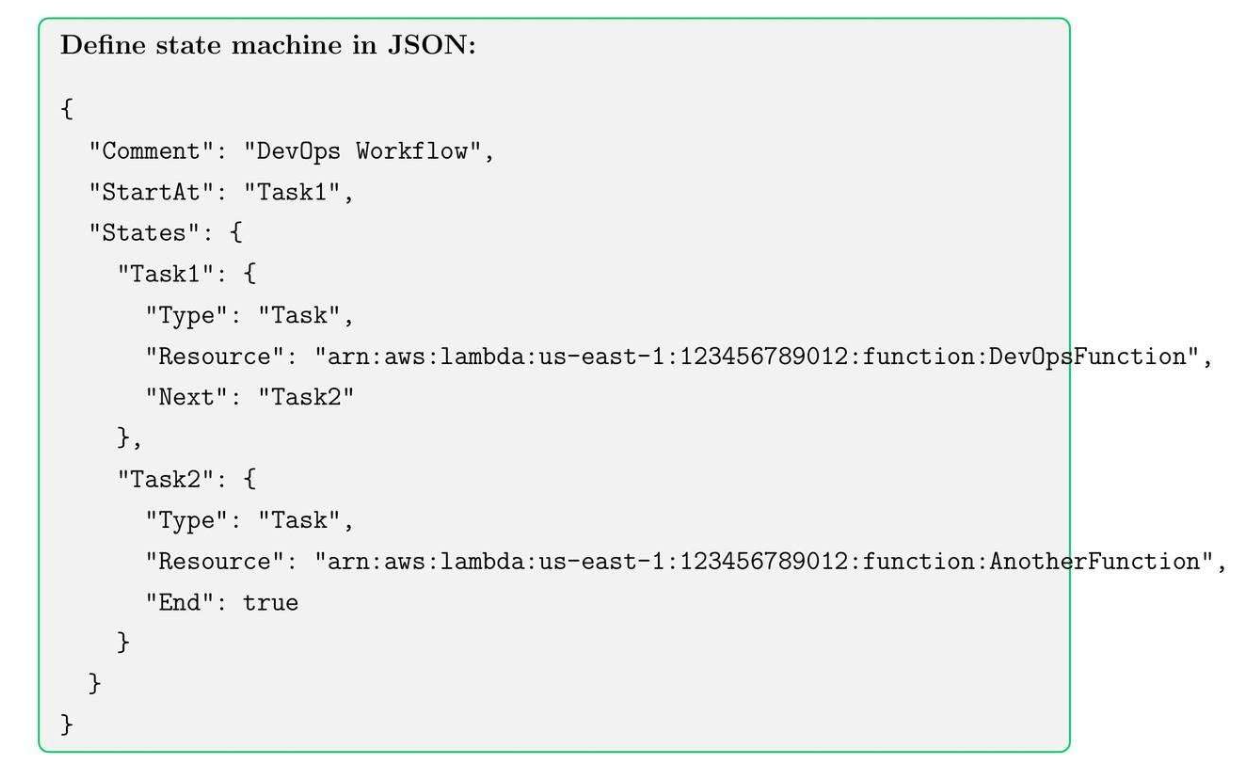
30.3. Deploy Step Function
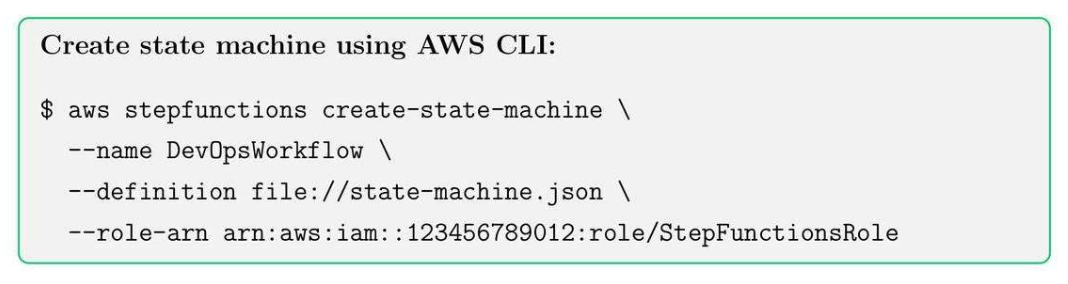
30.4. Step Functions Best Practices
- Use meaningful state names for clarity
- Implement retries and catch blocks for error handling
- Keep workflows modular with separate Lambda functions
- Monitor executions using CloudWatch Logs
31. Amazon SQS
31.1. SQS Core Concepts
- Standard Queues: High throughput, at-least-once delivery, best-effort ordering.
- FIFO Queues: Exactly-once processing, preserves message order.
- Dead-letter Queues (DLQ): Capture messages that cannot be processed successfully.
- Visibility Timeout: Temporarily hides messages from other consumers to avoid duplicate processing.
31.2. Create Queue
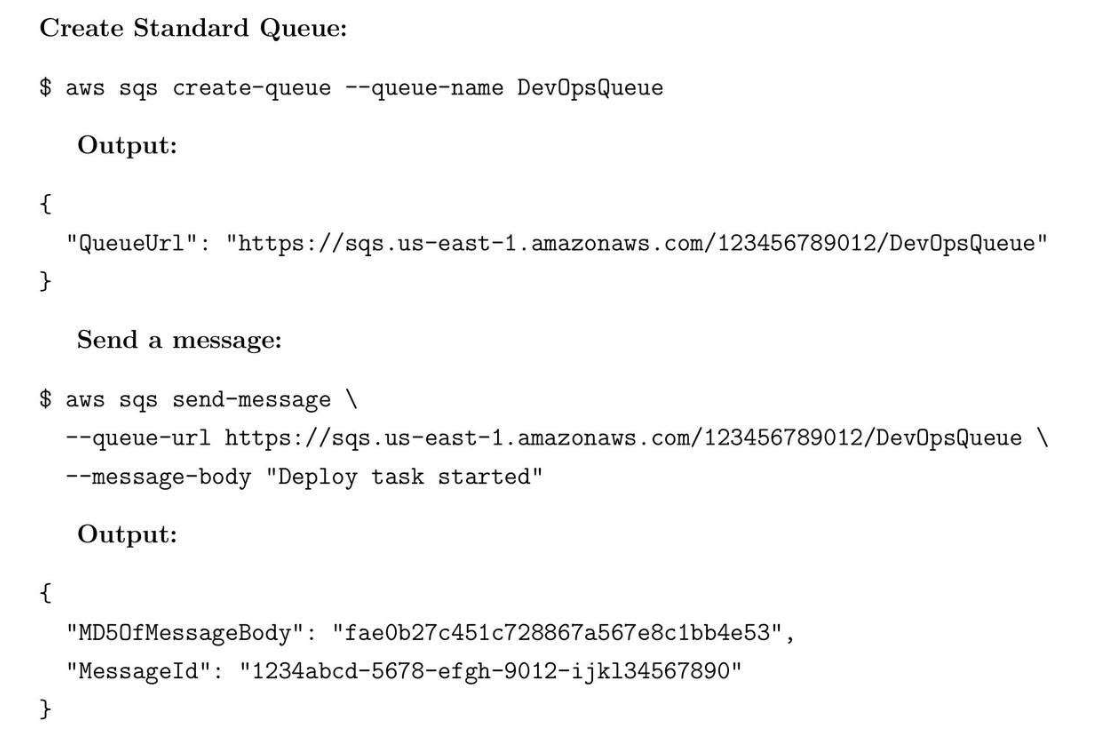
31.3. Best Practices
- Use DLQs for error handling.
- FIFO queues for order-sensitive workflows.
- Monitor CloudWatch metrics: NumberOfMessagesSent/Received.
31.4. Use Case
- CI/CD pipeline pushes deployment tasks to SQS. Multiple worker Lambdas process messages in parallel without overloading resources.
31.5. Interview Tips
- Explain the differences between Standard and FIFO queues, visibility timeout, DLQs, and integration with Lambda.
32. Amazon SNS
32.1. SNS Core Concepts
- Work like pub/sub service for SMS, SQS, Lambda.
- Broadcast messages to multiple subscribers.
- Integrates with SQS, Lambda, and HTTP/S endpoints.
- Supports filtering policies and message attributes.
- Reliable delivery with retries.
32.2. Create Topic
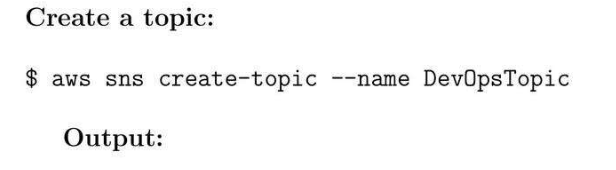
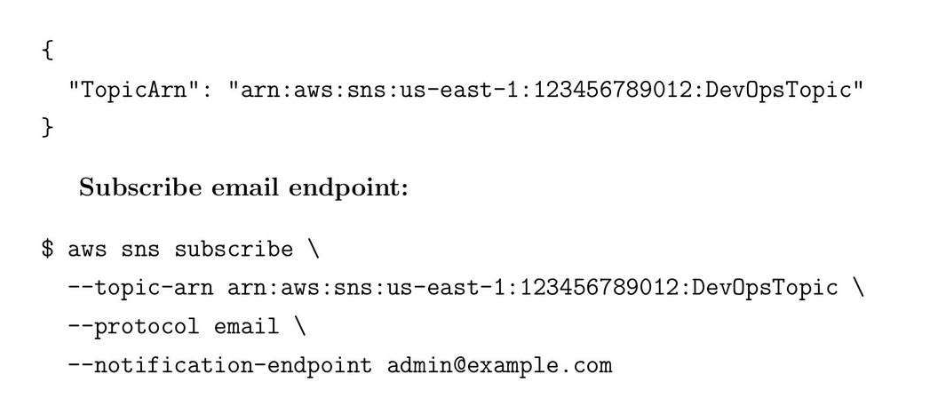
32.3. Use case
- Send deployment alerts to team email/SMS whenever a new Lambda executes or EC2 instance changes state.
32.4. Best Practices
- Use message attributes for filtering.
- Combine SNS + SQS for decoupled architectures.
- Monitor using CloudWatch metrics: NumberOfMessagesPublished /Delivered.
33. Amazon CloudFront: Content Delivery Network
33.1. CloudFront Core Concepts
- CDN for static assets.
- Lambda@Edge
33.2. Create distribution pointing to an S3 bucket

33.3. CloudFront Best Practices
- Set an appropriate TTL for caching objects.
- Use Lambda@Edge to modify requests and responses.
- Small backend computation in edge CDN.
- Enable logging for security and analytics.
33.4. CloudFront Caching Strategies
- Cache static content for long durations.
- Use Cache-Control headers for dynamic content.
- Invalidate cache for updates using CLI or console

34. Amazon Route 53: DNS server
34.1. Route 53 Core Concepts
- Route 53 là một scalable DNS server.
- Latency-based routing
- Weighted routing
- Failover routing
- Health checks and alarms
- DNS is used for routing
34.2. Create Hosted Zone
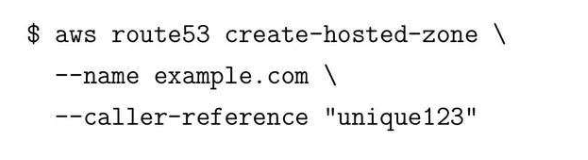
34.3. Health Check

35. Elastic Load Balancing (ELB)
35.1. ELB Core Concepts
- Classic Load Balancer
- Application Load Balancer (ALB) - HTTP/HTTPS, path-based routing
- Network Load Balancer (NLB) - TCP/UDP, low latency.
35.2. Create Application Load Balancer (ALB)
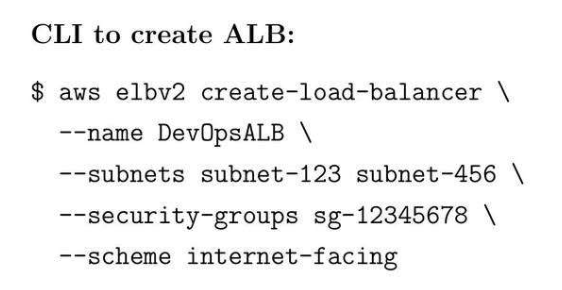
- Use path-based routing for microservices.
- Enable WAF for security.
- Monitor target health with CloudWatch.
35.3. Create Network Load Balancer (NLB)
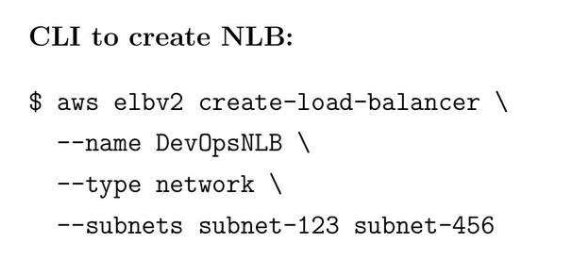
- Use for TCP/UDP traffic with extremely low latency.
- Combine with Auto Scaling groups for high availability.
- Monitor using CloudWatch metrics: ActiveF lowCount, NewFlow Count.
35.4. Best Practices
- Use SQS + SNS + EventBridge for event-driven applications.
- CloudFront accelerates global content delivery.
- Route 53 ensures DNS reliability with health checks and failover.
- ELB (ALB/NLB) distributes traffic efficiently and ensures high availability.
- Use case:
- Route 53 → Đưa ra cái địa chỉ của ALB/NLB tương ứng.
- API Gateway → Route tất cả các đầu API.
- ALB → dùng để distribute traffic.
36. Auto Scaling Groups (ASG)
36.1. ASG Core Concepts
- Automatic scaling up/down based on metrics.
- Integration with ELB to distribute traffic.
- Health checks and instance replacement.
- Launch templates or configurations for standardization.
36.2. Create Auto Scaling Group
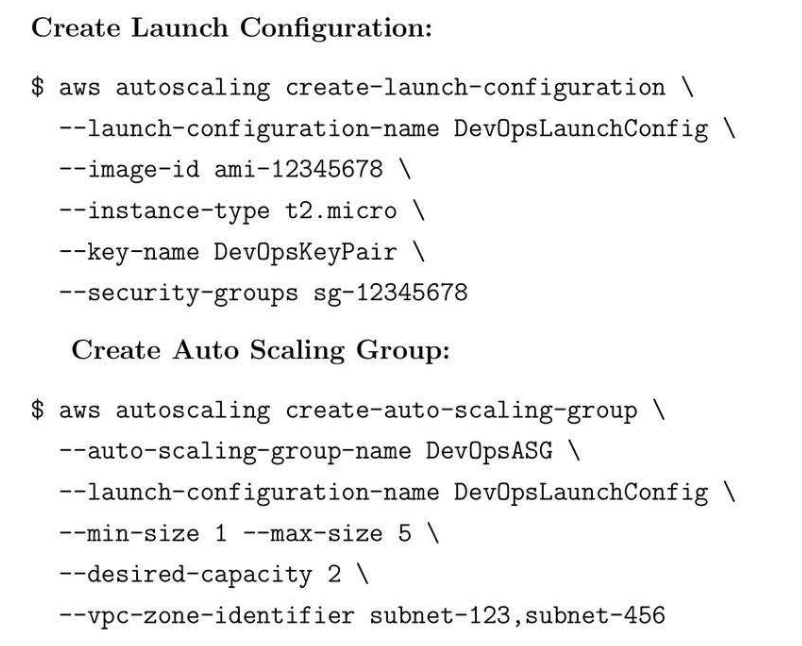
36.3. Metrics Policies
- Scale out if CPU > 70%.
- Scale in if CPU < 20%.
- Monitor metrics via CloudWatch.
36.4. Best practices
- Use Launch Templates over configurations for flexibility.
- Combine ASG with ELB for health-aware routing.
- Monitor scaling activities and set alarms for unusual behavior.
37. AWS Secrets Manager
37.1. Secret Manager Core Concepts
- Automatic secret rotation.
- Integrated with Lambda for custom rotation logic.
- Fine-grained access control using IAM.
- Secure retrieval via AWS SDK/CLI.
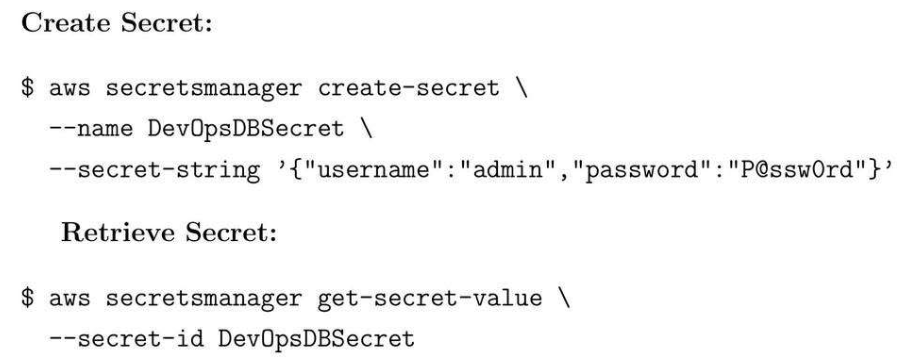
37.2. Create Secret
37.3. Best Practices
- Rotate secrets automatically every 30-60 days.
- Use IAM policies to restrict access.
- Avoid hardcoding credentials in code or scripts.
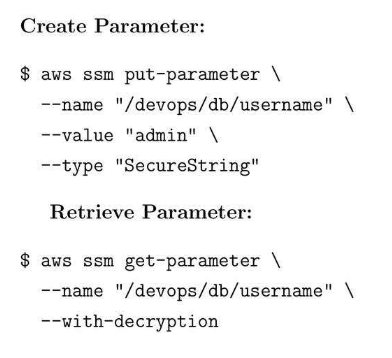
37.4. Parameter Store
37.5. Parameter Store Best Practice
- Use Parameter Store for configs and Secrets Manager for credentials.
- Encrypt sensitive data using KMS.
- Version control critical parameters.
38. AWS KMS: Encryption
38.1. KMS Core Concepts:
- Use KMS keys for centralized key management.
- Enable default encryption on S3 buckets and EBS volumes.
- Rotate keys periodically for security compliance.
38.2. Encrypt S3 Bucket

39. VPC Peering
39.1. VPC Peering Core Concepts
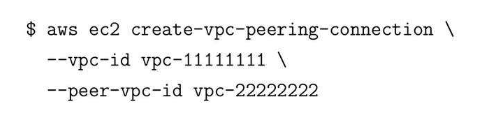
- Connect two VPCs without internet gateway.
39.2. Create VPC Peering Connection
39.3. Best pratices
- Use route tables to allow traffic between VPCs.
- Avoid overlapping CIDR ranges.
- Monitor peering connections for health and usage.
40. AWS Transit Gateway
40.1. AWS Transit Core Concepts
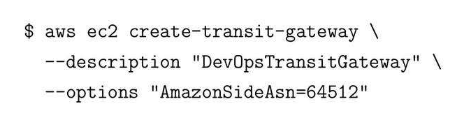
- Transit Gateway connects multiple VPCs.
40.2. Create Transit Gateway
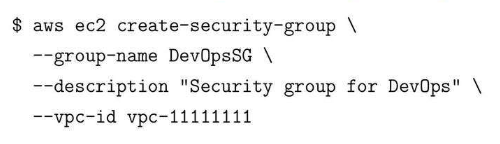
40.3. VPC Security: Security Groups NACLs
41. Amazon Aurora
41.1. Aurora Core Concepts
- PostgreSQL-like database.
- Up to 5x faster throughput and managed replication.
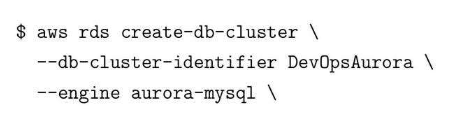
41.2. Create Aurora Cluster
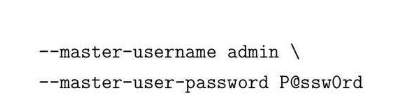
41.3. RDS Backup
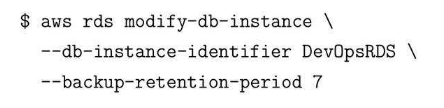
41.4. Manual Snapshot

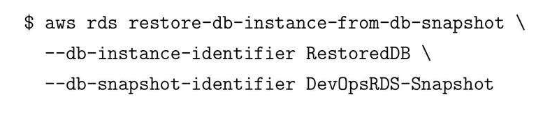
41.5. Restore from Snapshot
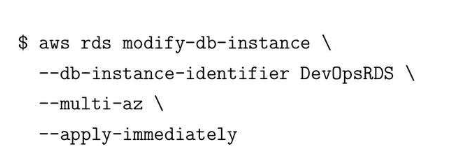
41.6. Multi-AZ Deployment
41.7. Read Replicas

42. Amazon Redshift
42.1. Redshift Core Concepts
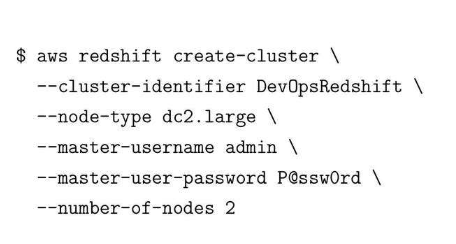
- Redshift is a fully managed data warehouse for analytics workloads.
42.2. Create Redshift Cluster
43. AWS Glue
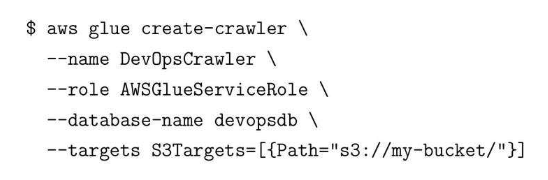
43.1. Glue Core Concepts
- Dùng để ETL data for analytics.
43.2. Create Glue Crawler
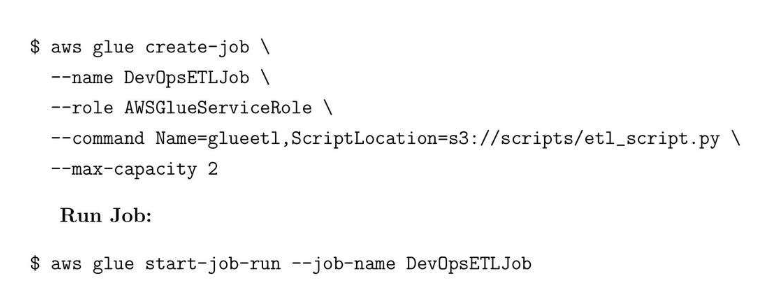
43.3. Create and Run ETL Job
44. AWS CDK: Cloud Development Kit
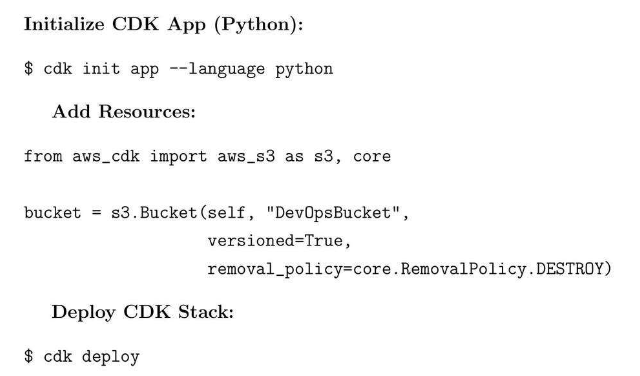
44.1. AWS CDK
- Library for multiple programming languages.
44.2. Initialize CDK App (Python)
45. AWS Security Best Practices and Compliance
45.1. Create Policy
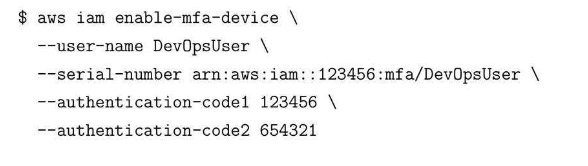
45.2. Create MFA